49
January, 2017
Dumping Delay – Is the amount of time between the dump request and the signal that will initiate
the PrimoCombi to dump product (0 by default.)
Force Dump Delay – Is the amount of time between the dump request and the signal that will
trigger a programmed reaction from the ancillary device for handling forced dumps (0 by default.)
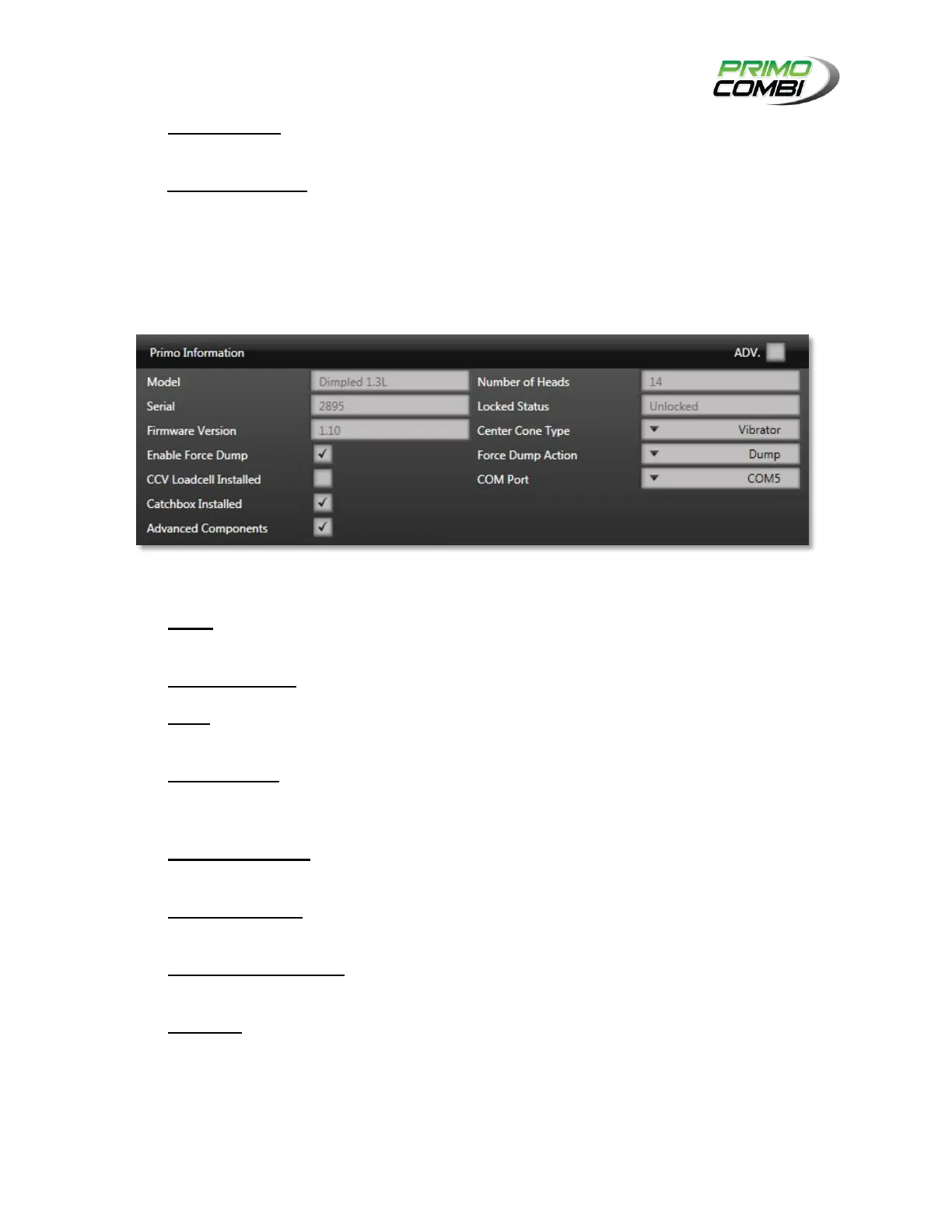
GENERAL PRIMO INFORMATION
The General Primo Information section allows operators to view certain information about their
PrimoCombi, as well as allow operators to configure certain settings on their scale.
PRIMO INFORMATION FIELDS
Model – This field indicates the type of PrimoCombi you have. This includes the type of material
used, as well as the volume of the weigh buckets. Read-Only
Number of Heads – This field indicates the number of heads your PrimoCombi has. Read-Only
Serial – This field indicates the serial number of the PrimoCombi. This will be required when
requesting service for your machine. Read-Only
Locked Status – This indicates the current status of the main board. If the value of the
PrimoCombi is locked you will only be able to read values from the PrimoCombi. If the status is
unlocked you will be able to control the PrimoCombi. Read-Only
Firmware Version – This field indicates the current version of the software running on the
PrimoCombi. This will be required when requesting service for your machine. Read-Only
Center Cone Type – This field indicates the type of center cone your PrimoCombi is using. This
can be either None, Vibrator, or Motor. Read-Write
CCV Load Cell Installed – This field indicates if the PrimoCombi is equipped with a center cone
load cell to control the product flow into the machine. Read-Write
COM Port – This field indicates what COM port the scale is communicating on. If this field is
blank it might indicate that there is a problem with the communications to the scale. If you change
COM ports you can update the port here. Changing this field does not require an application
restart. Read-Write



 To Next Page