77
January, 2017
CENTER CONE CONTROLS
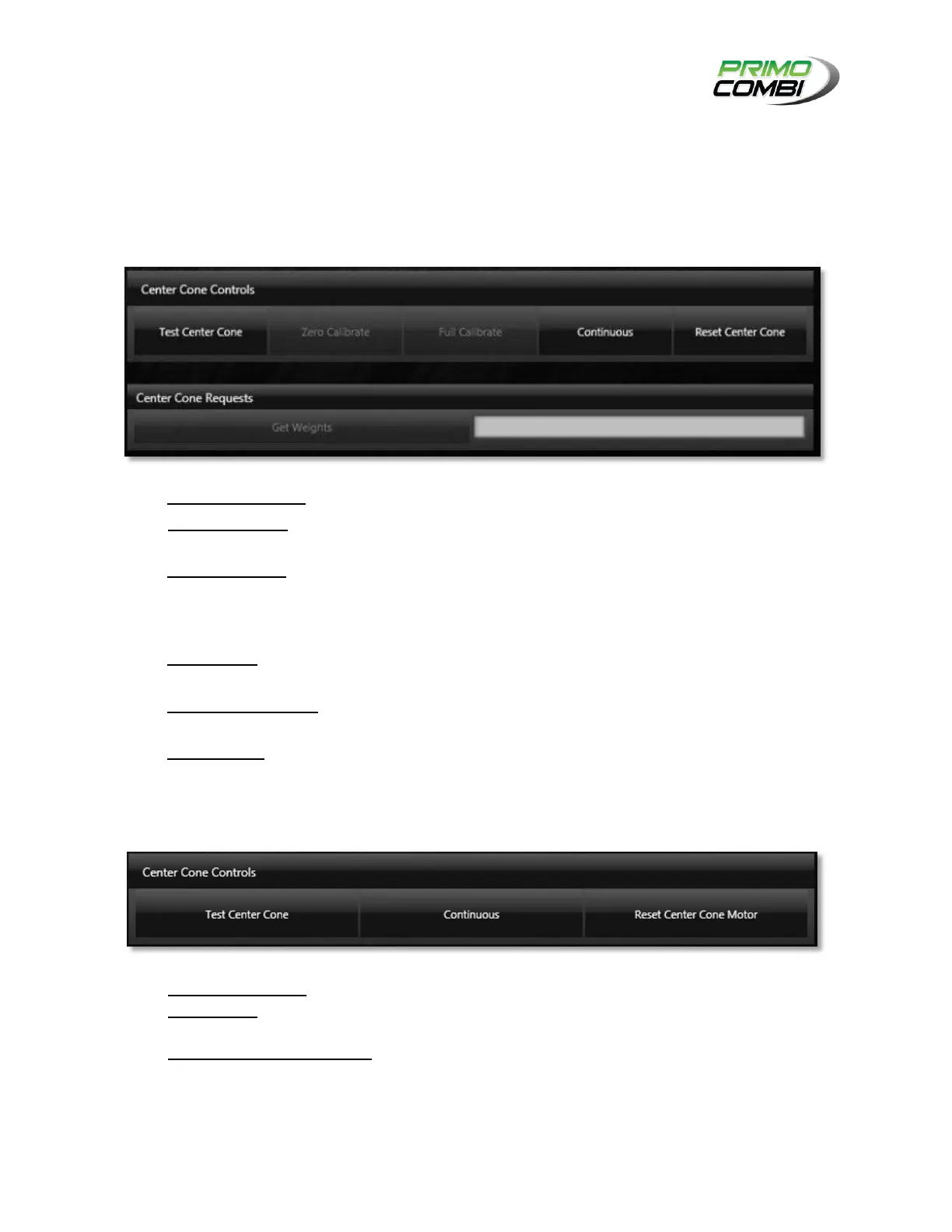
Center Cone Controls give the operator the ability to control each function of the center cone and the
ability to diagnose any problem with the PrimoCombi. This is also where you can perform full calibrations.
VIBRATOR
TEST CENTER CONE – Pressing this button will activate the center cone vibrator.
ZERO CALIBRATE – Used to tare the weight of the Center Cone’s load cell, if equipped with a load
cell.
FULL CALIBRATE – Used to perform a full calibration of the Center Cone’s load cell. Once you
click on the button you will be prompted begin the calibration. The calibration must be performed
with a 1kg weight being placed on the Center Cone. The load cell will be calibrated to measure
1kg, using the weight placed on top of the Center Cone as a reference.
CONTINUOUS – Continuous is a toggle-able button that allows you to turn on the center cone
repeatedly until the button is pressed again.
RESET CENTER CONE – If the center cone yields an error you can reset it here and bring it back
online.
GET WEIGHTS – If you have a load cell on the center cone, this is where you can get the weight of
the product on the center cone.
MOTOR
TEST CENTER CONE – Pressing this button will activate the center cone motor.
CONTINUOUS – Continuous is a toggle-able button that allows you to turn on the center cone
repeatedly until the button is pressed again.
RESET CENTER CONE MOTOR – If the center cone yields an error you can reset it here and bring it
back online.



 To Next Page