94
January, 2017
INDV. VIEW
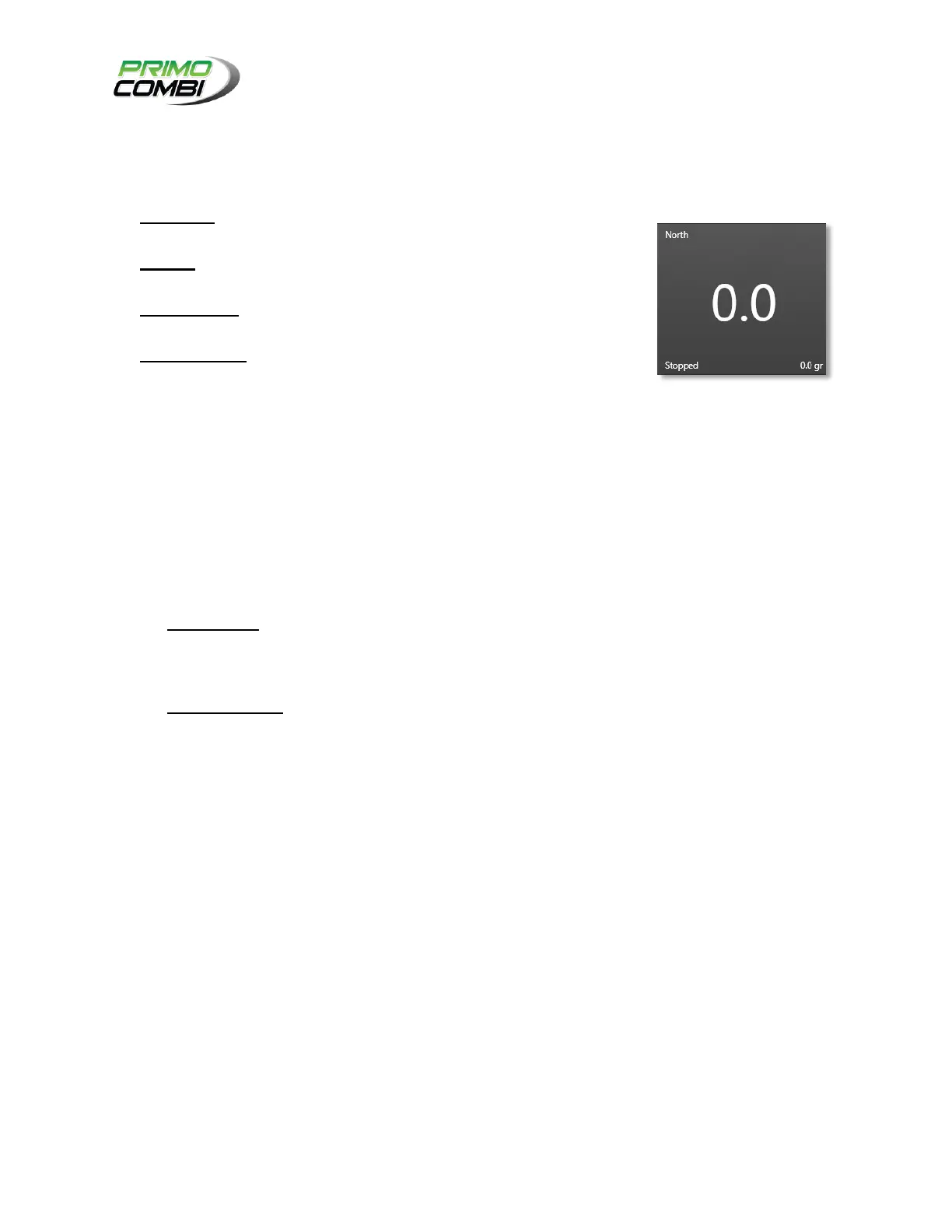
The Individual View mode allows you to view the dumps of each scale from a single screen. The screen is
broken down into several sections.
TOP-RIGHT – This is the description of the PrimoCombi that is being
displayed.
CENTER – This displays the current dump and functions similarly to the
Digital Mode for a single machine.
BOTTOM-LEFT – This is the current state of the PrimoCombi. It can be
either Stopped, Paused, or Running.
BOTTOM-RIGHT – This is the target weight of the current recipe loaded
for the machine.
CUL. VIEW
If the multi-machine recipe you are using keeps a record of weights (the dumps from all scales go to a
single bag or pouch), you can see the cumulative total for the dumps in this view.
SCALE SELECTION
You can only view 4 machines at a time on the Multi-Operate screen. If you are running more than 4
machines using a single 360 Operating System, you can switch between your scales here.
STATISTICS
TOTAL UNITS – This displays the number of units you have produced for a single production run.
If you are running a cumulative recipe, every time all machines make a combination this value is
incremented by one. If you are not running a cumulative recipe, this value will be incremented by
one every time a PrimoCombi makes a combination.
CURRENT SPEED – This is the current speed at which your system as a whole is running.
CURRENT RECIPE
This is the multi-machine recipe currently loaded.
CHANGE RECIPE
Clicking the Change Recipe button will bring up the Multi-Recipe selection screen. This operates similarly
to a single machine recipe selection screen. Choosing a multi-recipe will load all recipes that are
configured to the respective scales.
START/STOP/PAUSE
These buttons control all PrimoCombis. You can Start, Pause and Stop all scales from a single location.
RECIPES
The multi-machine recipe screen is where you configure your PrimoCombi is to run specific products for
multi-machine operations.



 To Next Page