_______________________________________________________________________________________________________________________________
Merrychef eikon
®
e2s Installation and User Manual
_______________________________________________________________________________________________________________________________
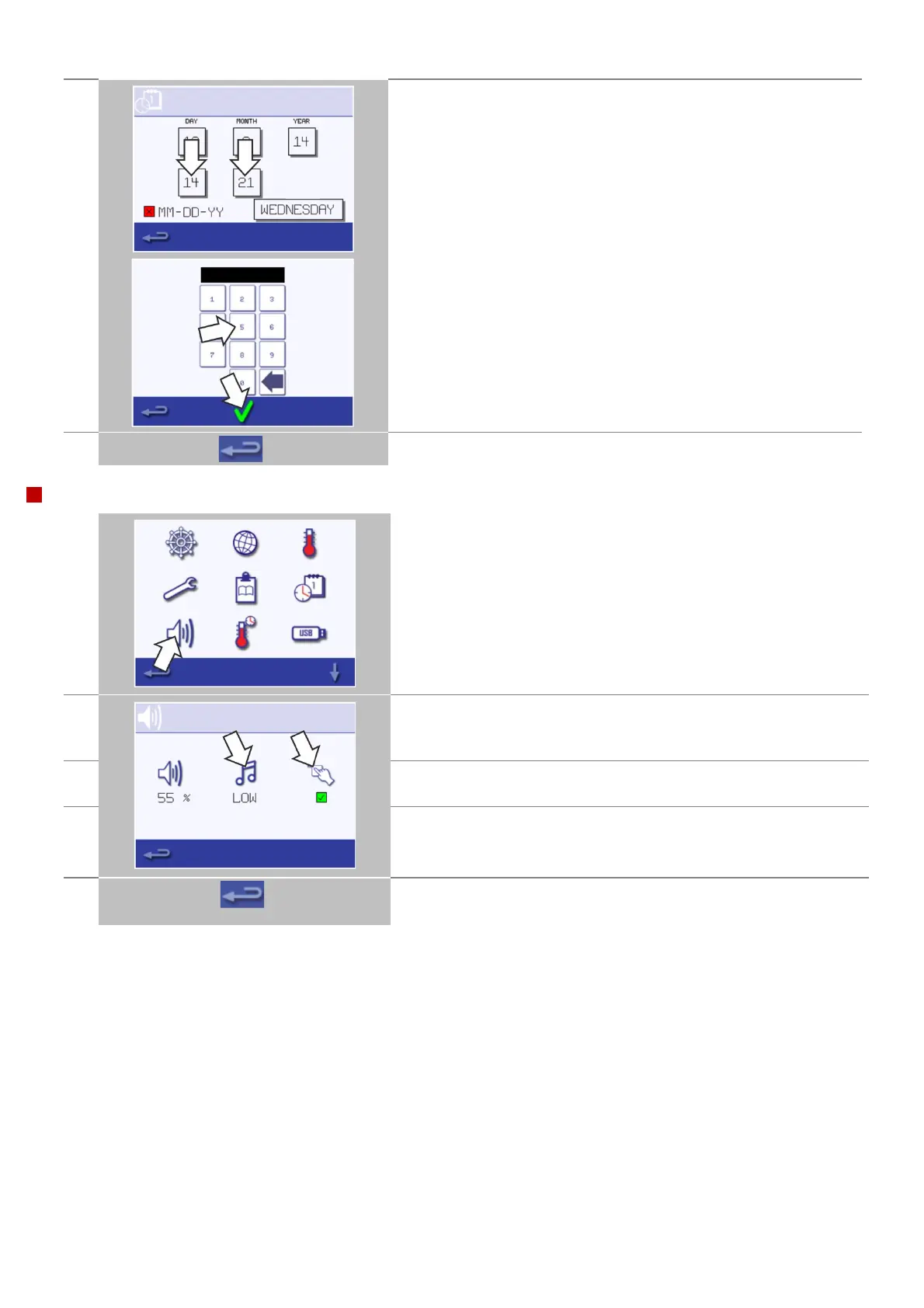
Select 'MIN', enter the correct minutes on the keypad and select OK.
A correct date & time supports diagnosis and servicing, as logs are
recorded using these date & time settings.
When finished, select backspace to return to the main settings menu.
Select the 'speaker' symbol to access the volume, tone and further
sound settings.
Select the 'speaker' symbol to adjust the volume level suitable for the
environment from none (OFF) to the loudest (100%).
Select the 'music note' symbol to set LOW, MED or HIGH tone.
Select the 'keypad' symbol to switch the sound ON or OFF when the
touchscreen is pressed.
When finished, select backspace to return to the main settings menu.



 To Next Page