_______________________________________________________________________________________________________________________________
Merrychef eikon
®
e2s Installation and User Manual
_______________________________________________________________________________________________________________________________
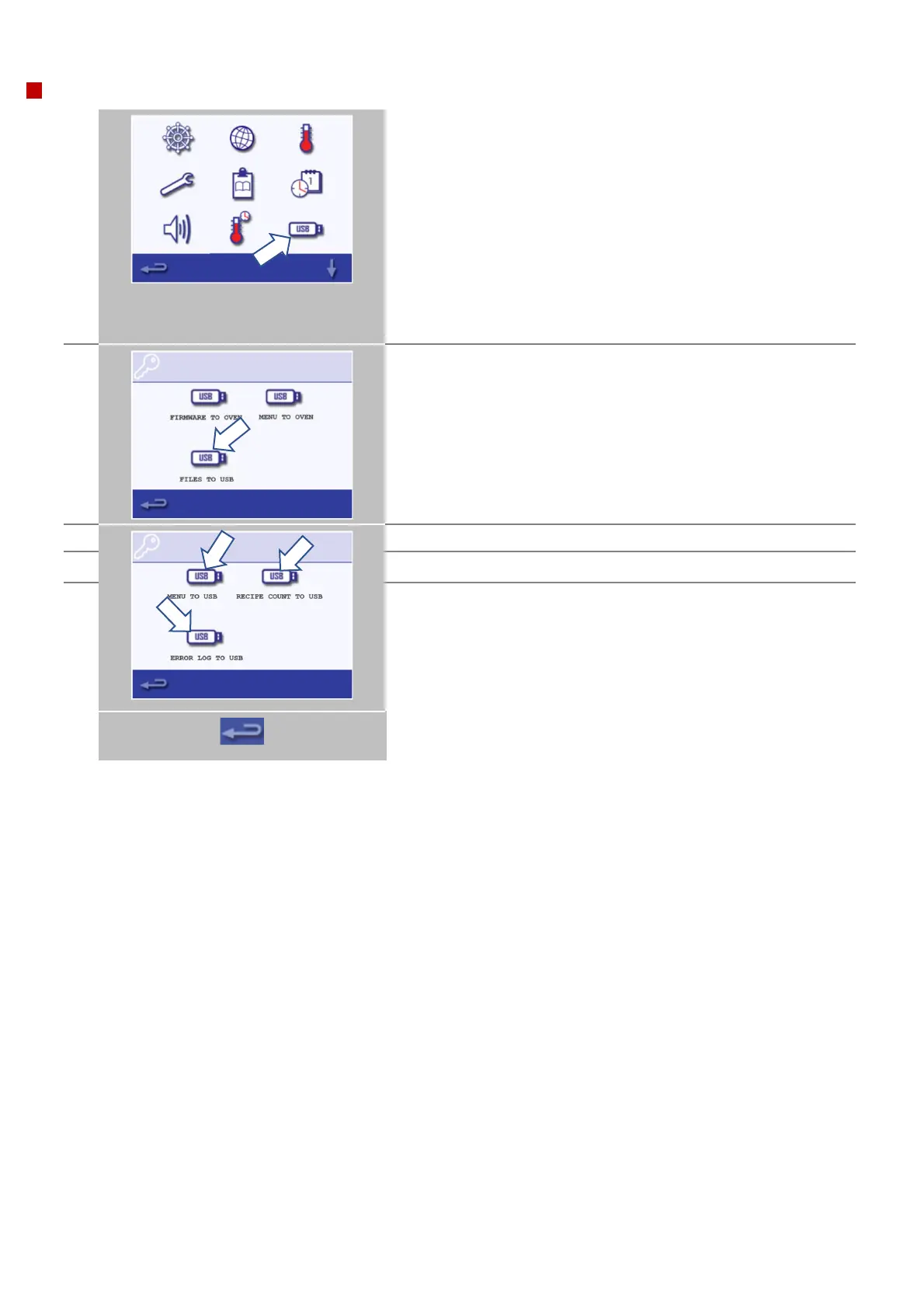
Plug in a USB key as covered in the following section 8.2.7 and select
the ‘USB' symbol to manually load firmware and menu programs on
the oven, or to copy any of the following files from the appliance on
to the USB key;
• Menu File
• Oven Counters
• Error (Event) Log
Refer to the Service and Repair Manual for instructions on manually
loading menu files and operating firmware updates.
See section 8.2.7 for the standard process of loading menu files.
To copy files from the appliance on to the USB key, select ‘UPLOAD TO
USB’.
Select file to be copied and follow the on screen instructions.
When finished, select backspace to return to the main settings menu.



 To Next Page