ATA-171/172/171P/171M (ATA-S1/S2/P/M)
User’s Guide
12
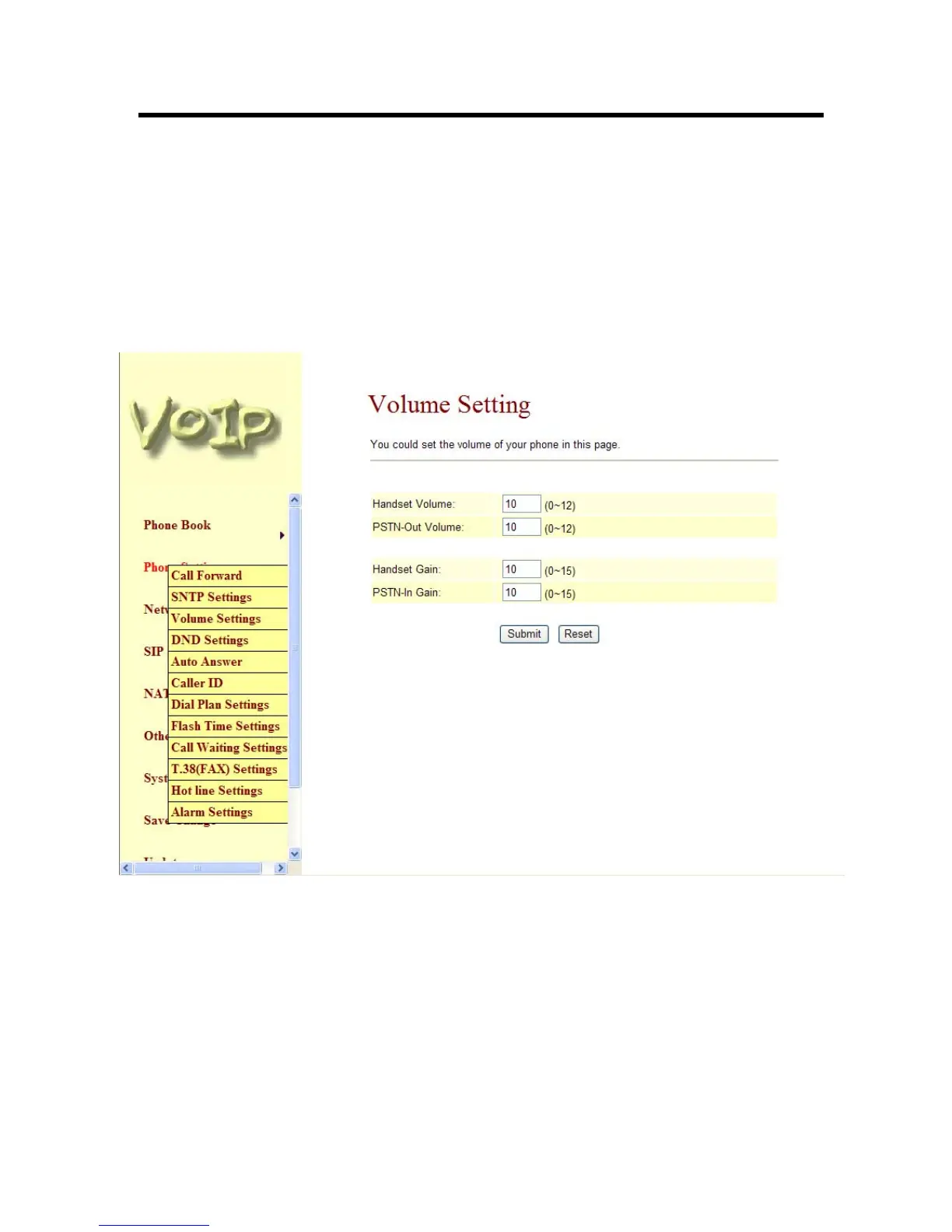
3.4.4 Volume Setting function: you can setup the Handset Volume, Ringer Volume, and the
Handset Gain. When you finished the setting, please click the Submit button.
-1- Handset Volume is to set the volume for you can hear from the handset.
-2- Ringer Volume is to set the ringer volume for you can hear.
-3- PSTN-Out Volume is is to set the volume for you can hear from the PSTN side (Note: Only
supported in ATA171M).
-4- Handset Gain is to set the volume send out to the other side’s handset.
-5- PSTN-In Gain is to set the volume send out to the other side (Note: Only supported in
ATA171M).
-6- When you finished the setting, please click the Submit button.
-7- If there is nothing need to change, please click the Save Change Item in the left side, then
click the Save button. The change you made will save into the system and the system will
Reboot automatically.
Figure 5. Volume Setting
3.4.5 DND Setting function: you can setup the DND Setting to keep the phone slience. You can
choose Always Block or Block a period.
-1- Always DND: All incoming call will be blocked until disable this feature.
-2- DND Period: Set a time period and the phone will be blocked during the time period. If the
“From” time is large than the “To” time, the Block time will from Day 1 to Day 2.
-3- When you finished the setting, please click the Submit button.
-4- If there is nothing need to change, please click the Save Change Item in the left side, then
click the Save button. The change you made will save into the system and the system will
Reboot automatically.



 To Next Page