1
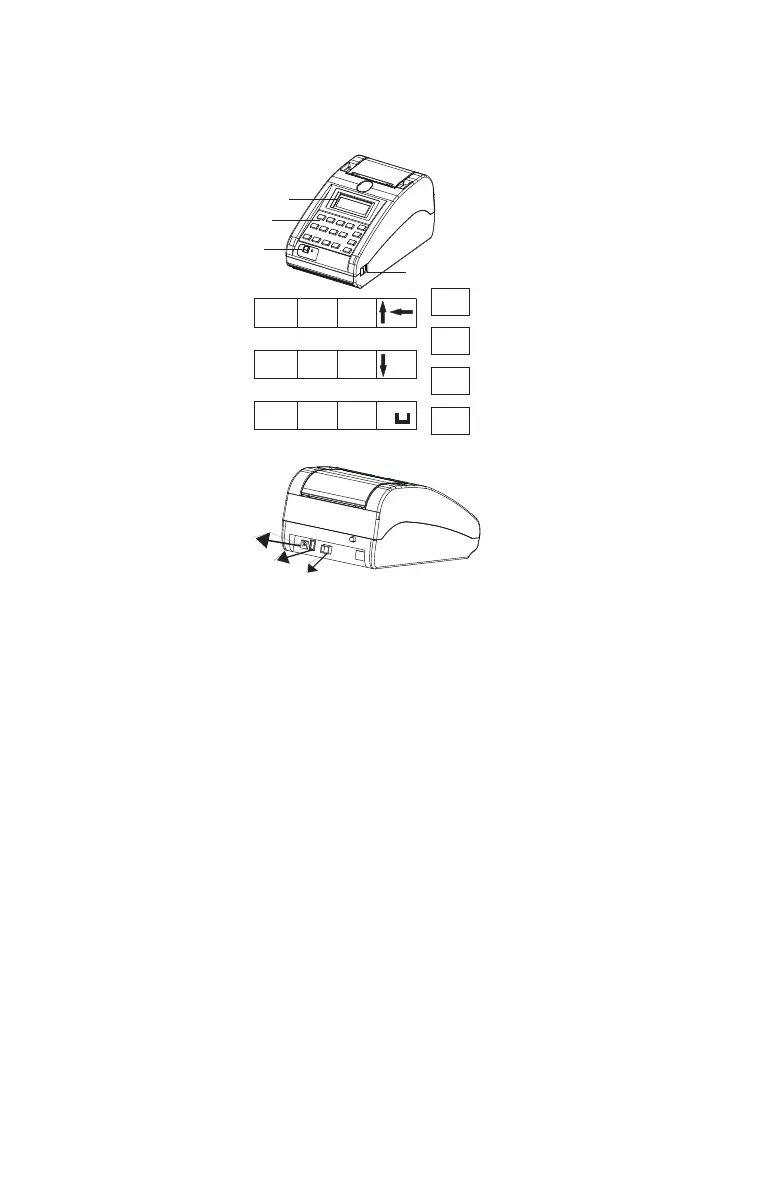
1.1 Features
LCD Module :
Displays all transactional entries & data keyed in.
Key Pad :
It contains alphanumeric and function keys required for item entries, modification
and search items in data base.
Feed Switch :
During printing(ONLINE mode), if FEED switch is pressed, printer will go to OFFLINE
mode and stays till ‘PRINT’ key is pressed again.
When machine is not printing, if FEED button is pressed after SHIFT key is pressed,
stationery will move by one line for each press.
ON / OFF Switch :
To power ON/OFF the unit.
USB Host Interface :
This interface is used normally for standard Pen drive during data download / data
upload.
Adaptor Connector :
Used for connecting output of power supply adaptor.
1.0 Your BP- JOY Pro at a Glance
Power
USB
Device
USB
Host
KEYPAD LAYOUT
USB Device Interface :
This interface is used normally during data download / data upload. Cable from
this interface has to be connected to Computer USB port.
Note:Serial and USB host interface will not work when USB device is functioning.
.
7STU 8VWX 9YZ 0
MENU
CANCEL
PRINT
ENTER
1ABC 2DEF
3GHI
4JKL 5MNO 6PQR
ON/OFF Switch
LCD
Key Pad
Paper Feed Switch



 To Next Page