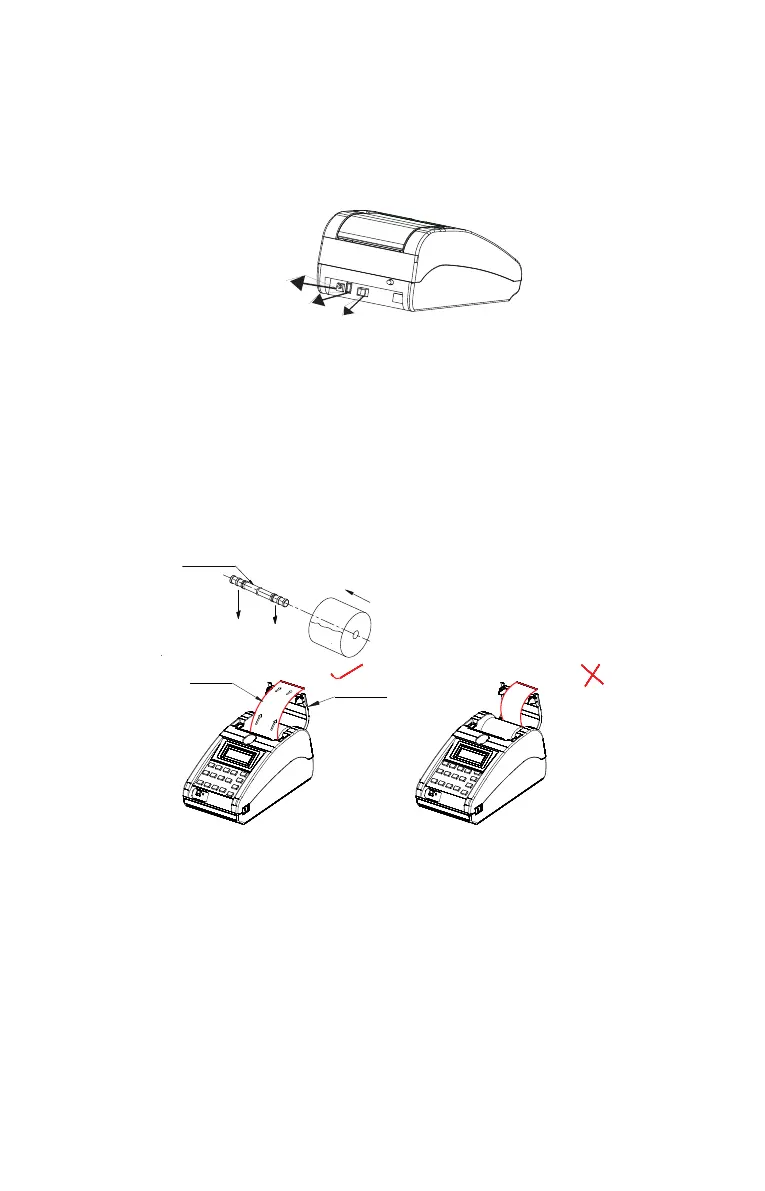
4.2 Connecting your product to Computer :
• The USB interface cable from the Computer has to be connected in the
respective ports as shown in the image above.
4.4 Installing Paper Roll
1 Open the paper cover as shown in below figure.
Groove Shaft
Paper
Roll
PAPER COVER
COATED SIDE
5
Power
USB
Device
USB
Host
CAUTION: Use of an incorrect power supply may cause fire or electrical shock
or even damage your equipment.
2 Remove the Groove shaft from Top case.
3 Hold the paper roll in hand, insert groove shaft and place it into slot
provided in Topcase.
4 Drag the paper little and close paper cover.
5 Close the paper cover firmly and ensure that it has locked properly.
6 Now your Product is ready to print.
Note: Ensure coated side of paper is facing you (Refer picture shown above)



 To Next Page