THE DASHBOARD AT A GLANCE
25
WD CLOUD USER MANUAL
Managing Alerts
Alerts display system messages containing pertinent information about the status of your
WD Cloud device. Three types of alerts appear on the upper right of the dashboard.
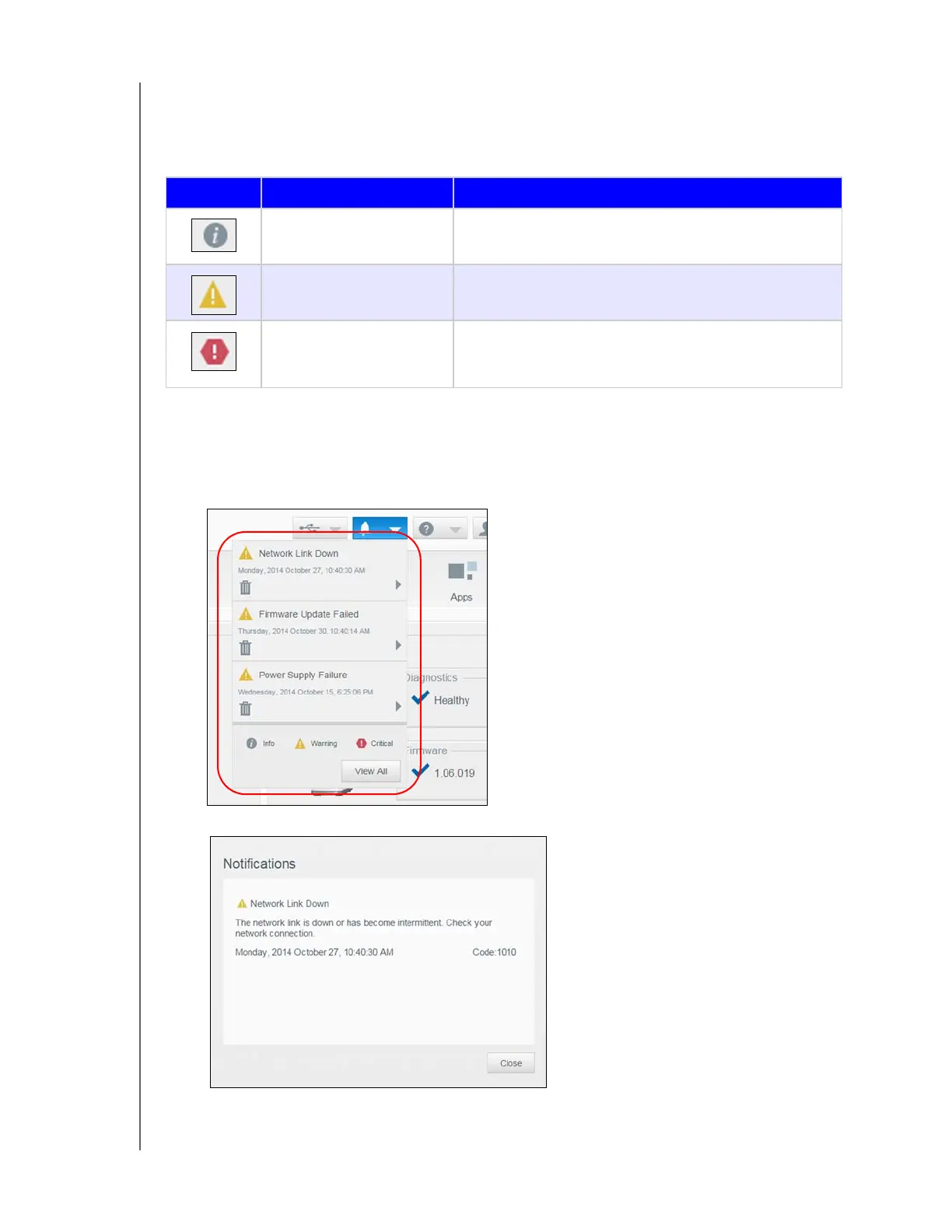
Viewing Alert Details
1. Click the Alert icon in the upper right corner of the screen.
2. From the Alert list, click the arrow next to the alert you’d like to view, or click View All
to review details for all of your alerts.
To view alert details, click the arrow next to the alert.
To close the alert message, click Close.
Alert Icon Type of Alert Description
Informational Informational alerts keep you updated on non-vital
system information. Example: Reboot Required
Warning Warnings present a condition that might cause a
problem in the future. Example: Network Disconnected
Critical This alert presents an error or problem that has
occurred, usually a system failure. Example: Drive
Overheating













 To Next Page