GETTING STARTED
7
WD CLOUD USER MANUAL
Getting Started
Preparing your Device for Use
Setting Up your Device
Getting Started Using a Web Browser
Accessing Content
It’s easy to set up the WD Cloud device -- just unpack your device, connect it, and wait for
the Power LED on the front of your device to turn a solid blue. Then setup your device from
your web browser at: http://www.wdcloud.jp/setup.
Note: For information about safely shutting down and disconnecting the device,
see “Logging Out and Shutting Down your Device” on page 27.
Preparing your Device for Use
There are a few steps you need to take in order to get your device up and running. Follow
the steps outlined below to prepare your device for use.
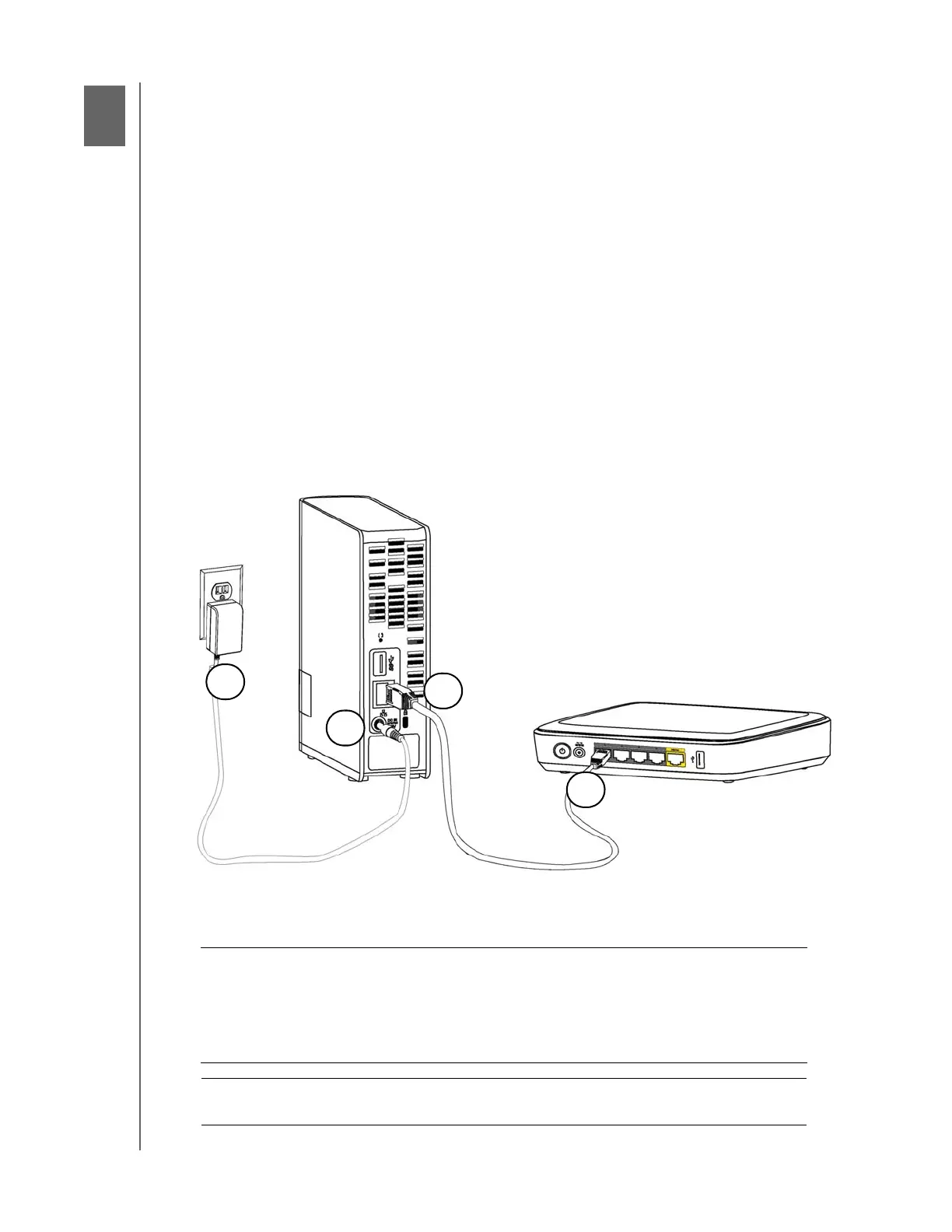
Physically Connecting your Device
Follow the steps below to connect the WD Cloud device to a home or small office network.
Important: To avoid overheating, make sure the device is upright as shown in
the illustration above and nothing is blocking or covering the slots
and openings on the top and bottom of the device. In the event of
overheating, the device will perform a safe shutdown, interrupting
all processes currently being performed. If this occurs, data may
be lost.
Important: We recommend that you use the enclosed Ethernet cable for
optimal performance.













 To Next Page