THE DASHBOARD AT A GLANCE
18
WD CLOUD USER MANUAL
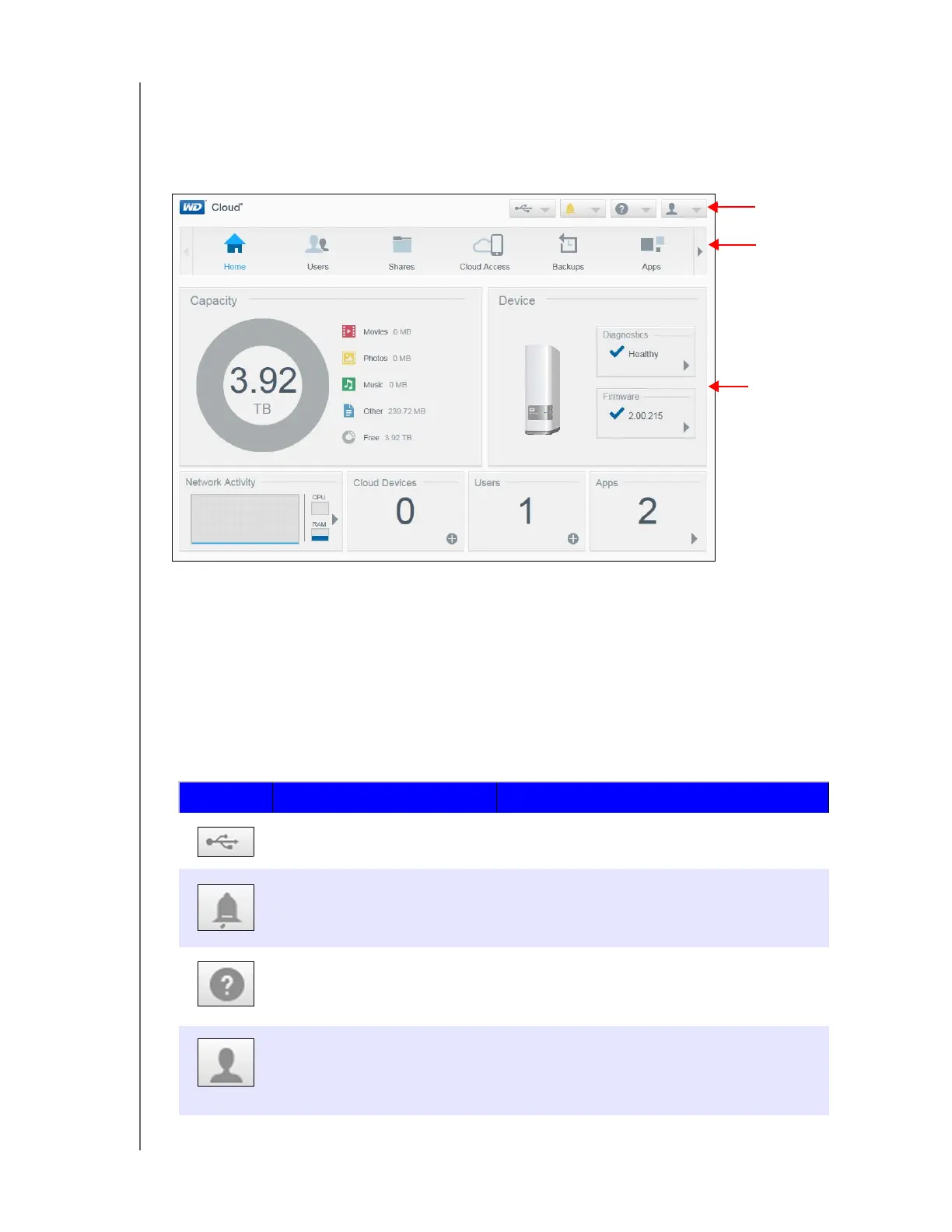
The Dashboard Home Page
The WD Cloud Home page has an information icon bar at the top right, a navigation icon bar
across the page, and an instant overview of the status of the device’s main functions with
links for updating settings.
Information Icons
The Information Icons, at the top of the page, provide quick access to:
Attached USB device(s)
Device alerts
Online Help and Support
User information
Icon Name Actions
USB device attached to the
WD Cloud device
Click to display the USB device(s) connected.
The icon is dim if no USB device is attached.
Alert Notifications Click to display recent alerts about new
firmware and network issues.
Help Click to access the WD Cloud Getting Started
Wizard, Online Help, Support, and About
information.
User Click to see the user name of the user currently
logged into the WD Cloud device. You can also
Shutdown, Reboot, or Logout of the
WD Cloud device.
Information
Icons
Status and
update panels
Navigation













 To Next Page