APPENDICES
88
WD CLOUD USER MANUAL
Firmware
The Firmware section displays the current firmware version loaded on your WD Cloud
device. A green check mark indicates that your firmware is up-to-date.
1. To view whether an updated version of the firmware is available, click the arrow to the
right of Firmware to display firmware availability.
2. If an update is available, click Install and Reboot to update your device.
3. To return to the Home page, click OK
or Cancel.
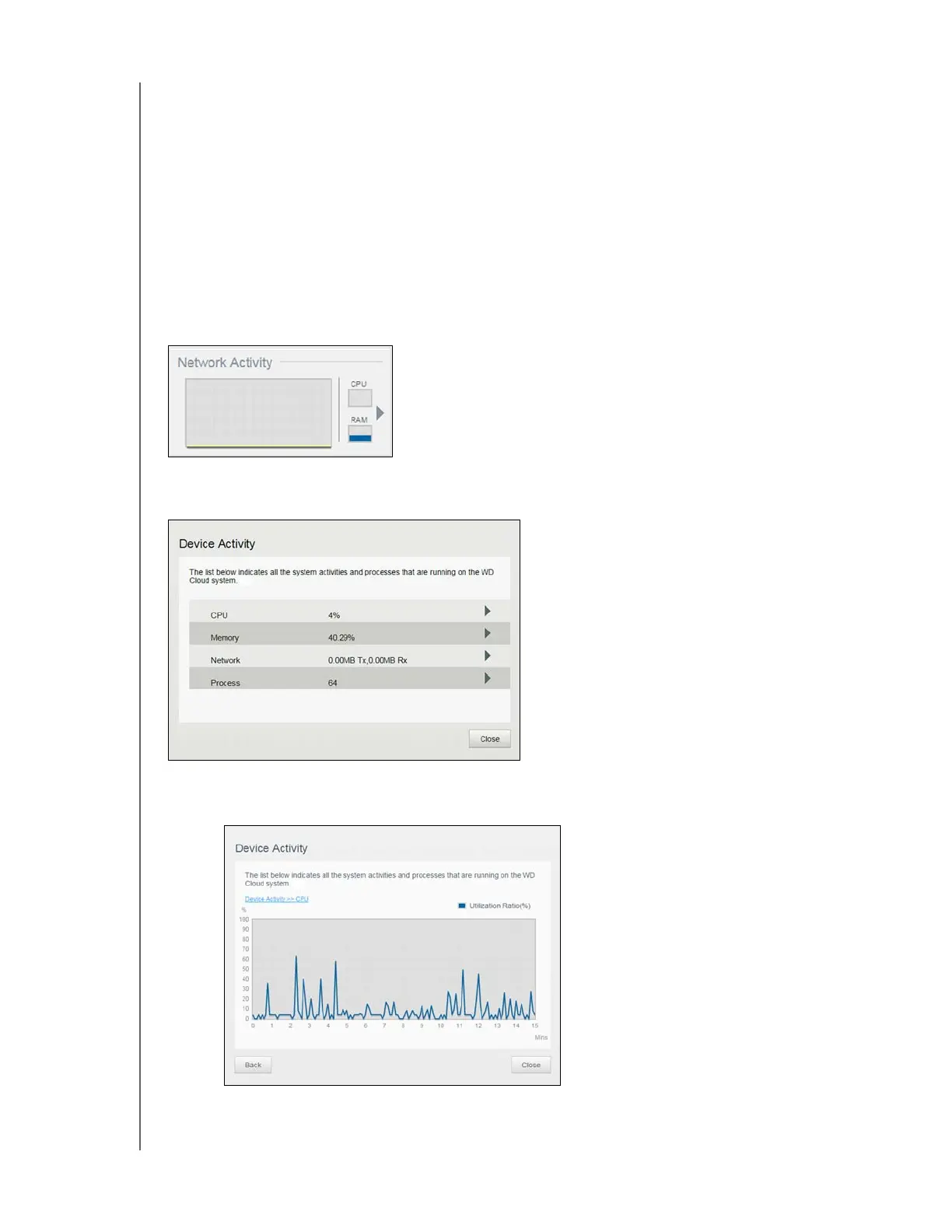
Network Activity
The Network Activity panel displays the system activities and processes that are running on
your WD Cloud device. At a glance, you can see the network, CPU, and RAM activity.
To view a list of all device activities and processes running on your WD Cloud device, click
the arrow in the Network Activity area. N
CPU: Click the right arrow to view the CPU activity. Click Back to return to the
Device Activity pane. Click Close to return to the Home page.













 To Next Page