WD ELEMENTS PLAY MULTIMEDIA DRIVE
USER MANUAL
GETTING STARTED – 15
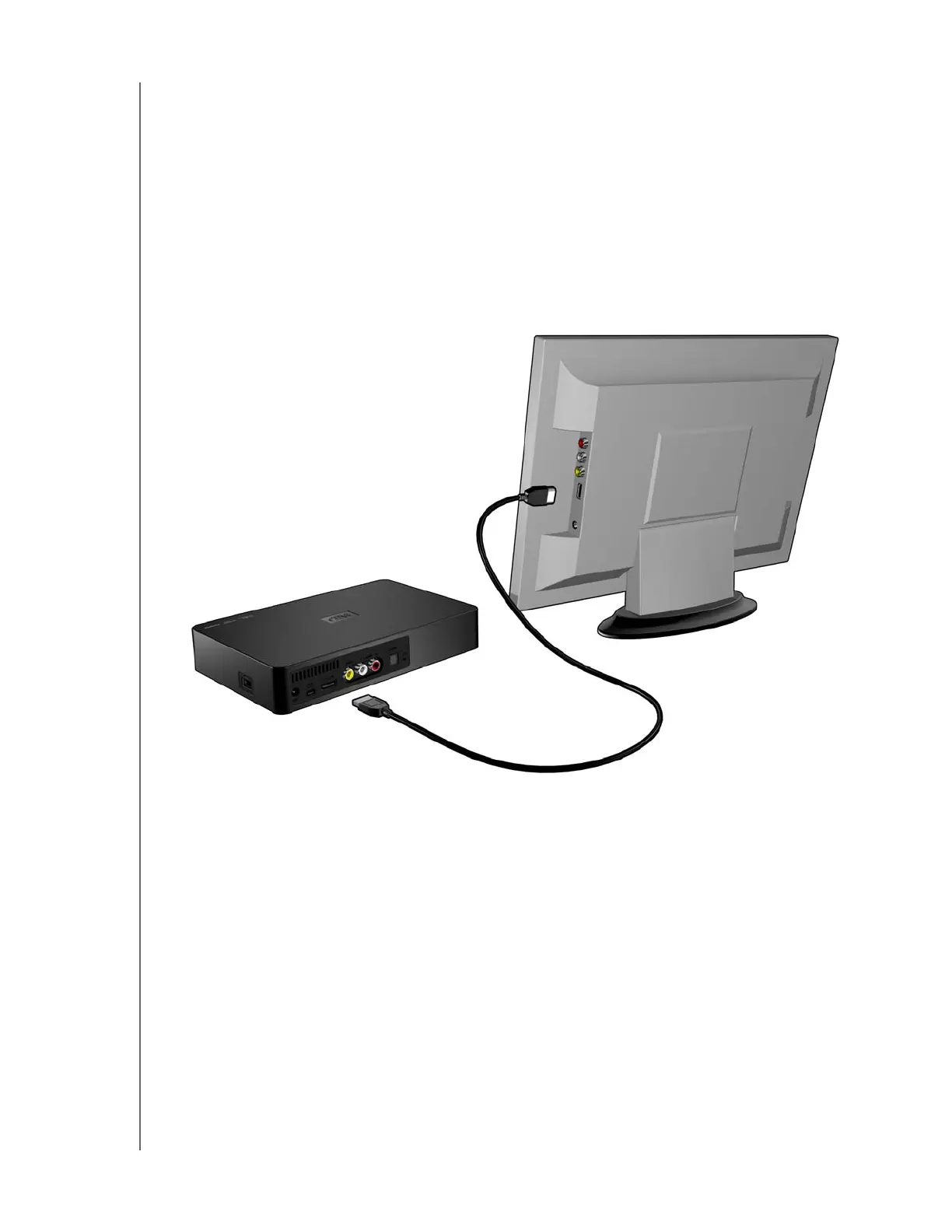
HDMI Video and Audio (High Definition)
HDMI combines high-definition video, multi-channel audio, and inter-component
control in a single digital cable. This interface provides video quality resolution of up
to 1080p.
To connect your multimedia drive using an HDMI cable:
1. Plug an HDMI cable (sold separately) into the HDMI connector on the multimedia
drive.
2. Plug the opposite end into the HDMI port on your TV or audio/video system (if
available).
Wait a few seconds for your TV to detect the multimedia drive. If the multimedia drive
is not detected, you may need to change the input source on your TV to HDMI or
composite, depending on your connection. Check the user documentation of your
TV for more information.
Once the multimedia drive is detected, the splash screen displays to indicate system
bootup, then the home screen of the user interface opens. Go to “Using the
Multimedia Drive Menu” on page 19.












 To Next Page