WD ELEMENTS PLAY MULTIMEDIA DRIVE
USER MANUAL
GETTING STARTED – 16
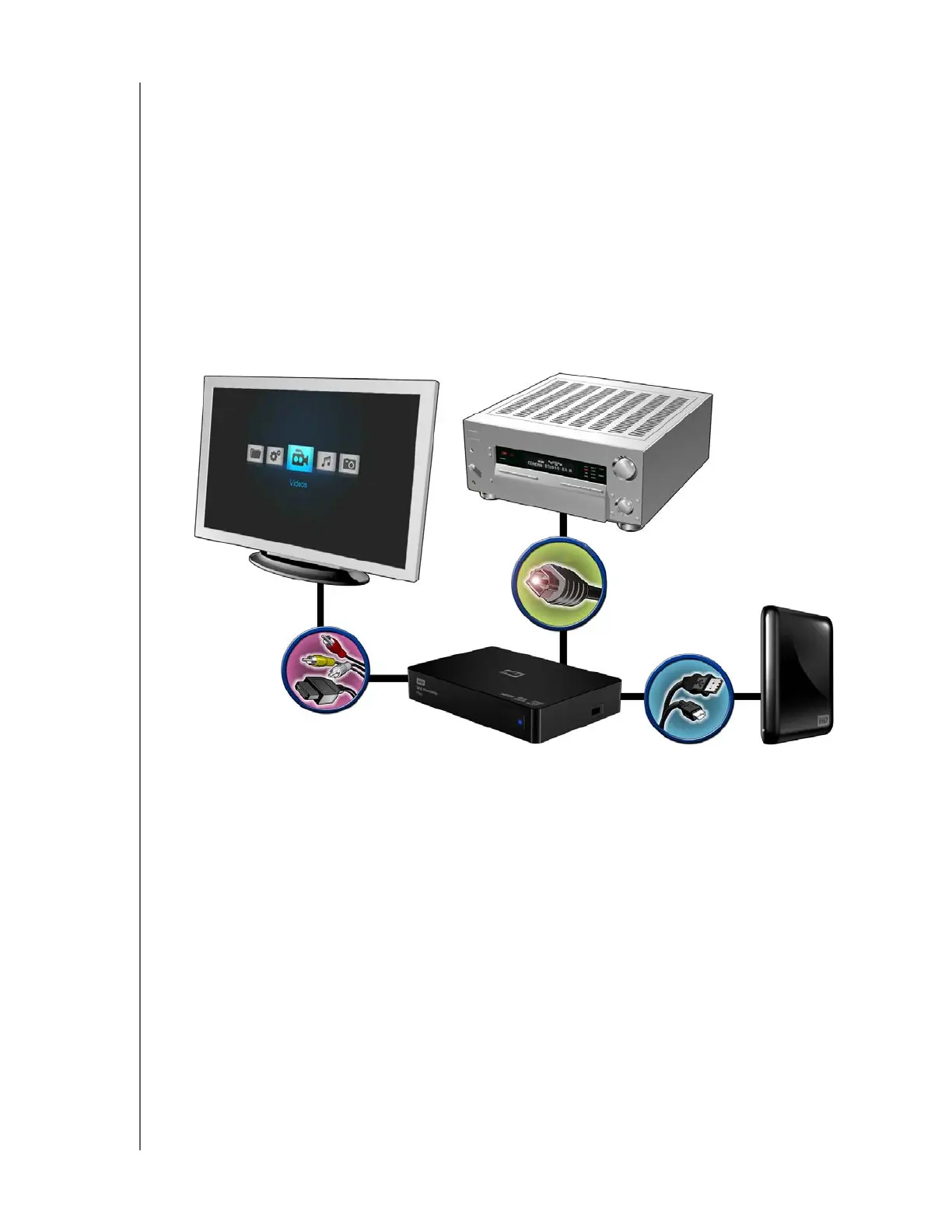
S/PDIF Digital Audio
An S/PDIF connection can send digital audio to a receiver capable of decoding
multi-channel audio through an AV receiver.
1. Complete the composite or HDMI video connection as described in “Composite
AV Connection (Standard Definition)” on page 14 or “HDMI Video and Audio
(High Definition)” on page 15.
2. Plug a S/PDIF cable (sold separately) into the S/PDIF digital optical port on your
multimedia drive.
3. Plug the other end of the S/PDIF cable into the digital optical port on your AV
receiver.
4. Select the appropriate audio source on your AV receiver.












 To Next Page