LED TV BASE
16
English
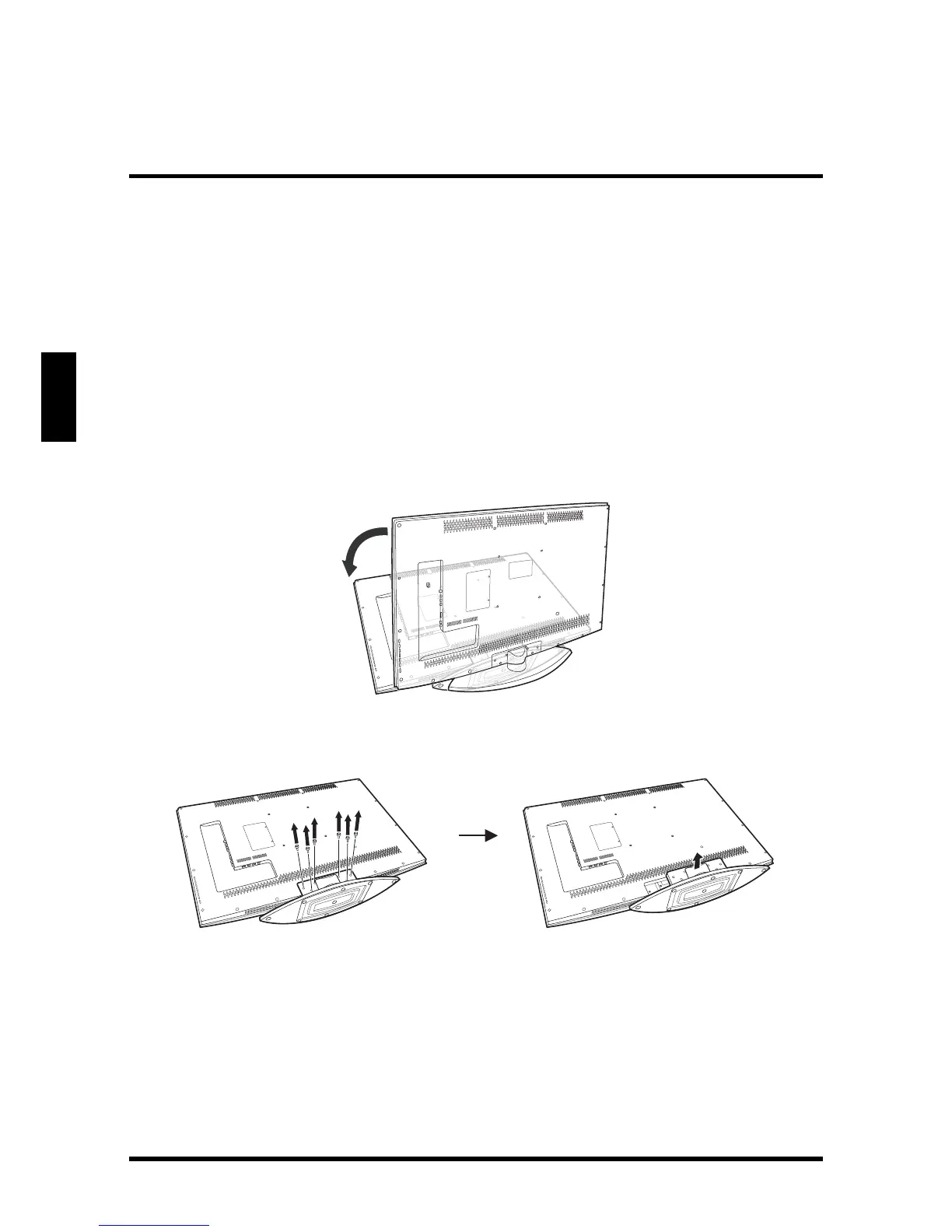
REMOVING THE LED TV BASE
If you intend to repack the LED TV unit (for shipping or storage) or you want to
change the installation to a wall mount option, you must first remove the LED TV
base.
1
Turn off the LED TV and all connected devices.
2 Disconnect the power cord from the LED TV.
3 Disconnect all signal cables from the I/O port terminals.
4 Remove the M5 x 16 screw securing the base to the desk.
5 Lay the LED TV on a clear, flat, and stable surface.
6 Remove the screws securing the base to the LED TV.
7 Detach the base from LED TV.
8 Pack the screws you removed in step 4 and 6 together with the LED TV base
for future reassembly.





 To Next Page