WHEATON UniSpense
®
PRO Peristaltic Pump
WHEATON | 800.225.1437 (U.S. & Canada Only) | 856.825.1100 | www.wheatonsci.com| P/N 50099073 Rev. 2/2/10 Lit. No.8734
12
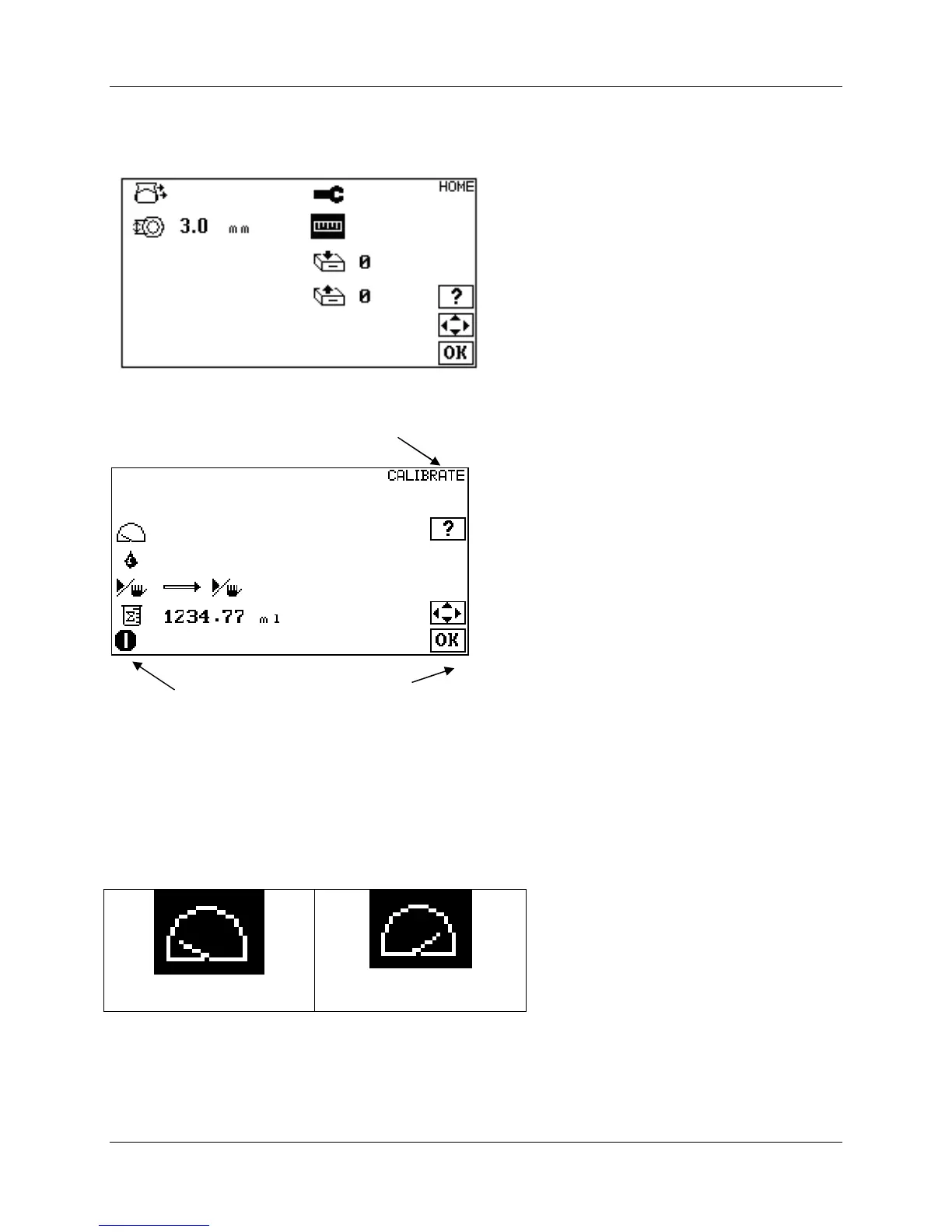
10.0 Making a Calibration
Use the UP and DOWN arrows in the HOME screen to navigate to the calibration icon.
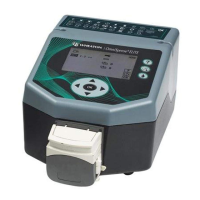
Press OK to navigate to the CALIBRATE screen.
10.1 Setting Operating Speed
Use the LEFT and RIGHT buttons to select the calibration speed. Set the Calibration Speed so that the
pump runs for at least 15 seconds during the calibration run. This may require some trial and error. The
longer the pump runs the more accurate the calibration. It is important to calibrate at the same speed you
will be using for the dispense mose.
75 RPM
150 RPM
Pump Running /
Stopped Icon
Active
Keys


 To Next Page