WHEATON UniSpense
®
PRO Peristaltic Pump
WHEATON | 800.225.1437 (U.S. & Canada Only) | 856.825.1100 | www.wheatonsci.com| P/N 50099073 Rev. 2/2/10 Lit. No.8734
15
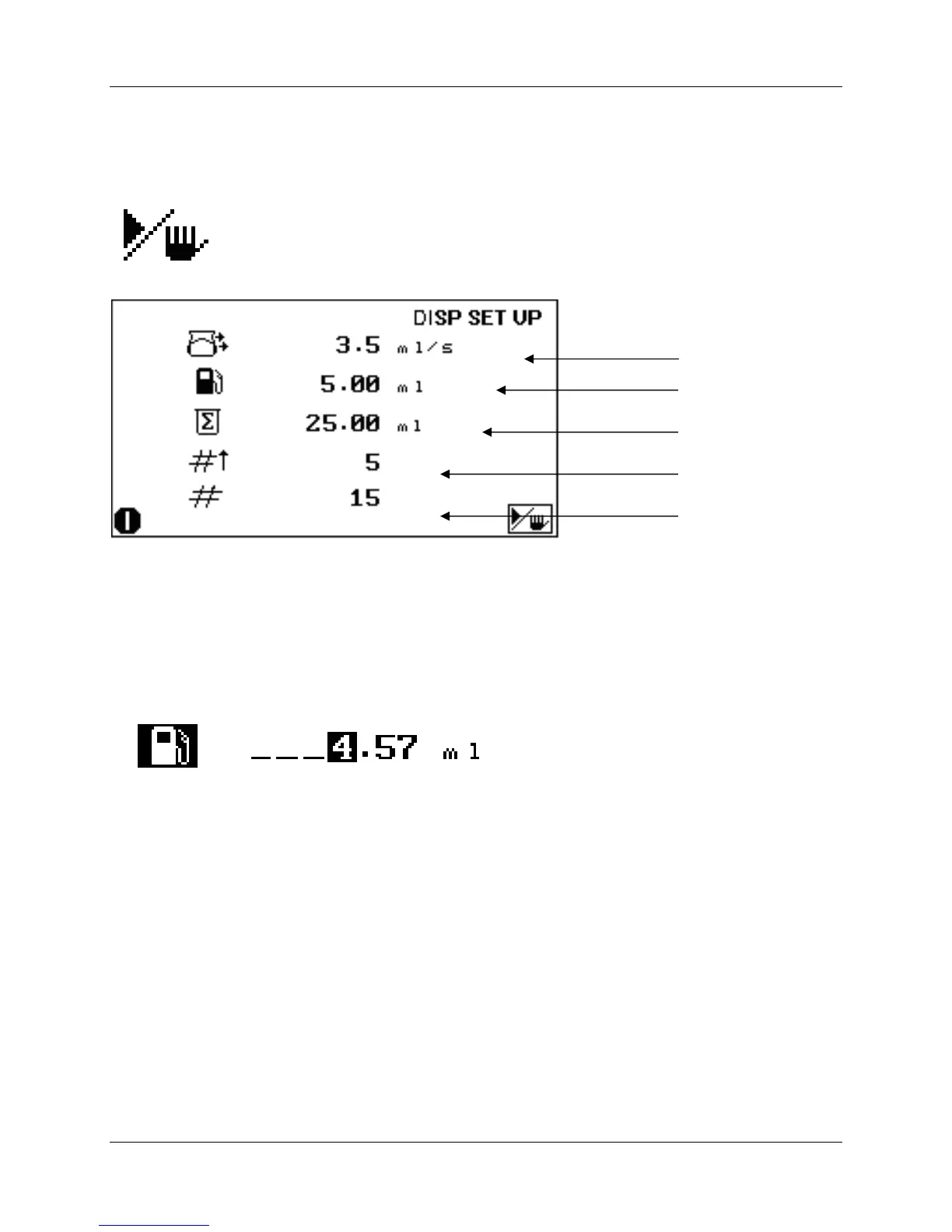
11.4 Making a Dispense
Press the START / STOP button to start a batch dispense:
The pump will make dispenses with the settings programmed, and stop when the total number of
dispenses are made.
11.5 To Adjust the Volume During a Batch Dispense
The dispensed volume can be adjusted during a batch dispense, by pressing the Start / Stop button, and
then using the UP and DOWN and the LEFT and RIGHT keys to enter the dispense volume. Press OK
when done. Press the Start / Stop button to resume batch dispensing.
11.6 To Run Additional Batches with the Same Settings
Press the Start / Stop button to start a fresh dispense batch.
12.0 Memory Storage and Recall - Available Registers: (1-9)
All set parameters, including set volume, delay interval, dispense count, calibration, pump speed, etc. can
be stored in non-volatile memory, and easily recalled. This is especially useful when the pump is used in
several applications, each requiring its own particular setup parameters. Stored parameters can be
quickly recalled, and the pump made ready for a particular operation.
Accumulated Volume


 To Next Page