Ku nst sto ffschwei ß tec hni k
Operating and indicating elements Chapter 4
02.11.11 Working instructions WIDOS 4900 Page 18 of 46
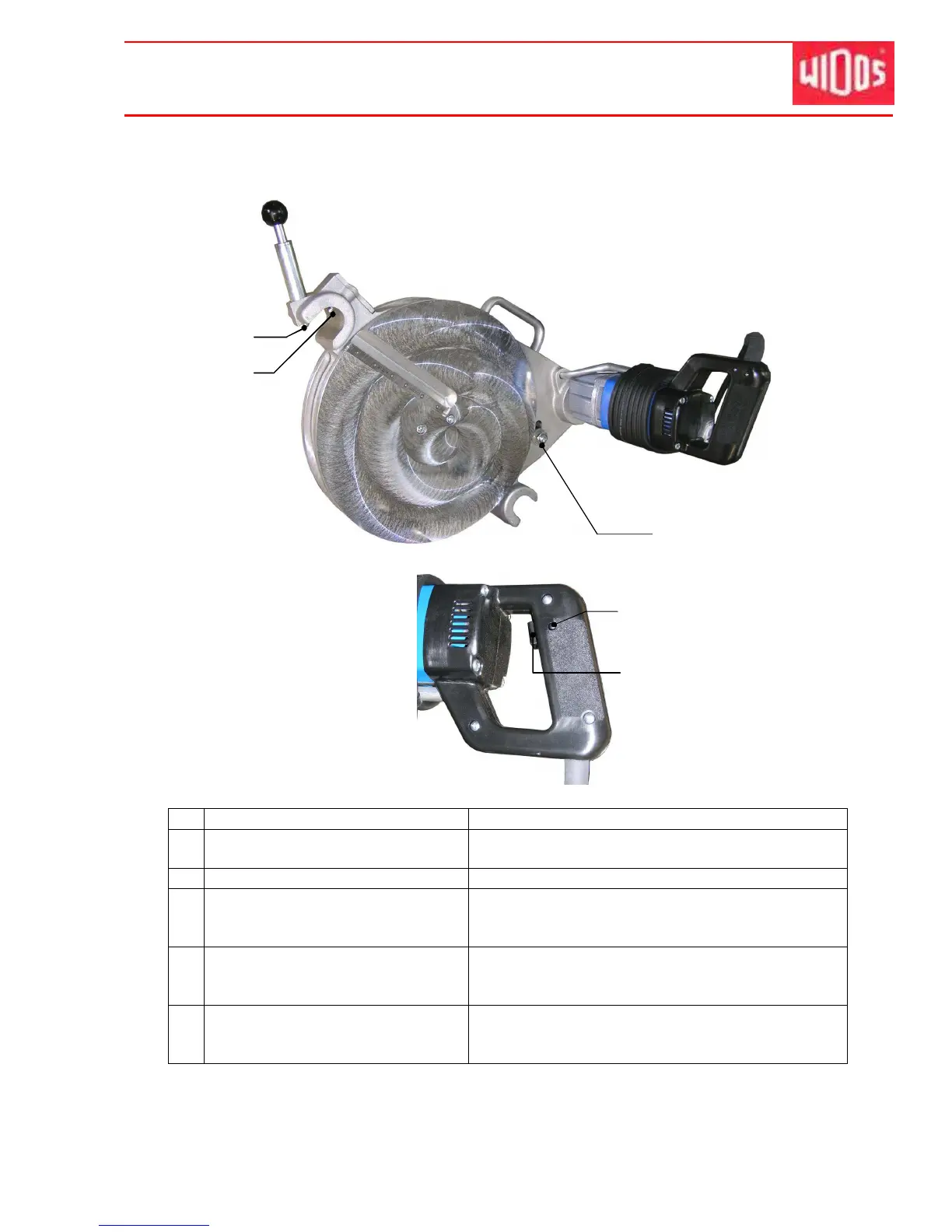
4.4. Elements at the planer
No. Denomination Function
19 Locking lever - protection against unintentional running.
- to lock the planer, thus avoiding a falling out.
20 Protection switch - planer can only start when switch is pressed
21 Chain tightening bolt - in order to tighten the chain, disassemble the cap
at the rear of the planer, then tighten the chain
sturdily
22 Locking button - if the switch is activated you may press the locking
button, thus the activation is maintained as long as
the switch is deactivated.
23 Switch on / off for planer - to switch on the planer.
- the planer has to be switched off before and after
use.



 To Next Page