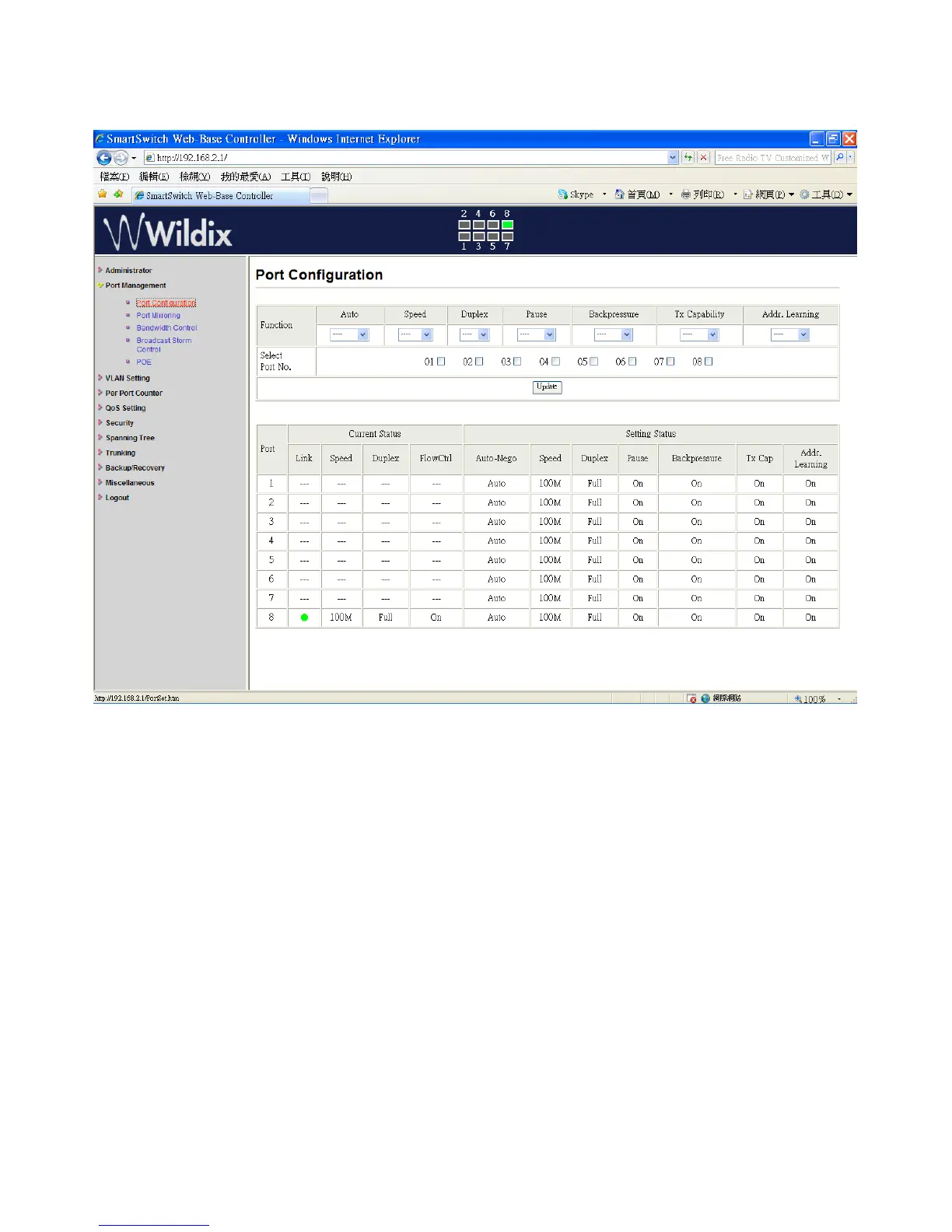
Port Management: Port Configuration
Select the “Port No.” to configure the modes below:
1. “Auto” - enable/disable Auto-Negotiation.
2. “Speed” - 10M or 100M mode for the selected port.
3. “Duplex” - Full or Half-Duplex mode for the selected port.
4. “Pause” - enable/disable for the selected port.
5. “Backpressure” - enable/disable for the selected port.
6. “Tx Capability (Cap) ” - enable/disable for the selected port.
7. “Addr. Learning” - enable/disable for the selected port.
The setting of “Port Configuration” is finished.
Wildix WS08POE User Manual 11


 To Next Page