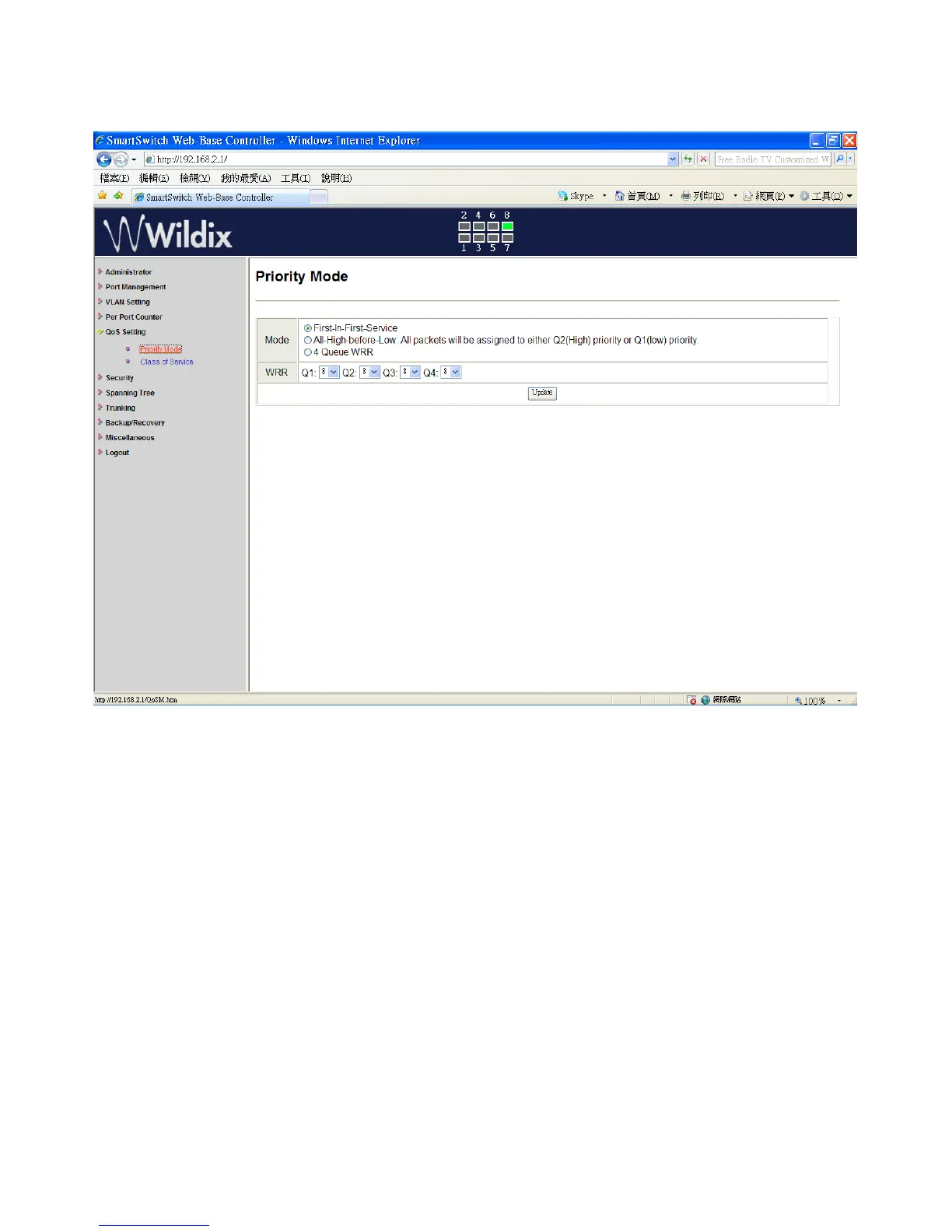
QoS Setting: Priority Mode
There are three Priority Modes to select.
1. “First-in-First-Service” - the first receiving packet is firstly transmitted.
2. “All-High-before-Low” – All packets are assigned to either high priority queue or low priority
queue.
3. “4 Queue WRR (Weight-Round-Robin)” - set the ratio of the transmitting packet.
4. Click on “Update” to confirm and finish the setting.
Wildix WS08POE User Manual 20


 To Next Page