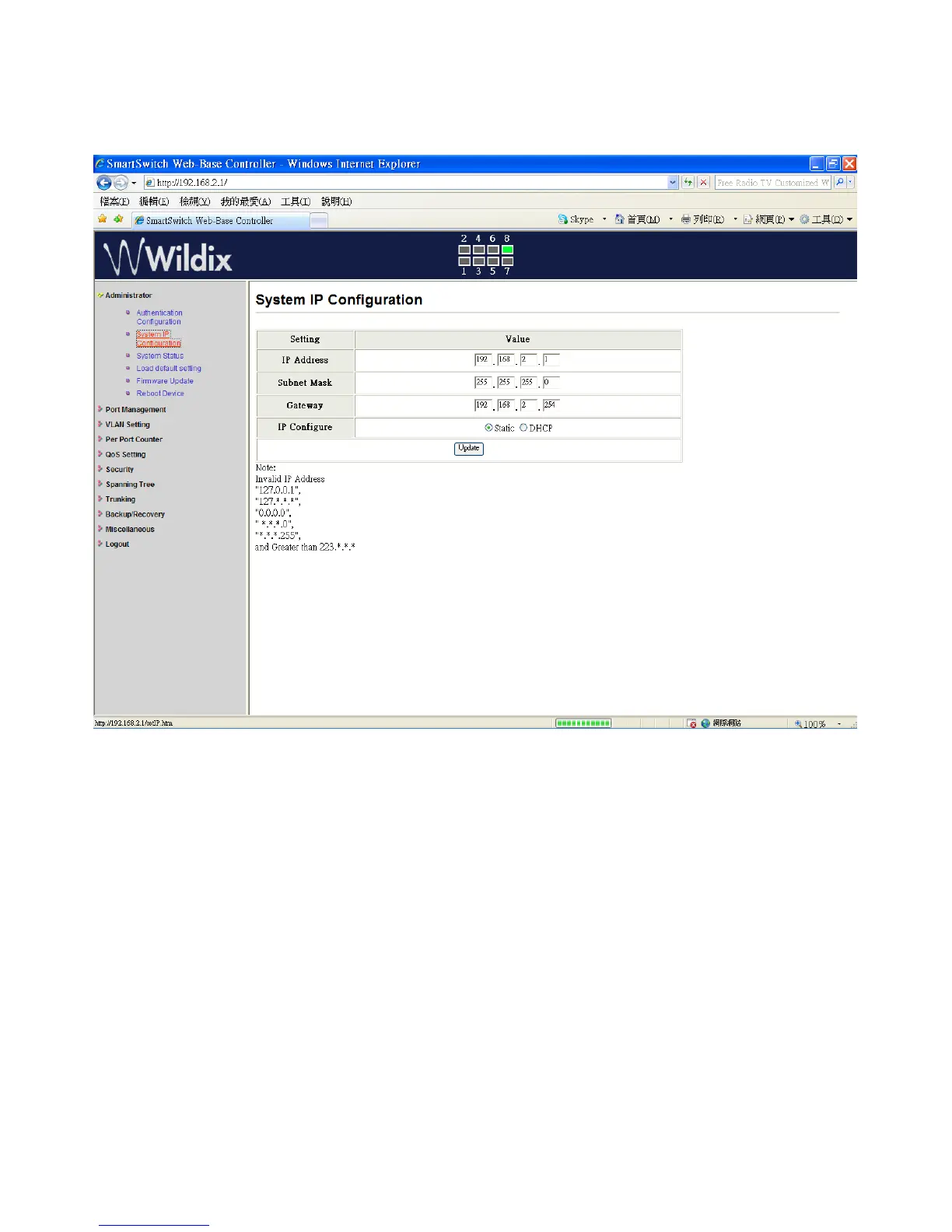
Administrator: System IP Configuration
1. Change the IP address: type the new IP address or select DHCP IP configuration.
2. Click on “Update” to confirm the change.
“Update Successfully!!” is shown on the screen.
3. Click on "Reboot" to use new setting
The setting of “System IP Configuration” is finished.
Wildix WS08POE User Manual 6


 To Next Page