Web Smart Switch Configure
Please follow the steps to configure this Web Smart switch.
Step 1: Use a twisted pair cable to connect this switch to your PC.
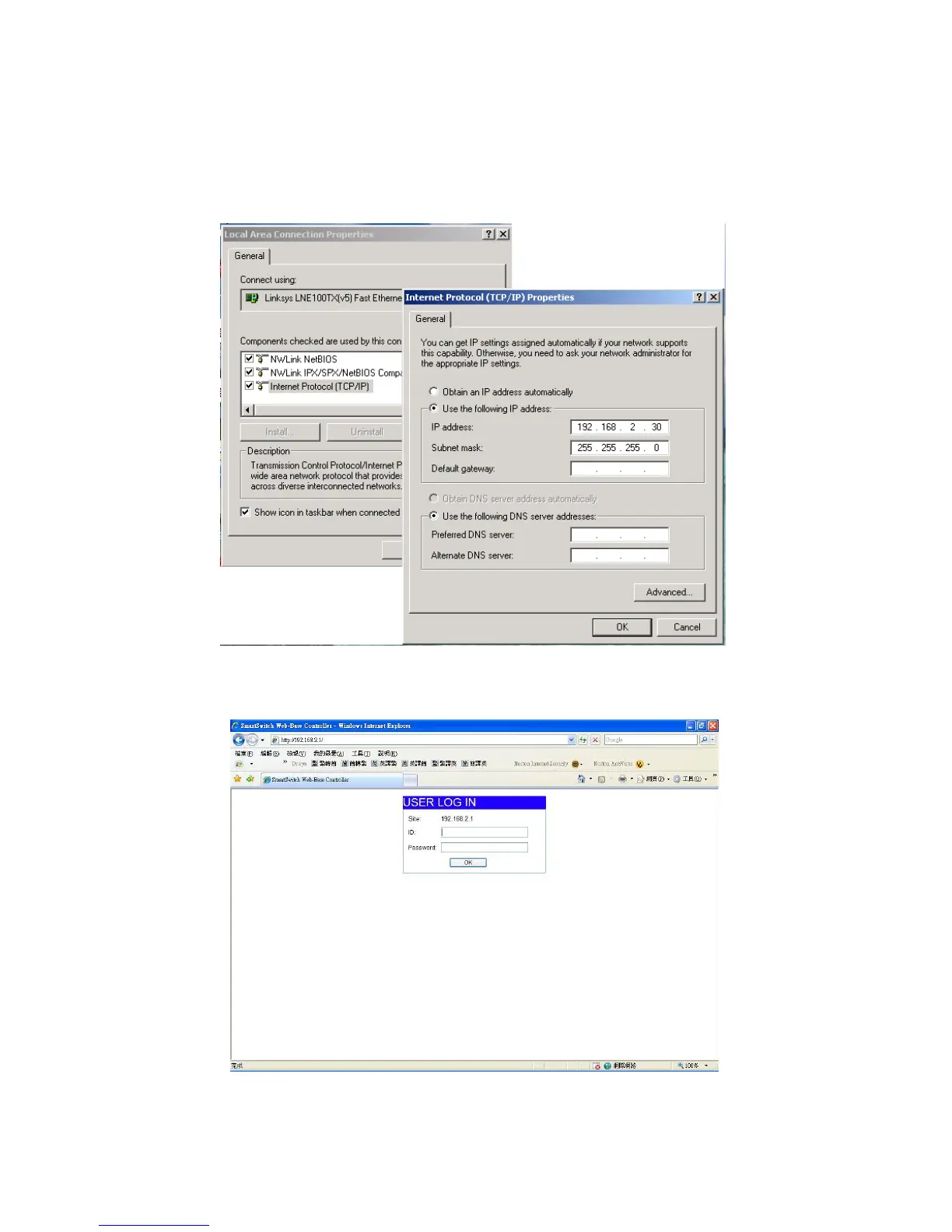
Step 2: Set your PC’s IP to 192.168.2.xx.
Step 3: Open the web browser (like IE…), and go to 192.168.2.1 Then you will see the login
screen.
ID and the password: admin
Step 4: After the authentication procedure, the home page shows up. Select one of the
configurations by clicking the icon.
Wildix WS08POE User Manual 3


 To Next Page