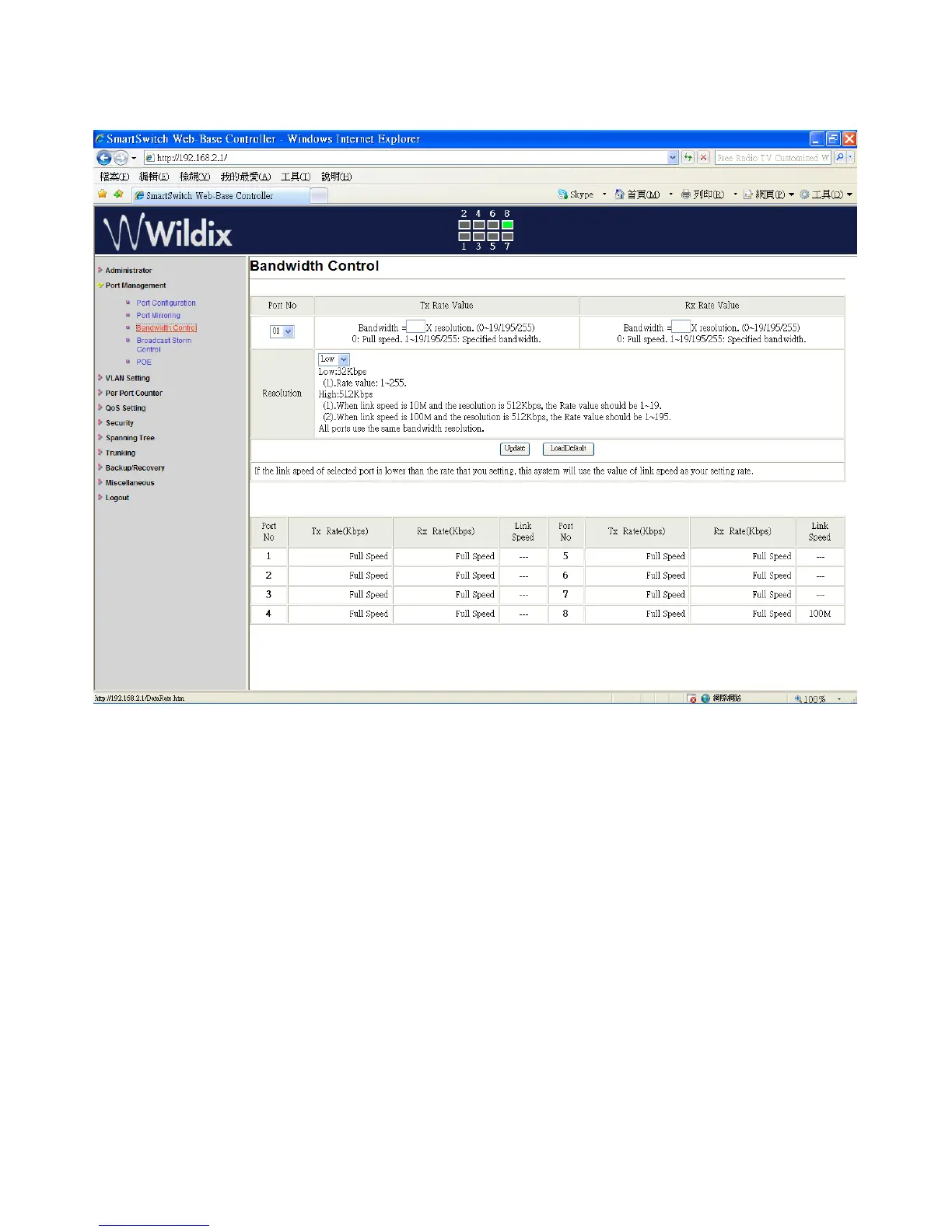
Port Management: Bandwidth Control
1. Select the “Port No.”: you can select port 1 to port 8
2. “TX Rate Value”: set the transmission rate of the selected port. (0: Full speed; 1~255: Specified
bandwidth.)
3. “RX Rate Value”: set the receiving rate of the selected port. (0: Full speed; 1~255: Specified
bandwidth.)
4. “Resolution”: Low: 32 kbps / High: 512 kbps
5. Click on “Update” to confirm the setting or “LoadDefault”.
The setting of “Bandwidth Control” is finished.
Wildix WS08POE User Manual 13


 To Next Page