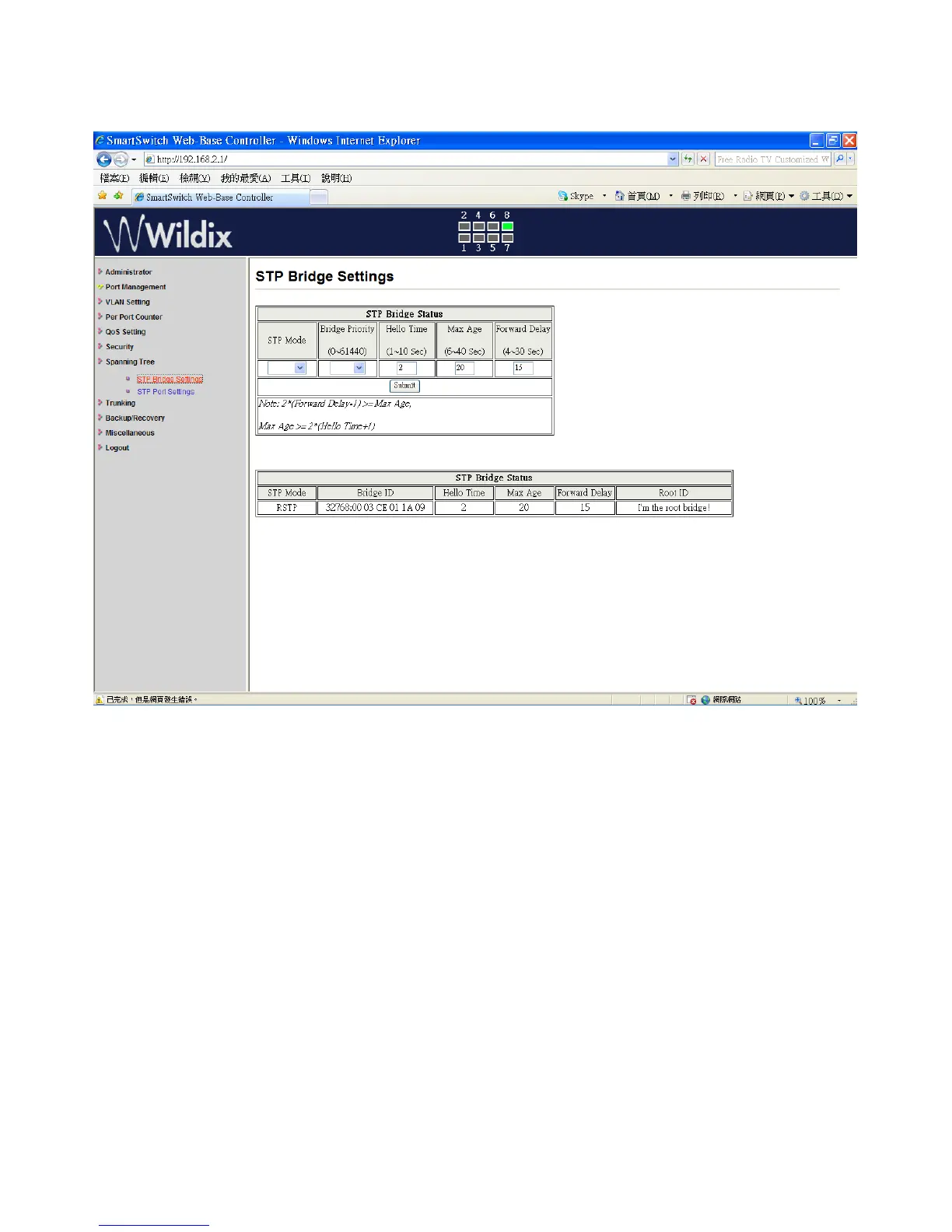
Spanning Tree: STP Bridge Settings
This setting is brought to avoid the loop network.
1. Select the “STP Mode”- select “Disable”, “STP” or “RSTP”
2. Set the “Bridge Priority” – Set the priority of the Bridge
3. Set the period of “Hello Time” packet – Provides the time period between root bridge
configuration messages.
4. Set the “Max Age” – Indicates when the current configuration message should be deleted.
5. Set the “Forward Delay” time – Provides the length of time. After a topology is changed, bridges
wait before transitioning to a new state (If a bridge transition is very fast, some network links
might not be ready to change their states and loops might occur.)
6. Click on “Update” to confirm and finish the setting.
The setting of “STP Bridge Settings” is finished.
Wildix WS08POE User Manual 26


 To Next Page