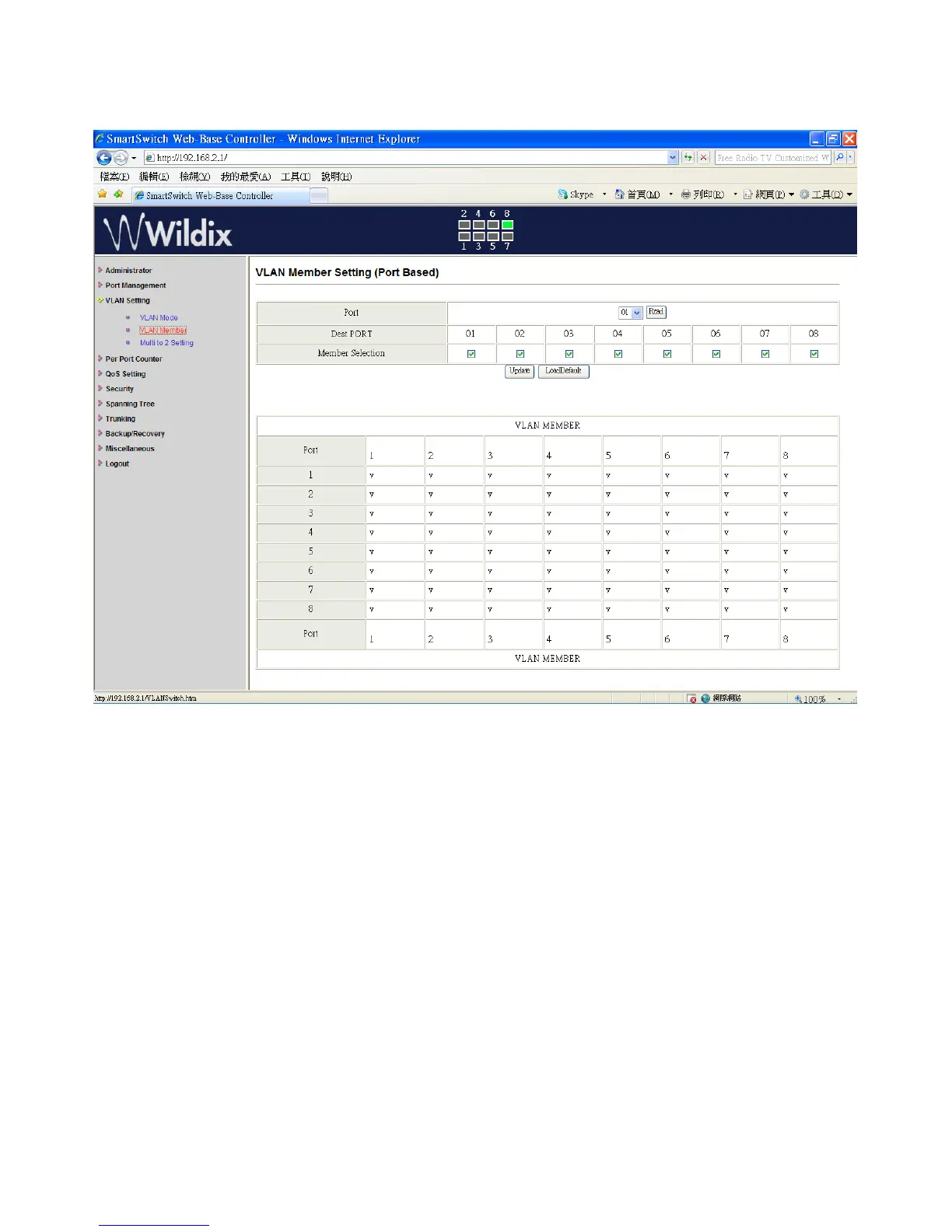
VLAN Setting: VLAN Member Setting (Port Based)
You can select a port group.
1. Click on the port numbers that you want to put into the selected VLAN group.
2. Click on “Update” to confirm and finish the setting.
3. Click on “LoadDefualt” to go back to the original factory setting.
The setting of “VLAN Mode” is finished.
Wildix WS08POE User Manual 17


 To Next Page