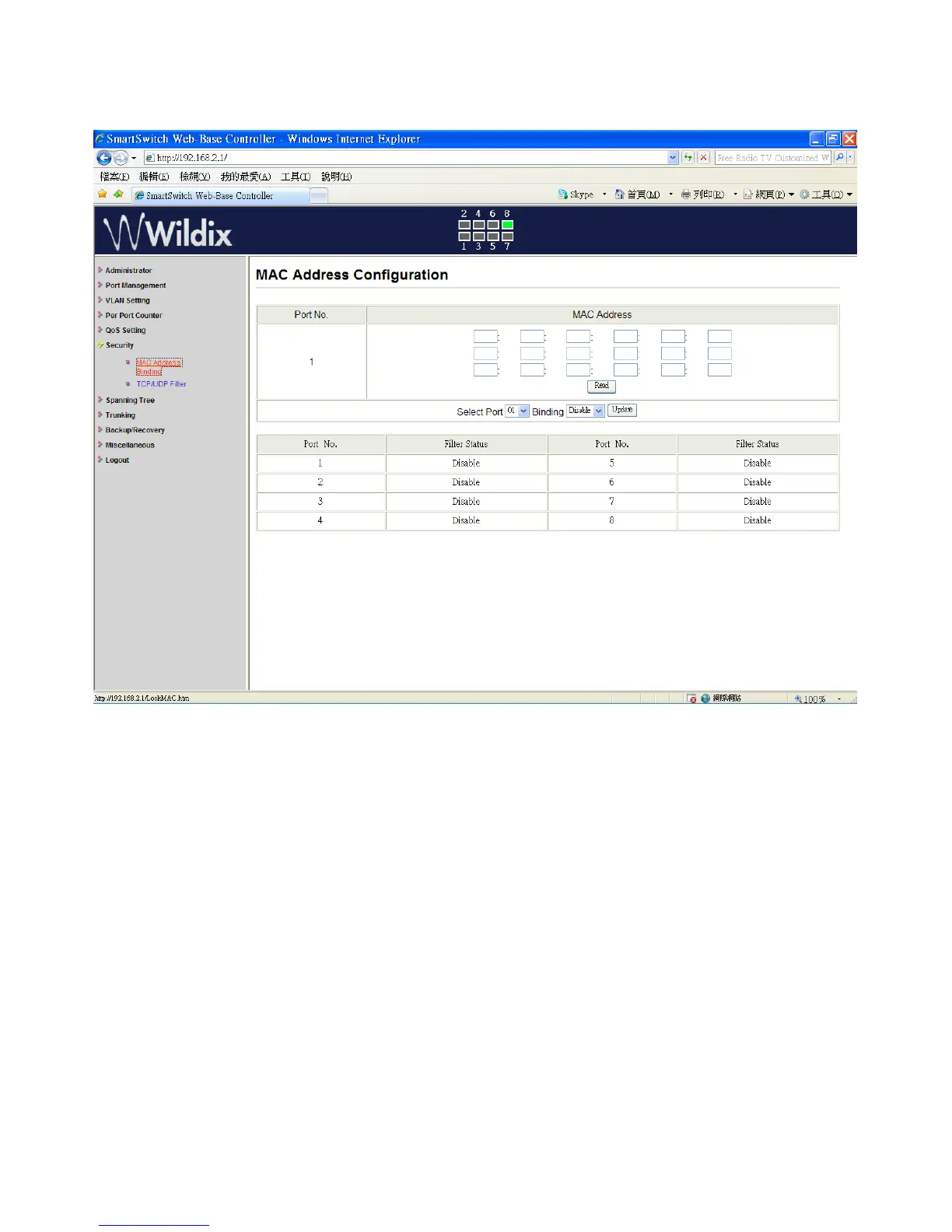
Security: MAC Address Configuration
Set special MAC address to activate on the selected port
1. “Select Port” – port 1~8
2. “Binding” – “Enable”: allow the packet with the specified source MAC address to enter this
port.
3. Click on “Update” to confirm and finish the setting.
The setting of “MAC Address Filter” is finished.
Wildix WS08POE User Manual 23


 To Next Page