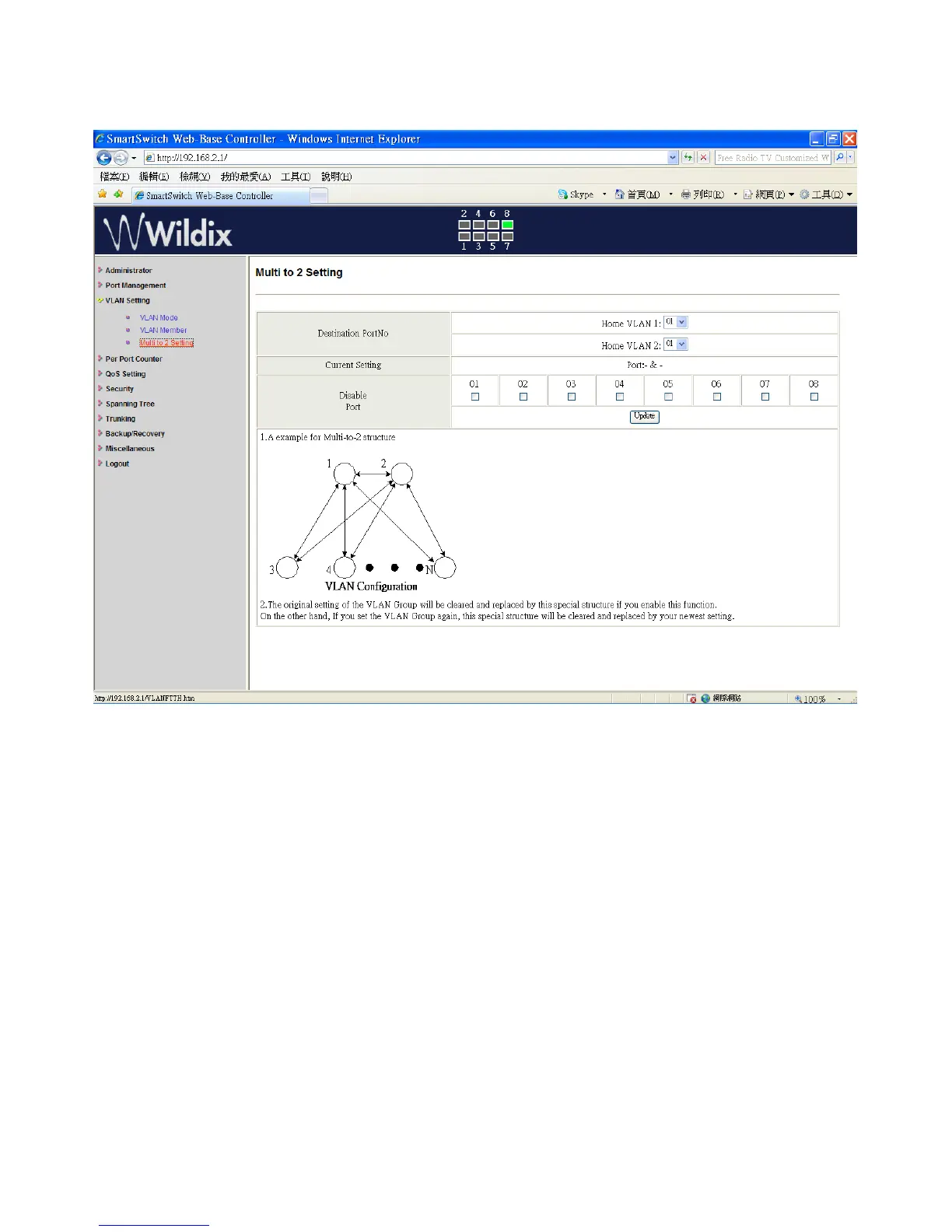
VLAN Setting: Multi to 2 Setting
This is a special design for setting the switch VLAN into “VLAN Per Port“.
1. Select “Destination Port No”.
2. Select “Disable Port”
3. “Disable Port” – select the port that you don’t want to use
4. Click on “Update” to confirm and finish the setting.
After this setting, all ports can connect only to destination ports.
Wildix WS08POE User Manual 18


 To Next Page