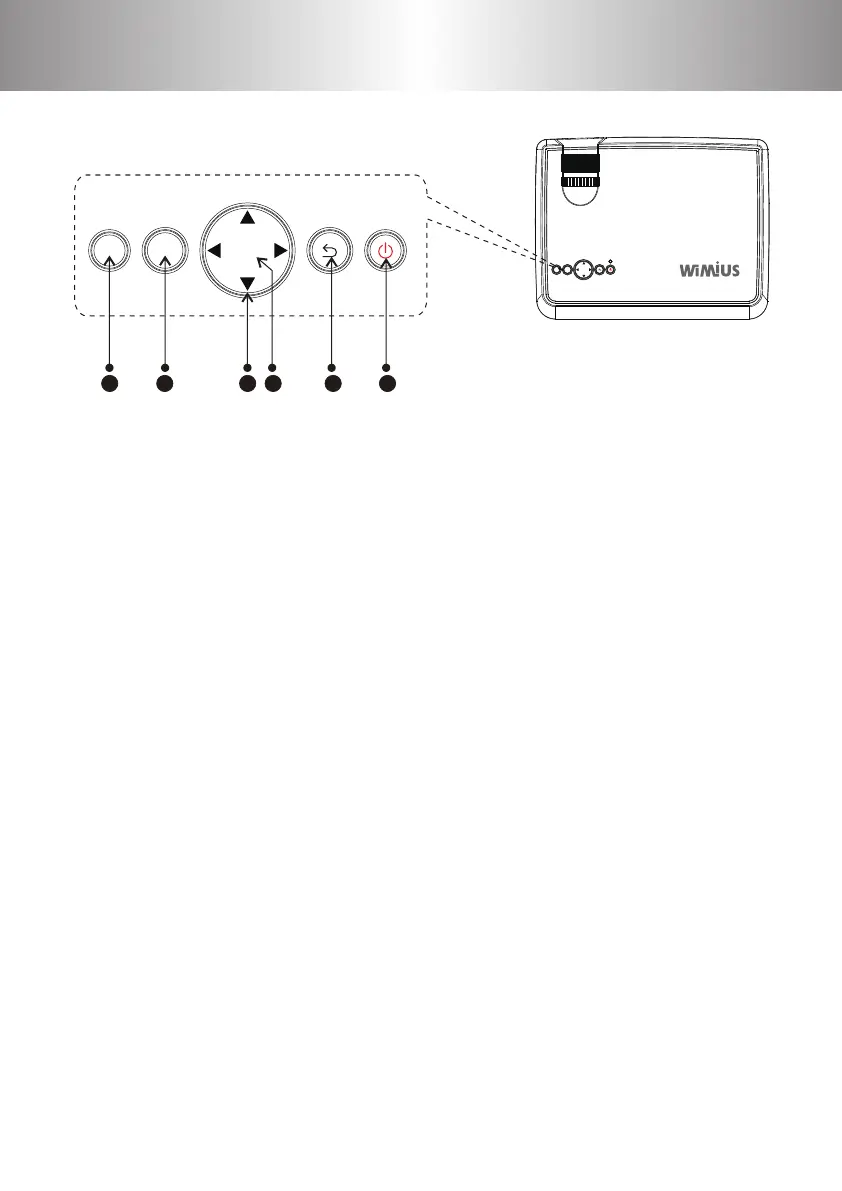
Control Panel
1. S key
Source key: press to switch dierent input signals (AV, PC-RGB,
HDMI 1, HDMI 2, USB 1, USB 2).
2. Menu key
Open or close the Menu, the same function with the remote control.
3. Direction key
Adjust with parameters, the same function with the remote control.
4. OK key
Conrm
5. Back
6. Power key
This button can lead the projector to working/standby mode.
MS O K
1 2 3 4 5 6
OKMS
1 2 3 4
5 6 7 8
9 10 11
12
13 14 15 16
17 18 19 20
21
22 23 24 25
26 27 28 29
30 31 32 33
34 35 36 37
38 39 40 41
42 43
44 45 46
47 48 49
50 51 52 53
54 55 56 57
58 59 60 61
62 63
64 65 66 67
68 69 70 71
72 73 74 75
76 77



 To Next Page