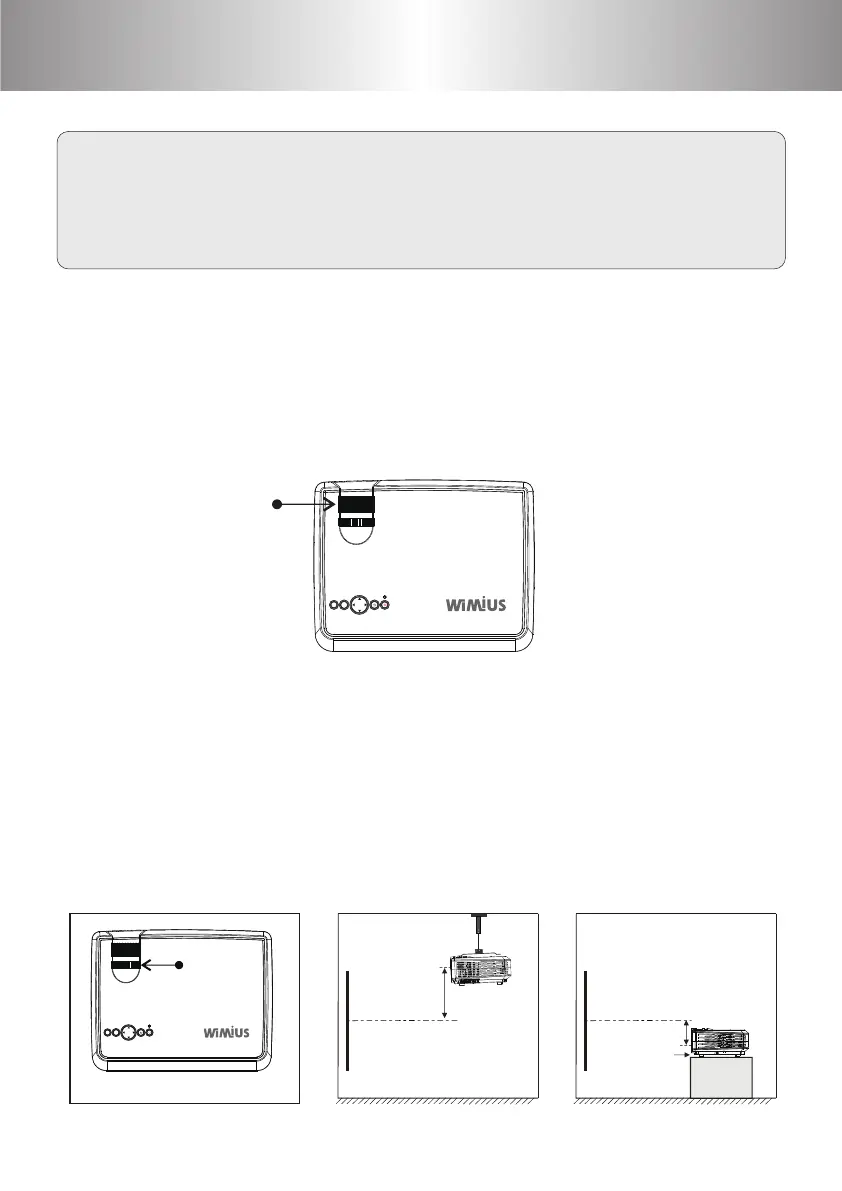
Image Adjustment
Keystone
Screen
Projector
Height
Porjector
Screen
Height
Height-feet
adjustment
Focus Adjustment
Keystone
When using the projector for the rst time, it normally displays an
unclear image. This is due to the lens being out of focus or incorrect
trapezoid setting.
Please follow the below steps to correct:
OKMS
Focusing
OKMS
Move the rotary knob on the top of the projector until the image change
to be square. The image can be adjusted up to ±15 degrees. If the
keystone is still by moving the rotary knob to the limit position, please
shorten the vertical distance between the protector and the center of
the projection screen. In the way of table mount, you can change the
projection angle by adjusting the adjustable feet.
1 2 3 4
5 6 7 8
9 10 11 12
13
14
15 16
17 18 19 20
21
22 23 24 25
26 27 28 29
30 31 32 33
34 35 36 37
38 39 40 41
42 43
44 45 46
47 48 49
50 51 52 53
54 55 56 57
58 59 60 61
62 63
64 65 66 67
68 69 70 71
72 73 74 75
76 77
Place the lens perpendicular to projection screen and move the focusing ring to
sharpen the image until the image is clear. During the adjustment, you can play
shows or call up the menu for easy operation.



 To Next Page