C34 USER MANUAL
- 10 -
2. Setup
2.1 Setting up the printer
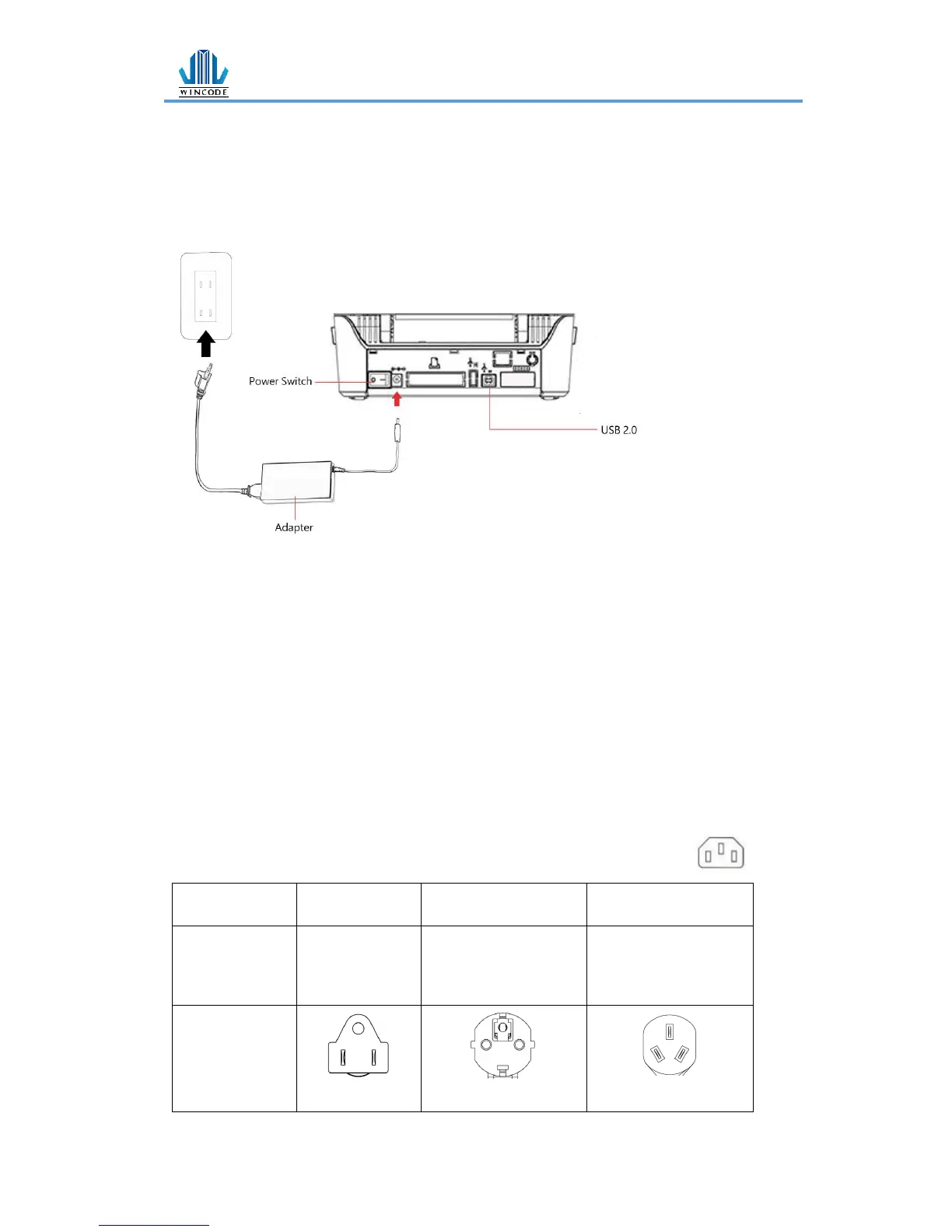
1.) Place the printer on the flat surface.
2.) Make sure the power switch is OFF.
3.) Choose corresponding cable (RS232 or USB 2.0) to connect printer with computer.
4.) Plug the DC power cord into the power slot and plug the AC power cord into a
socket on the wall.
Note: Power Cord instruction
• To use 100-125 Voltage, please choose minimum rating power cord. (125V, 10A)
• To use 200-240 Voltage, please choose minimum rating power cord. (250V, 10-
16A)
• Please select the power cord length less than 2 meter.
• Power cord is connected with adapter and have to plug in the jack
as ICE-320-C13 as right figure.


 To Next Page