C34 USER MANUAL
- 33 -
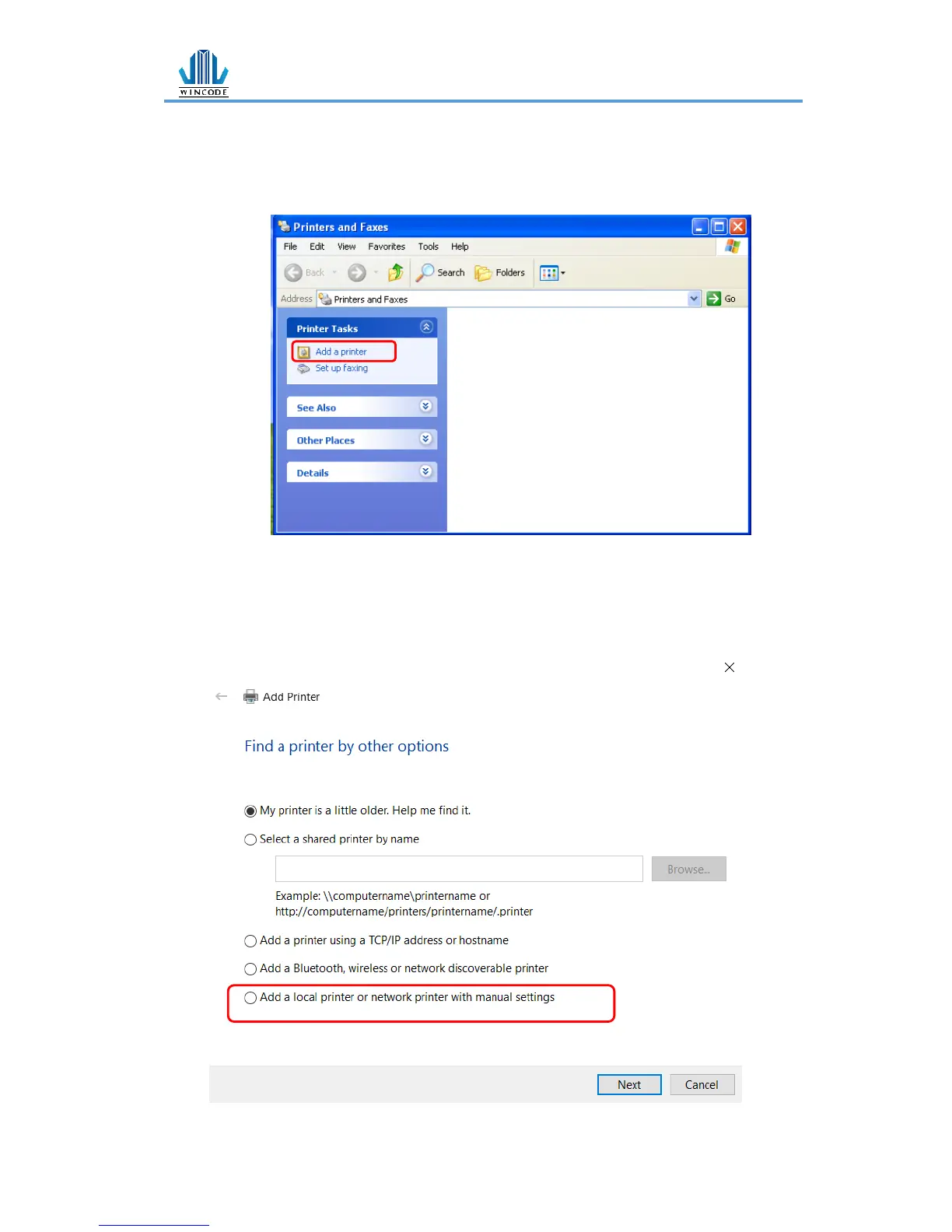
• Windows XP Platform
1) Enter “Printers and Faxes” from the control panel or click “start” and
select “Setting” > “Printers and Faxes”
2) Click “Add a printer” > “Add a printer wizard”
3.2.1 Printer Installation
(Take windows 10 for example)
1) Follow the step above, select “The printer that I want isn’t listed” > “Add a
local printer or network printer with manual settings” > “Next”


 To Next Page