C34 USER MANUAL
- 32 -
3.2 Install Driver with “Add a Printer” in Microsoft
Use the “add new printer” at the control panel of Microsoft to install the driver
• Windows 10 Platform
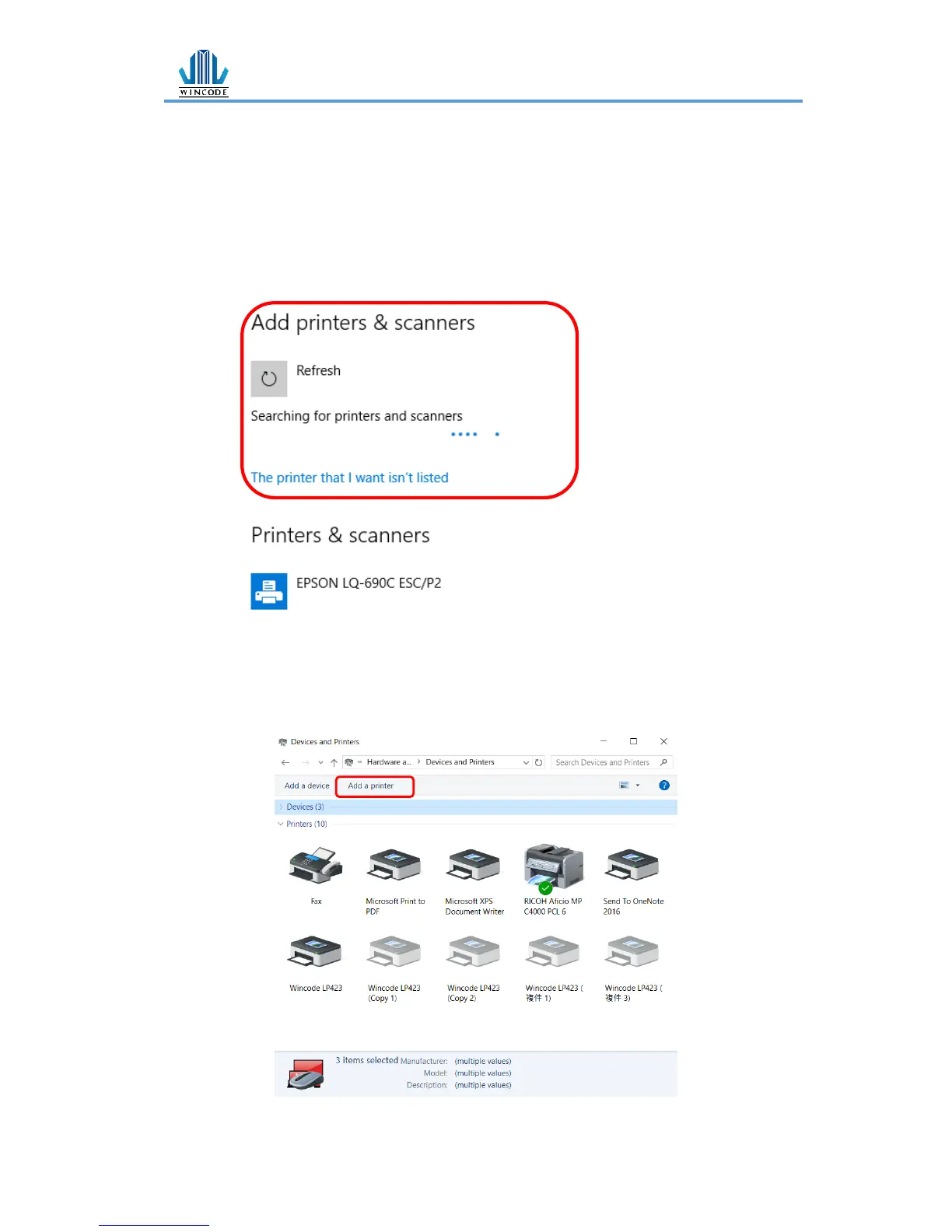
1) Click “Start” > “Setting” > “Devices”> “Printers & scanners”
2) Click “Add a printer or scanner” and then start searching, if the device
cannot be found, select “The printer that I want isn’t listed”
• Windows 7/8 Platform
1) Enter “Devices and printers” from the control panel or click “start” and
select “Devices and printers”
2) Click “Add a new printer”


 To Next Page