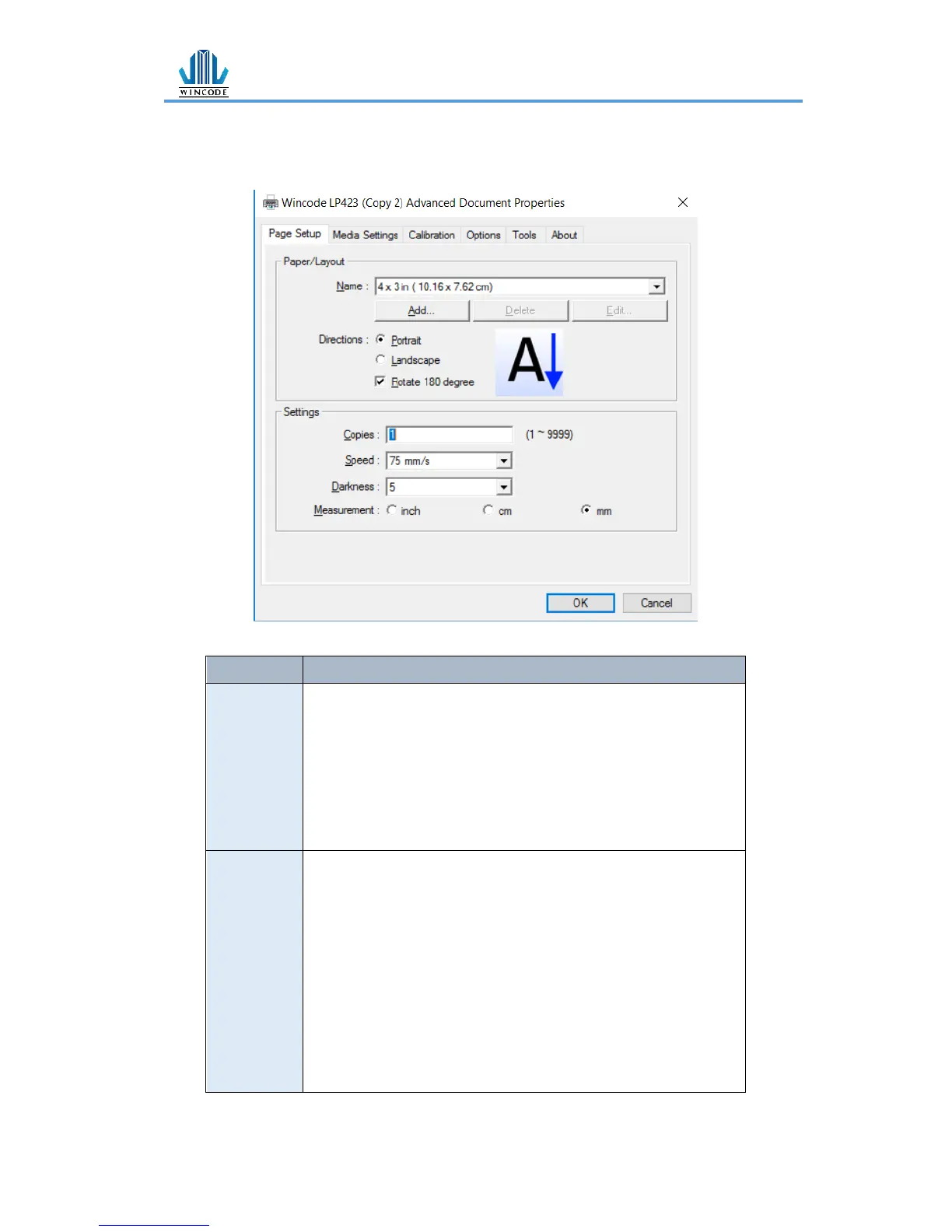
➢ Name:Choose paper size (4 x 3 inch and 2 x 1 inch); User can
also define frequently-used paper size by adding new label
format.
➢ Directions:Portrait and landscape (rotate 90 degrees); 180
degrees rotation is accepted.
➢ Copies:Each page quantity
➢ Speed:Printing speed
➢ Darkness:Adjust Printing darkness status.
Caution: If the value is higher, that would cause the temperature
of print head higher, and would make ribbon melting and breaking
easily. (Suggest value less than 8 for wax ribbon, value more than
10 for resin ribbon)
➢ Measurement:inch, cm, and mm options


 To Next Page