C34 USER MANUAL
- 53 -
4.5 Firmware update Tool
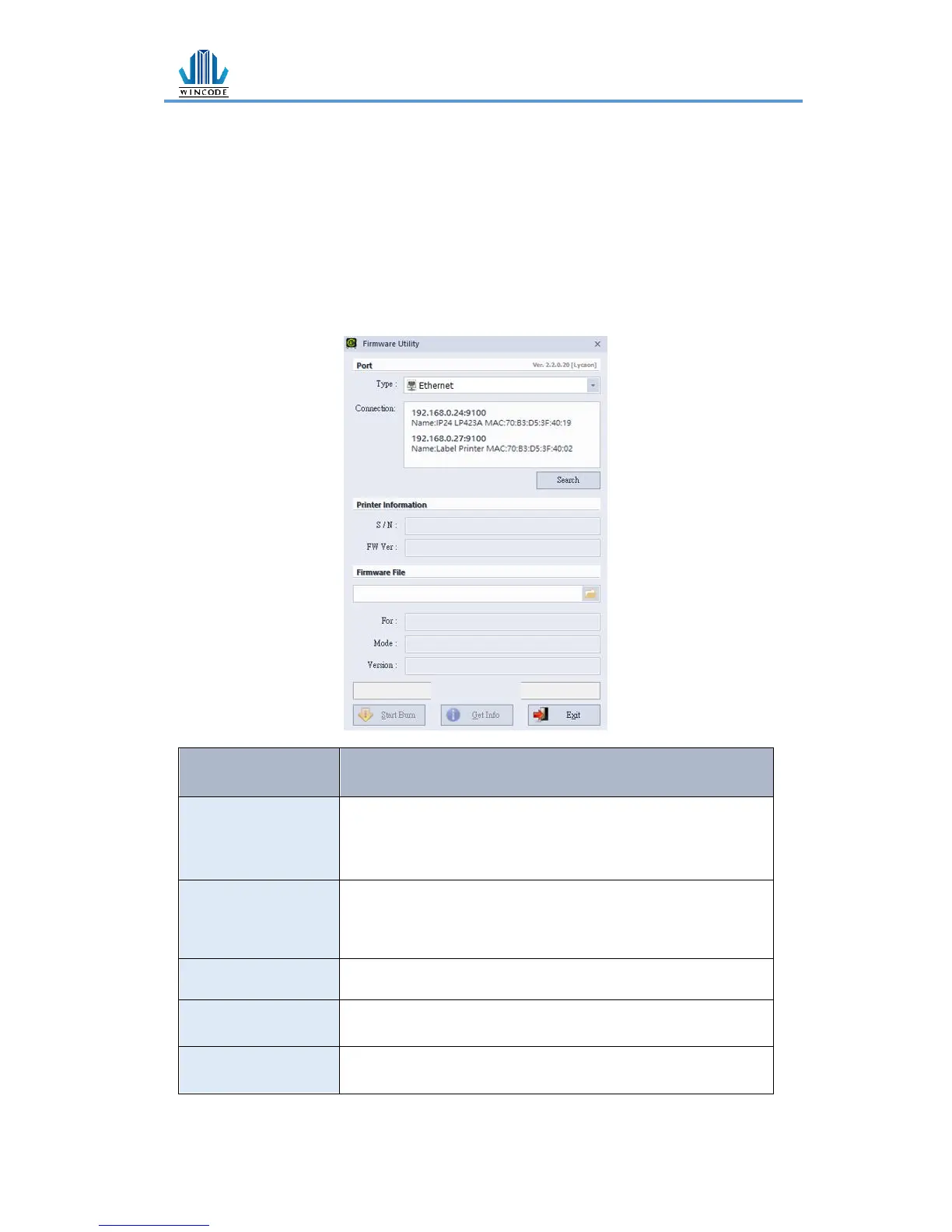
➢ When user get the *.ulf file from the manufacturer, please execute the file
under the interface WinLabel installed. The system will auto connect the
firmware update tool. After confirm the version please press “burn” and wait
until the “update finished” information from the printer.
➢ The update procedure can run with USB、RS-232、LPT、Ethernet
➢ Press the search button when using Ethernet, the system will search the office
network and then list the printers.
• term:select the connecting way: USB, RS-232, LPT, Ethernet
(not available yet)
• connect:select the printer connected
Confirm the burn version
• The system will auto connect the firmware update tool and
show the information while executing *.ulf file


 To Next Page