C34 USER MANUAL
- 29 -
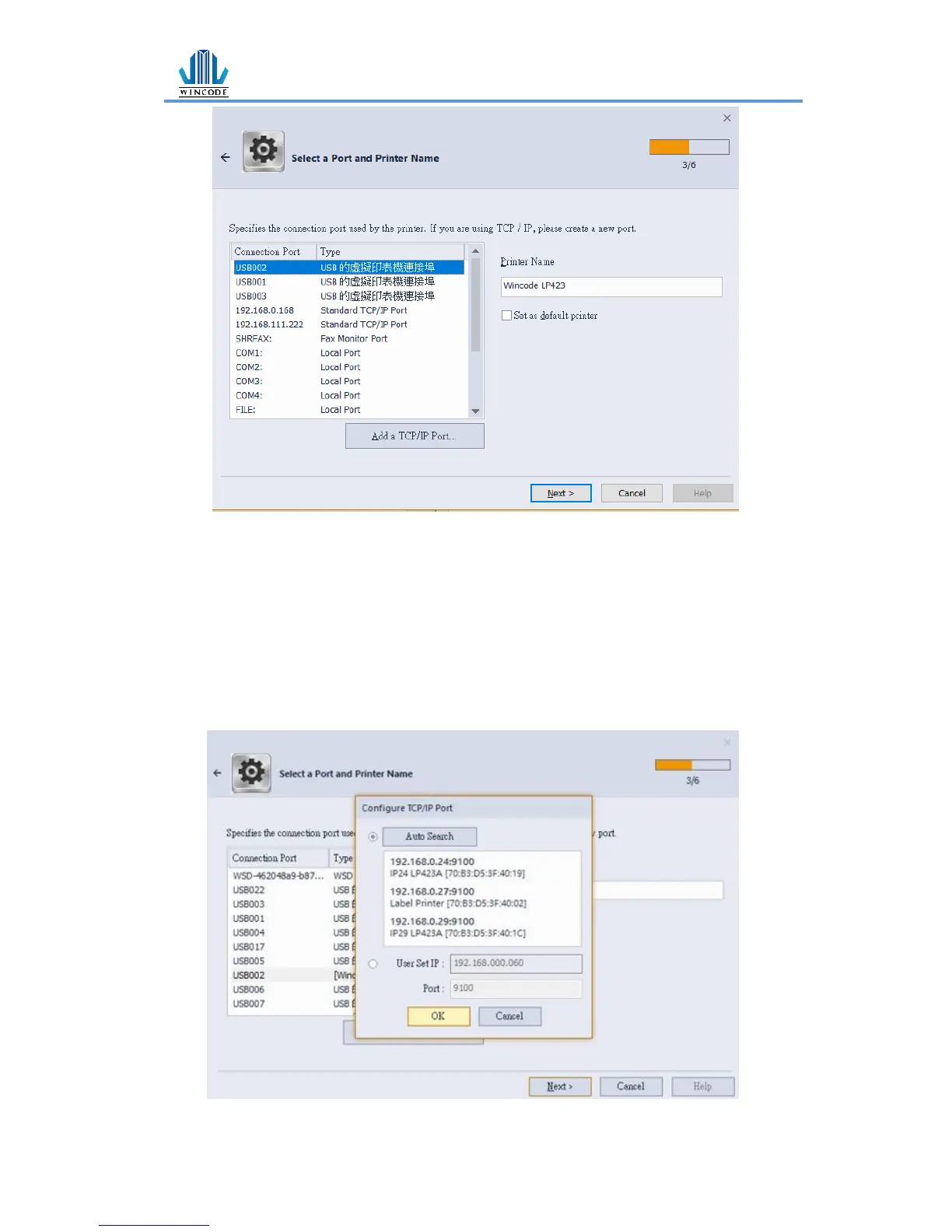
➢ USB connection: the program will select the port of the printer automatically.
➢ RS-232, LPT connection: please select the correspond COM or LPT.
➢ Ethernet, WIFI and IP Sharer connection: please select “add ICP/IP port”
Use automatically search: It will search the whole printers that connected to
the internet, the program will bring the user to the selected printer IP and the
number of port automatically.
If the user select manual insert, please insert the number of the IP and port
(default: 9100).


 To Next Page