C34 USER MANUAL
- 37 -
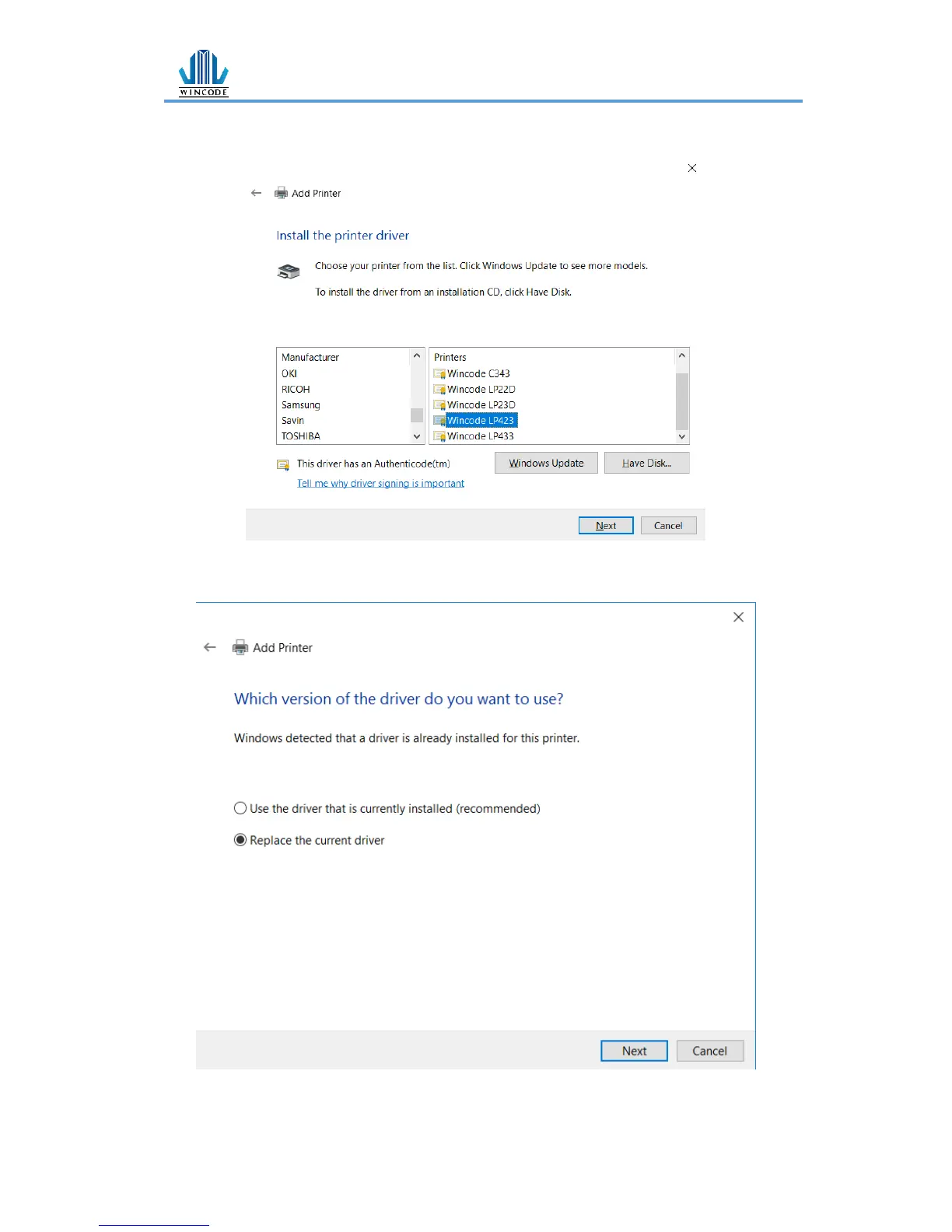
6) Choose the printer driver that you wanted to install, select the manufacturer
listed at the left and then select the printer driver at the right, click “Next”.
*If the same driver has been installed, it will show the following window, select
“replace the current driver”, click “Next”.


 To Next Page