C34 USER MANUAL
- 65 -
7. Maintenance
The followings are some steps and methods to suggest user to proceed simple
maintenance on the printer.
1) Turn off the power firstly, and then open the top cover of printer.
2) Take out the ribbon and locate the print head. (If printing process is just finished,
user needs to wait print head cooling before proceeding maintenance procedure)
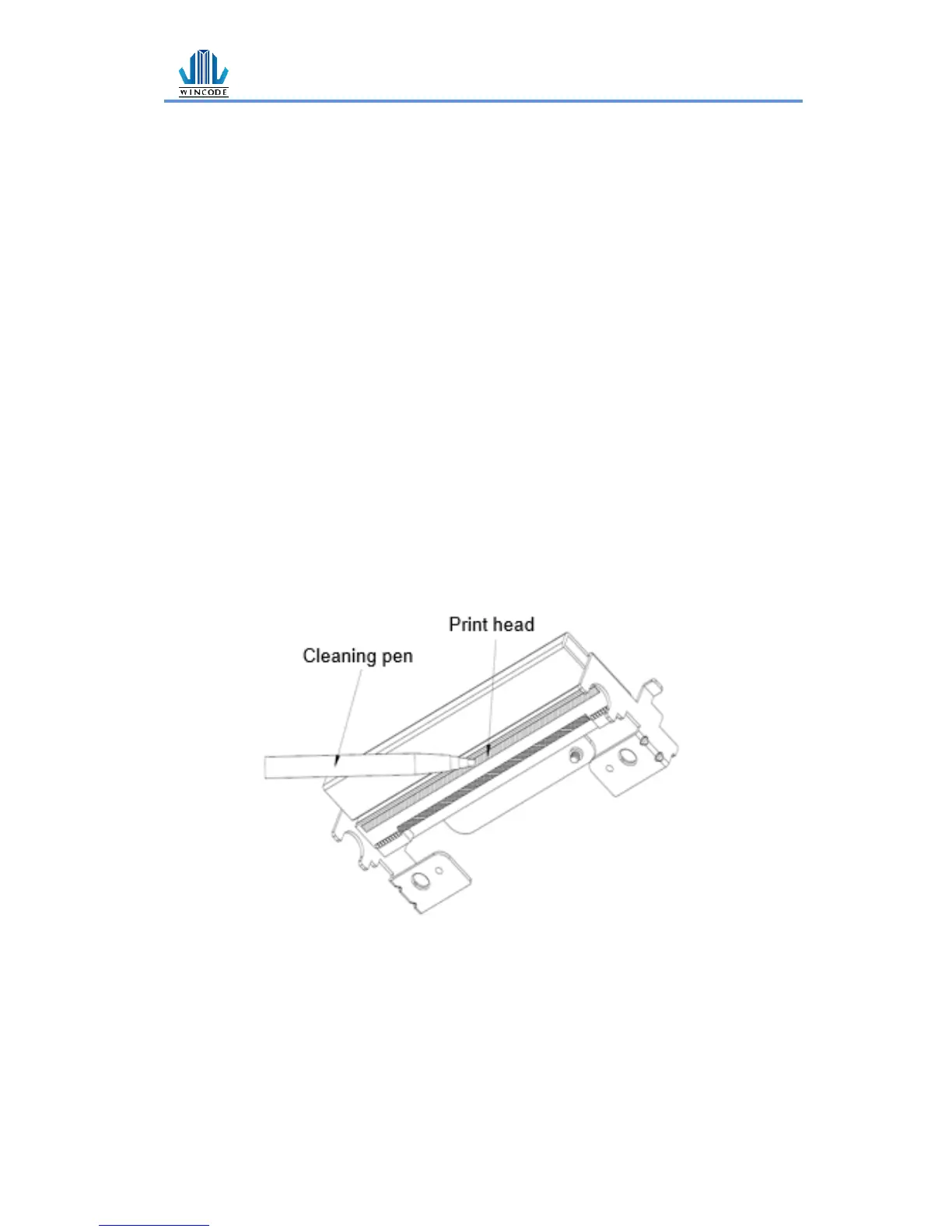
3) If print head is adhibited label paper or some dirt, please use a head cleaning pen
or a cotton swab with 100% ethanol to clean the print head surface. Repeat this
procedure until the black marks left on the cotton swab are not increasing.
4) Keep regular clean on the rubber roller after printing for a period time.
Otherwise, that would influence the printing quality or cause print head damage.
5) Use compressed air or vacuum to clean the dirt on the sensor.
Note:
1.) Suggest to clean print head once every week and clean sensor once every month.
2.) When using a cotton swab to clean print head, please make sure that there are no
metal fragments or hard particles attached on the cotton swab as that would cause
the damage of print head.


 To Next Page