Pergola SO! | User manual
2 . General Casambi information
2.1. Instruction videos:
2.2. Communication platform
SO!
Casambi Network
Screen 2
Etc...
Spots
Direct light
Indirect light
SensorsStarligt
Louvre motor
Cloud stored synchronisation of
Network settings
TM
Casambi ready devices
without network designation
TM
TM
Casambi
network 2
Casambi
network 3
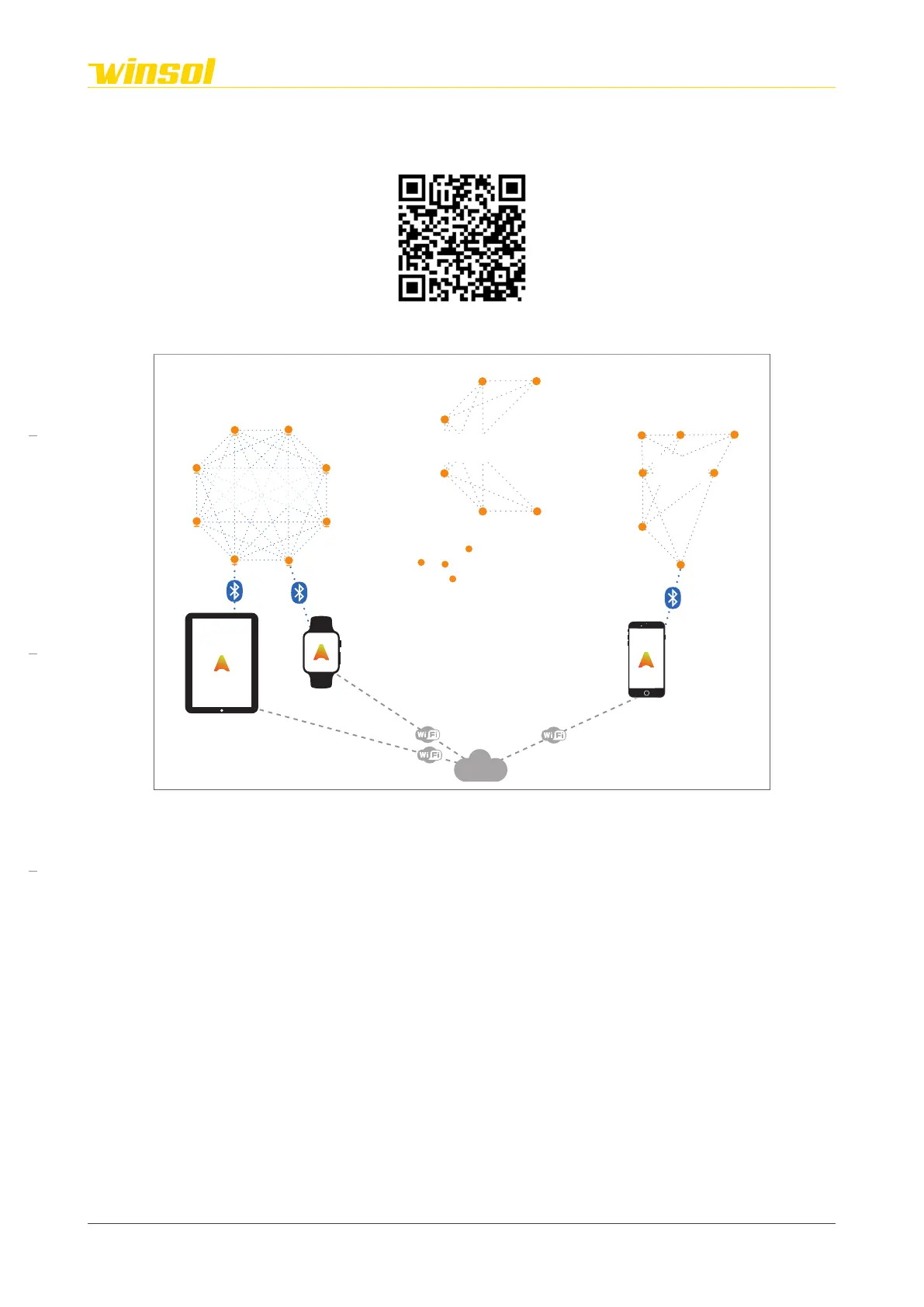
Casambi:
Casambi is a wireless communication platform between users and different independent devices
within closed local networks.
Casambi networks:
Users can create Casambi Networks using the App. Independent Casambi-ready devices (light fixtures,
sensors, ...) within Bluetooth range can be assigned to a network. These devices will make up an
interconnective Bluetooth web. As this network expands, so does the Bluetooth coverage. A user only
needs to be within Bluetooth range of one device to be able to control any device within the network.
The components of the network communicate with each other using commands. Networks can be
secured using user and administrator passwords.
2.3. Network access
Steps:
1. Download the Casambi App from the Apple App Store or Google Play Store.
2. Connect the pergola to the 230V power supply, if this has not yet been done.
3. In order to use Casambi, both Wi-Fi and Bluetooth must be activated on your smartphone/tablet.
4. Open the app on your smartphone/tablet.
Rev. 16:24 18/03/2023
Page 5/27
Winsol | Sun protection
EN
2023



 To Next Page