Pergola SO! | User manual
3 . Casambi SO! network
3.1. Network homepage
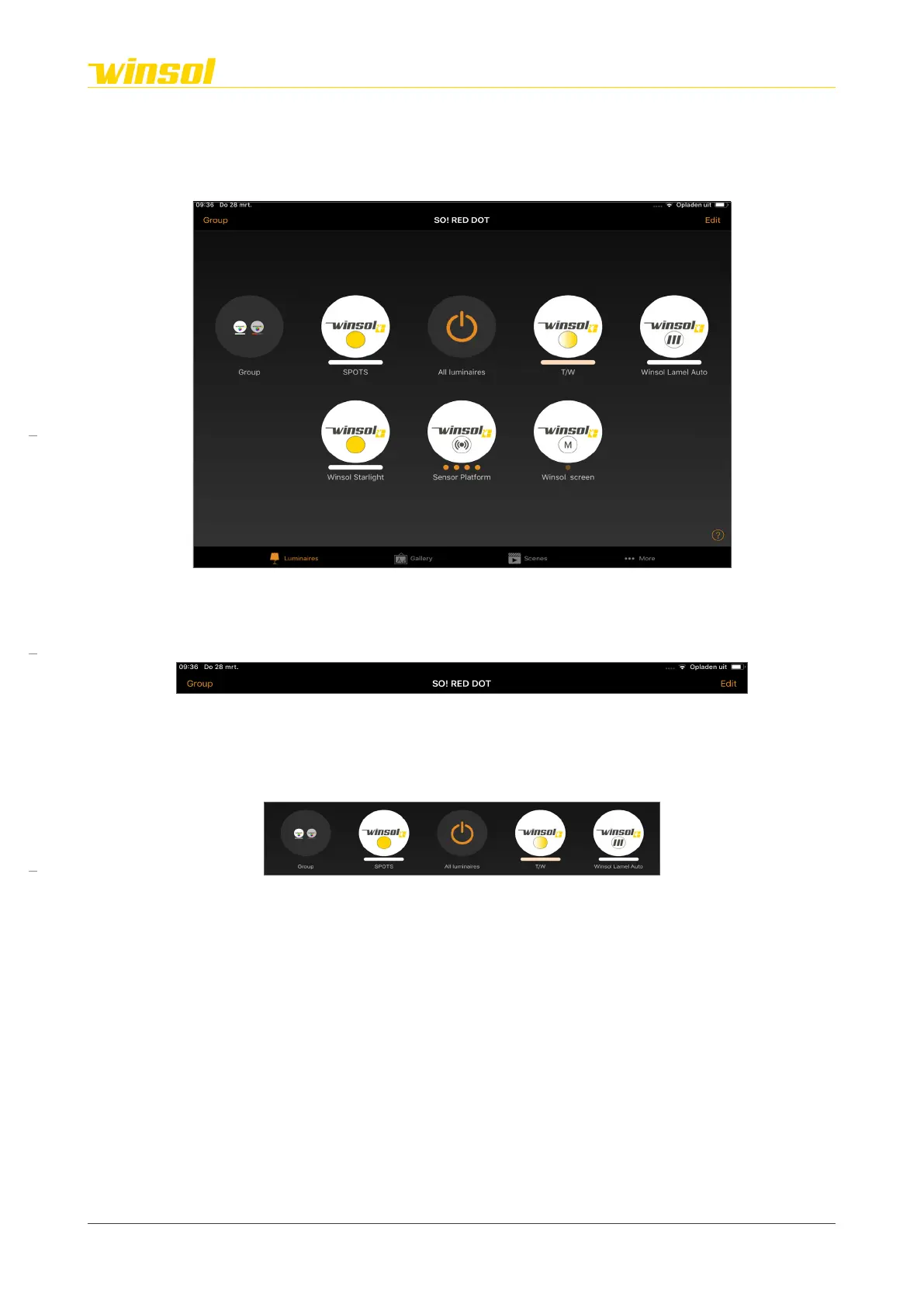
When you select a network (and are logged in), the homepage of this network will open. This homepage
is divided into 3 sections:
1. A “Title bar” on the top.
2. A main section with “features modules” (circles).
3. A “menus bar” (at the top or bottom, based on your smartphone/tablet).
3.2. Title bar
• The network name is in the middle.
• Two action buttons with dynamic page-specific options are shown at both sides.
3.3. Feature modules
3.3.1. Layout:
Each feature module (circles) controls a feature of the Pergola SO! These can be fundamental or
optional features:
• Fundamental:
– Activate/Deactivate module
– Motor module (version Cosy / Chique / Star)
– Sensor module (version Cosy / Chique / Star)
• Optional (These are not all intercompatible):
– Direct LED strip module: Dimmable white 2700K
– Direct LED strip module: Dimmable & Adjustable white 2700K/6500K
– Indirect LED strip module: Dimmable & Adjustable white 2700K/6500K
– Indirect LED strip module: Dimmable RGB
– Starlight module
– Spotlight module
– Screen module (multiple options)
– ON/OFF module (multiple options, e.g. heating units, etc.)
If you want, you can assign modules to a group (e.g. all screens). These will be presented as one
module on the homepage.
• Exception:
– Audio: Controlling outside the Casambi app (see below).
– Projector: Independent, only connections provided (see below).
Rev. 16:24 18/03/2023
Page 7/27
Winsol | Sun protection
EN
2023



 To Next Page