Pergola SO! | User manual
3.3.2. Interaction | General:
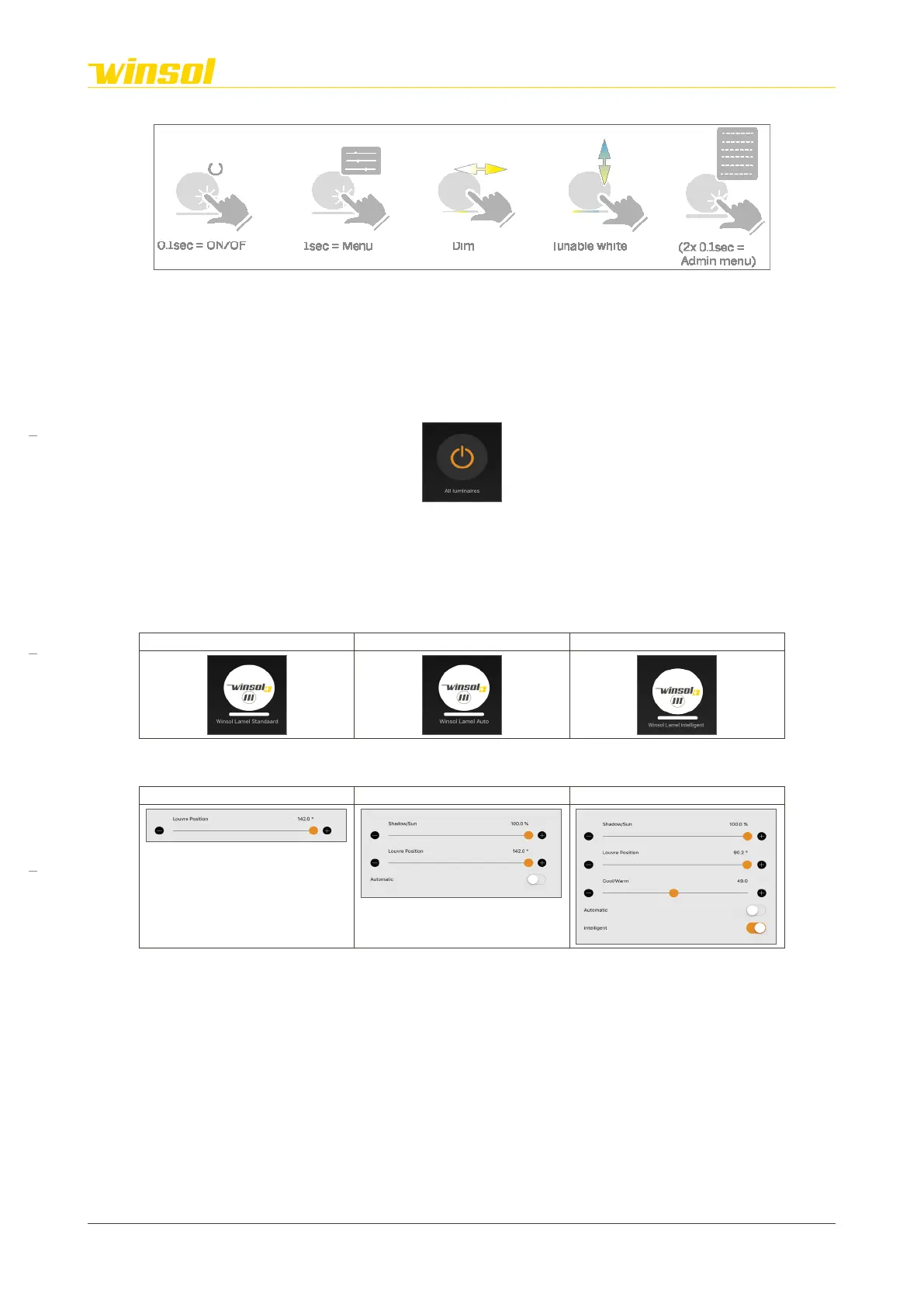
Feature modules respond to the following actions, based on their functionality.
• Hold 0.1 sec.: Activate/deactivate the module.
• Hold 1 sec.: Open “Control menu” with all functionalities.
• Swipe left/right: Rapidly change dim setting without opening the control menu.
• Swipe up/down: Rapidly change colour setting without opening the control menu.
• Hold 2x 0.1 sec.: Only possible for authorised users with administrator password.
3.3.3. Interaction | Activate/Deactivate module:
Icon:
Function:
Activate/Deactivate button for all Casambi-controlled functions (except for louvres, sensors & screens).
The modules return to their last setting when re-activated. Please note that audio, sockets & HMDI
connections are not controlled by Casambi.
3.3.4. Interaction | Motor module
Icon:
Cosy: Chique: Star:
Control menu:
This menu becomes more extensive based on the chosen product options:
Cosy: Chique: Star:
• Cosy
– Louvre Position slider: This allows you to change the positions of the louvres.
• Chique
– Automatic switch: This activates the shade/sun slider and deactivates the other option.
– Louvre Position slider: This allows you to change the positions of the louvres.
– Shade/Sun slider: Allows you to change the amount of light.
• Star
– Intelligent switch: This activates the cold/warm slider and deactivates the other option.
– Automatic switch: This activates the shade/sun slider and deactivates the other option.
– Louvre Position slider: This allows you to change the positions of the louvres.
– Shade/Sun slider: Allows you to change the amount of light.
– Cool/Warm slider: Allows you to change the temperature.
Rev. 16:24 18/03/2023
Page 8/27
Winsol | Sun protection
EN
2023



 To Next Page