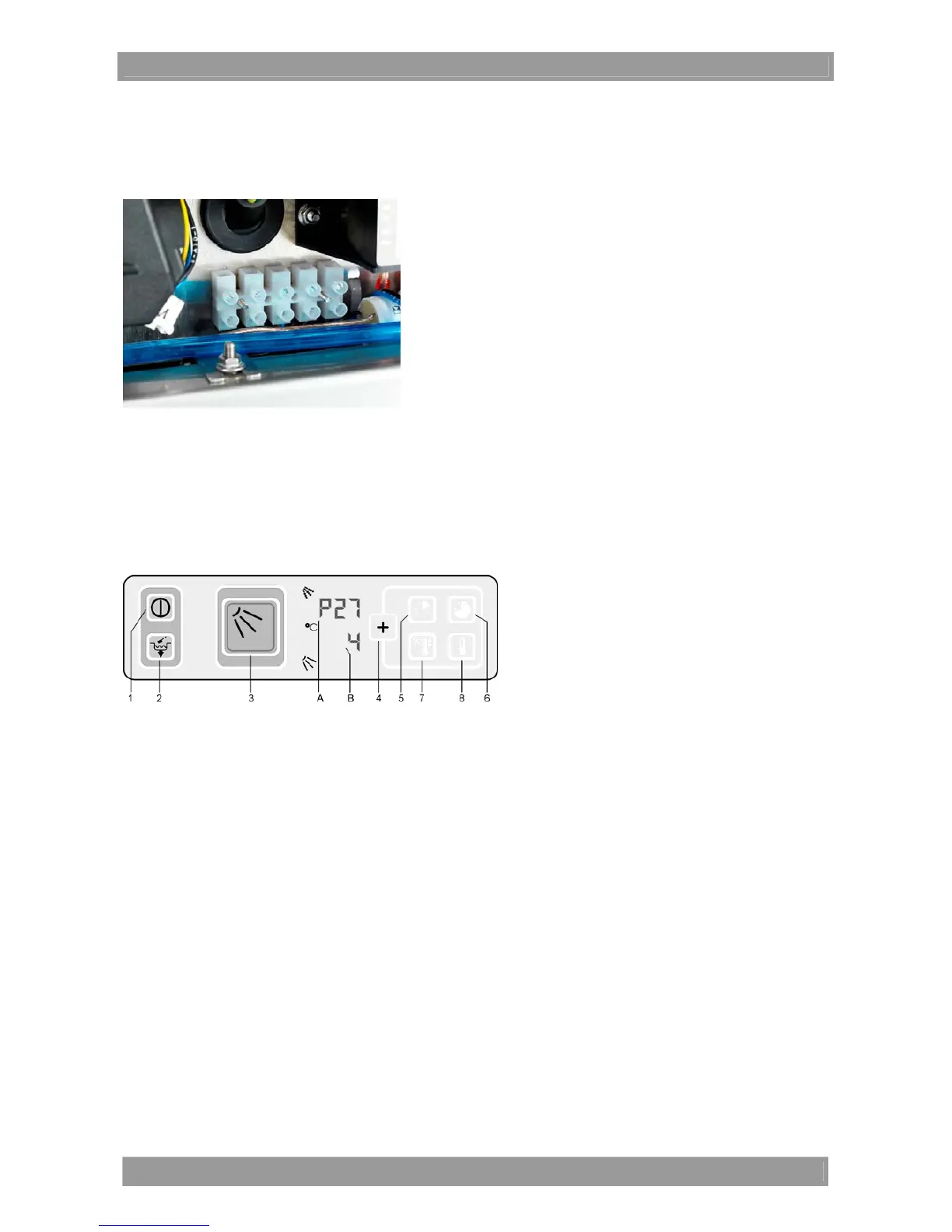
Connecting external dosing devices
English 45
16 Connecting external dosing devices
The terminal strip X3 for connecting external dosing devices is located in the plinth of the machine (position 2
in chapter 15). A maximum current drain of 0.5 A is permissible at the terminal strip.
Assignment of terminals (from left to right)
WASH Permanent signal if the circulating pump is active
FILL Signal depending on parameter P27
N* Neutral conductor
L1* Control phase
PE Protective conductor
* secured with 4 ampere (medium inactive)
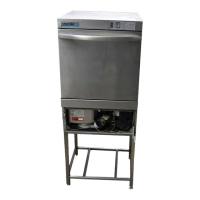
Setting parameter P27
P27=4: Permanent signal when filling the machine (after attaining the drying protection)
P27=5: Permanent signal when the supply solenoid valve is open
Switch off the machine and the local mains disconnector
Connect the external dosing device to the terminal strip
Switch on the local mains disconnector
Keep the keys 6 and 8 pressed and switch on the machine (press key 1). Release the key.
P 27 is displayed on Display A
Value 4 is displayed on Display B
If P27=4 is required:
Press key 4 to save the value
Key 3 lights up in red when saving
If P27=5 is required:
Press key 8 to change the value from 4 to 5
Press key 4 to save the changed value
Key 3 lights up in red when saving
Switch off the machine and switch it on again (key 1)
Put the external dosing device into operation




 To Next Page