29
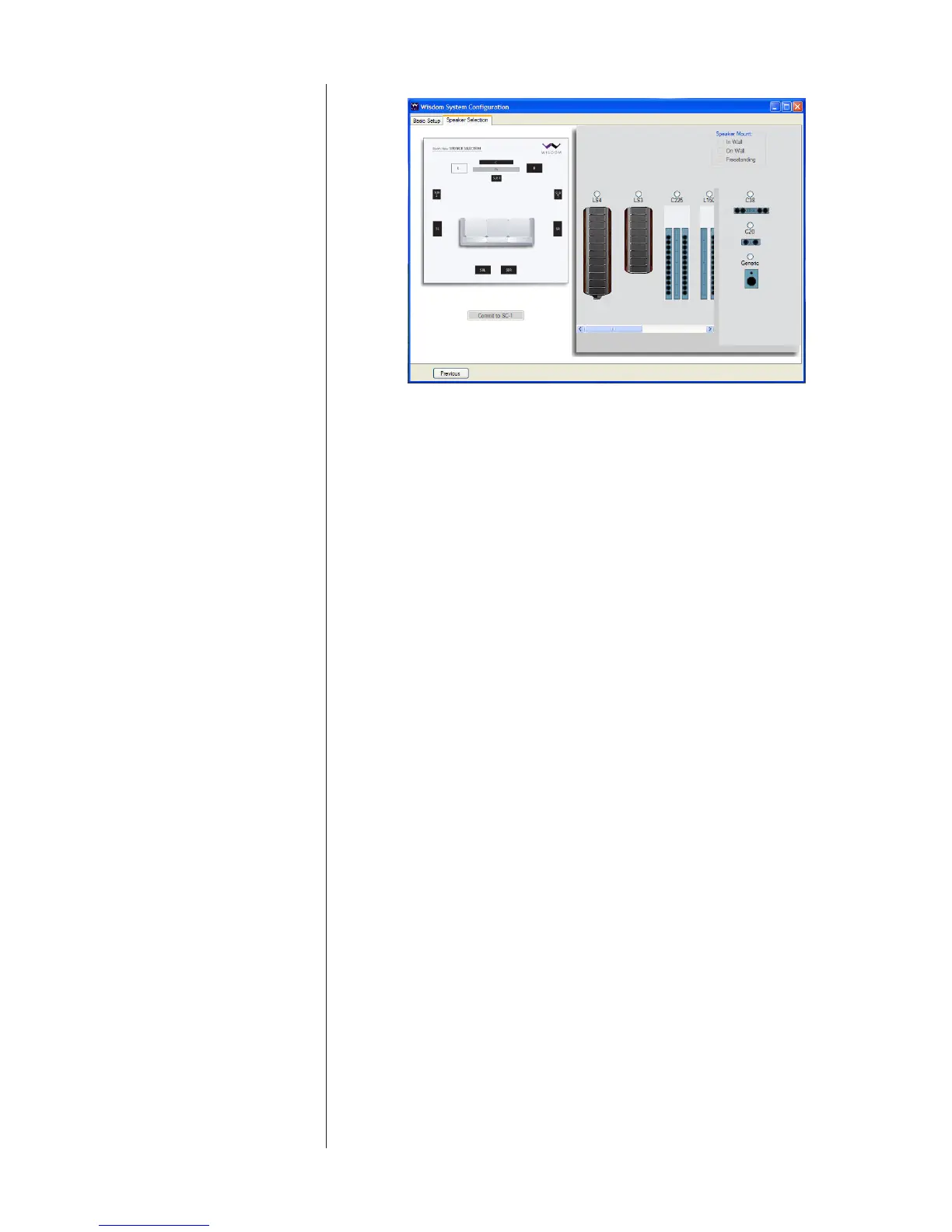
Speaker Selection screen 2
Selectboththemodel(e.g.,L75,P20)andtheSpeakerMounttype(e.g.,In-wall,
On-Wall,orFreestanding),foundinthetoprightcorner.Repeatthisprocess
foreachspeakerlocationinturn.Thisinformationisimportant,asitautomati-
callyloadsimportanttraitsandcapabilitiesofeachspeakerintotheappropriate
channeloftheSC-1’sprocessing.Asanexample,thisidenticationishowthe
SC-1determineswhatcrossoverfrequencytousebetweenthemidwoofersand
theplanarmagneticsectionsoftheselectedspeaker.(Notethatthelistofavail-
ablespeakersmaychangetoreectonlyvalidoptions.Thus,youwouldnotbe
presentedwiththeoptionofusinganormalspeakerasasubwoofer.)
WhileyoushouldalwaysuseWisdomAudiospeakerswhenpossible(sincethe
SC-1isspecicallydesignedtosupportthem),a“Generic”speakermodelis
providedincaseyouneedtointegratenon-Sagespeakersintothesystem.For
example,youmayhaveasituationinwhicharchitecturalconstraintsmandate
in-ceilingspeakersforthesurroundchannels.WisdomAudiodoesnotmanufac-
turein-ceilingspeakers.Inthiscase,selectthe“Generic”speakertypeforthose
locationsandconnecttheHighPassoutputsoftheSC-1forthosechannelsto
theamplierusedtodrivethenon-Sagespeakers.(TheLowPassoutputswill
bedeactivatedfor“Generic,”single-ampliedspeakers,andafull-rangesignal
willinsteadberoutedouttheHighPassoutputs.)
A“GenSW”optionisalsoprovided,soastoaccommodatetheuseofoneor
morenon-WisdomAudiosubwoofers.
Whenyouarenisheddeningwhichspeakersarebeingusedineachlocation,
clickonthe“CommittoSC-1”buttontodownloadalloftherelevantinforma-
tiontothesystemcontroller.
Room Calibration OnthethirdtabofWisdomSetupCong.exe,thelefttwo-thirdsofthescreen
isdevotedtoadjustingforthepotentialdifferenceinoveralllevelbetweenthe
wooferandplanarmagneticsectionsofthesystem,whiletherightsidecon-
cernsitselfwithroomcorrection.Wediscusstheleftsiderst.
Therearetworeasonswhythewoofersandtheplanarmagneticsectionsofthe
speakersmightnotmatchoneanotherinvolume.
Firstofall,theplanarsectionstendtobemoresensitivethanthewoofersec-
tions,thatis,theyplaymoreloudlyforthesameamountofpower.Thisisa



 To Next Page