30
functionofbothourunusuallysensitiveplanarmagneticdriversandthesmall
enclosurevolumesbehindthewoofers.Themagnitudeofthisdifferencevaries
amongthedifferentmodels,andwithvaryingroomplacement.
Thesecondreasonforadifferenceinoveralllevelbetweenupperandlowfre-
quencysectionsofthespeakersisthattheamplierchosentodrivetheplanars
mayormaynothavethesameinputsensitivityastheoneusedtodrivethe
woofers.
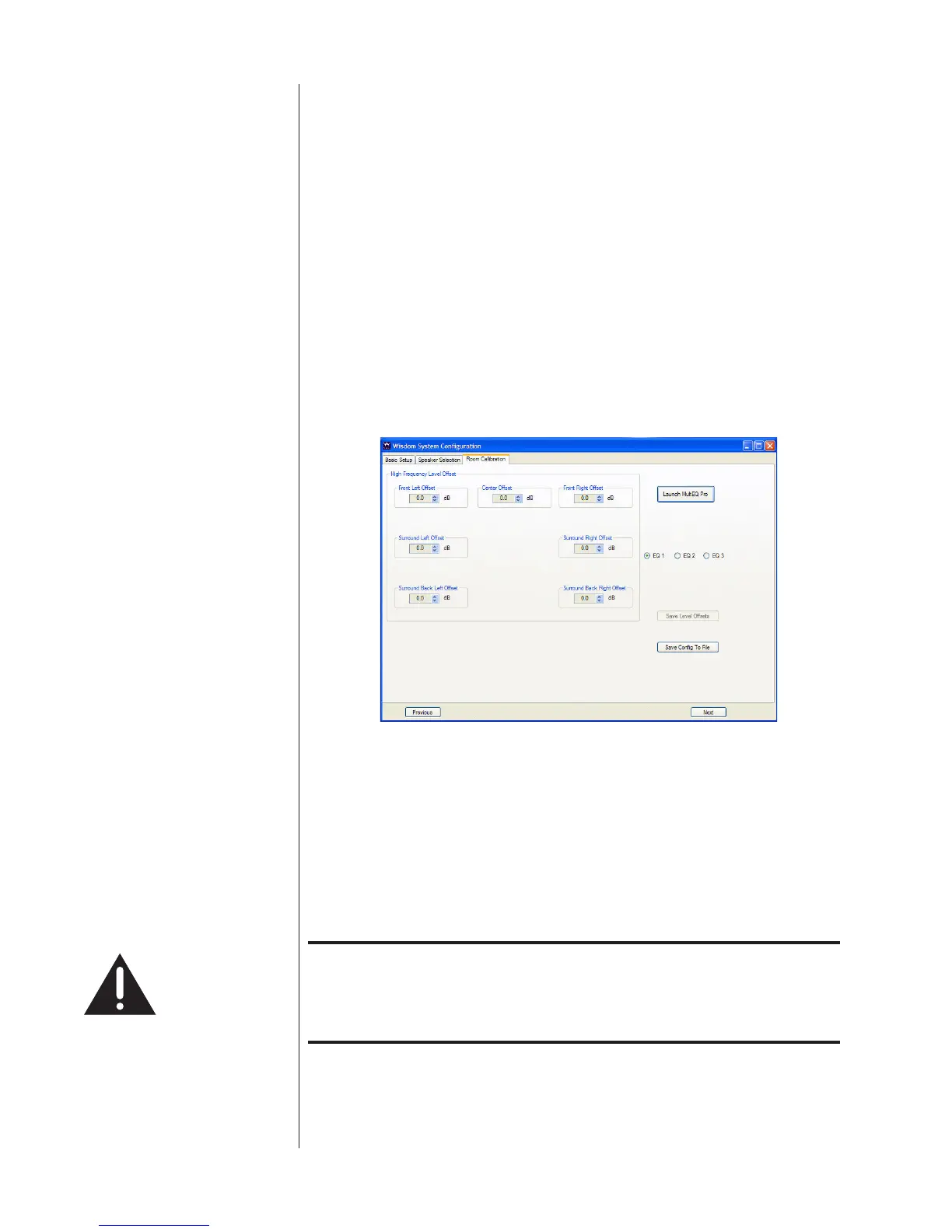
Determining the trim value Thebestsolutionforbothsituationsisthesame:measurementtheresponseof
thespeaker,bothaboveandbelowthecrossoverfrequency.Thenadjustthe
planarmagneticsideofthespeakerupordownasneededtomatchtheoutput
ofthewoofersection.Thisadjustmentcanbemadeontheleftsideofthe
RoomCalibrationwindow,inthearealabeled“HighCrossoverVolumeTrim.”
(Seebelow.Notethatyouwillseefewertrimsifyouareusingfewerthanseven
mainchannels.)
Room Calibration tab
TheSC-1itselfprovidesahighresolutionmeasurementsystem,usedinthe
MultEQProcalibrationprocess.
Withoutgettingtoofaraheadofourselves(sincewehavenotyetdiscussed
MultEQPro),theideaistotakethreemeasurementsofwhatishappeningin
yourroom,andtolookattheresultingresponsecurve.Comparingtheaverage
levelaboveandbelowthecrossoverfrequencywilltellyouhowmuchyou
needtoadjusttheplanarsectionupordown.Thisprocess“roughsin”there-
sponseofthesystemsothatMultEQhaslessworktodo.
Thecardinalruleofallequalizationisthatitismosteffectivewhen
itisleastneeded.Anythingyoucandotogetthesystemcloserto
whereyouwantittobebeforeAudysseyisaskedtoxtherestisa
GoodThing.
Oncethetrimvalueshavebeenentered,clickthe“SaveSpeakerTrim”button
todownloadthemtotheSC-1.



 To Next Page