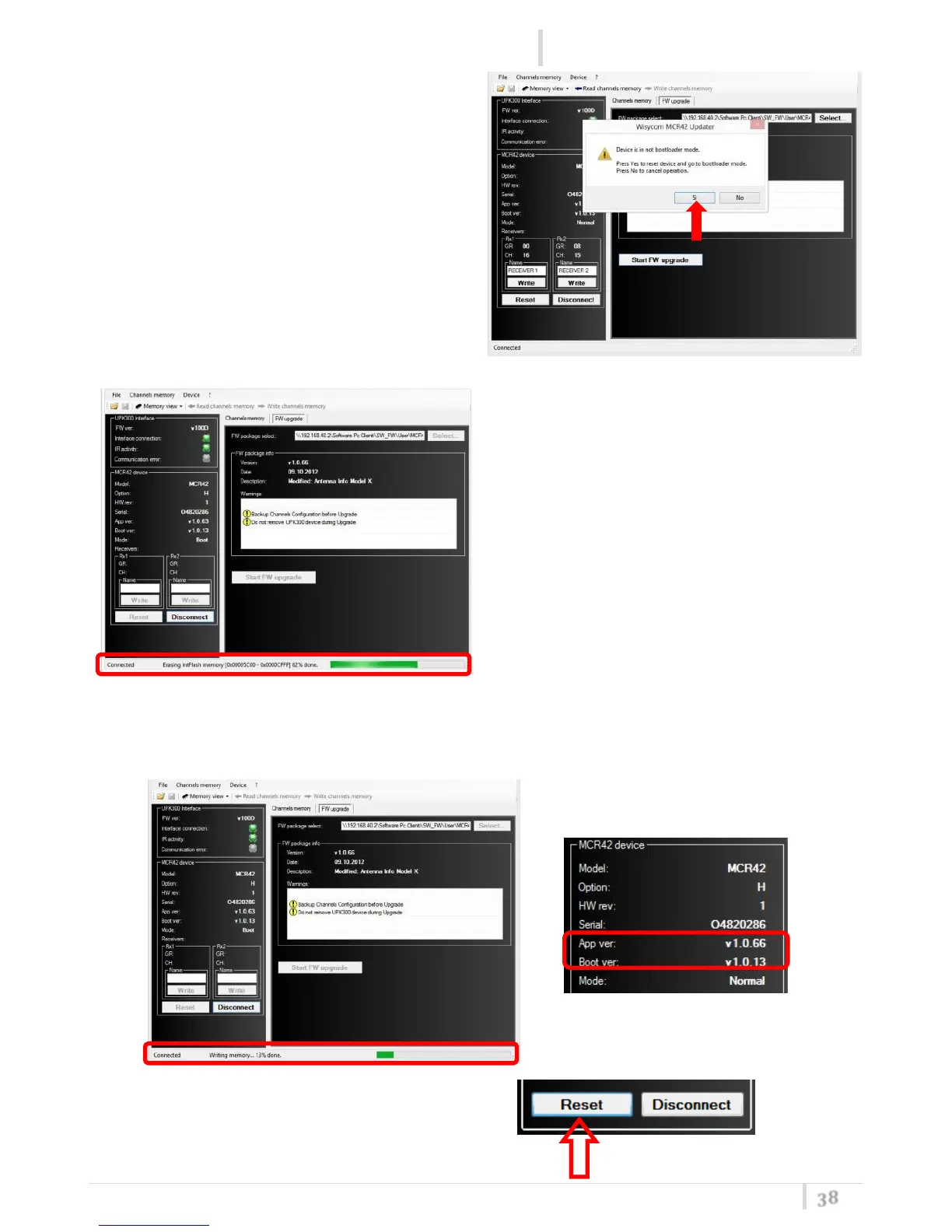
5. Put MRC41/42 in bootloader mode pushing
Yes
6. Firstly the program erases the flash
memory and later it writes the flash
memory. A green bar below the panel
shows the progress of this process.
Take care do not disconnect the IR
communication or power off the
MCR41/42 during this process.
7. At the end the new firmware version will be showed on the MCR41/42 device panel.
8. Click the Reset button to restart the device



 To Next Page