Chapter 4 Operation
Function key description
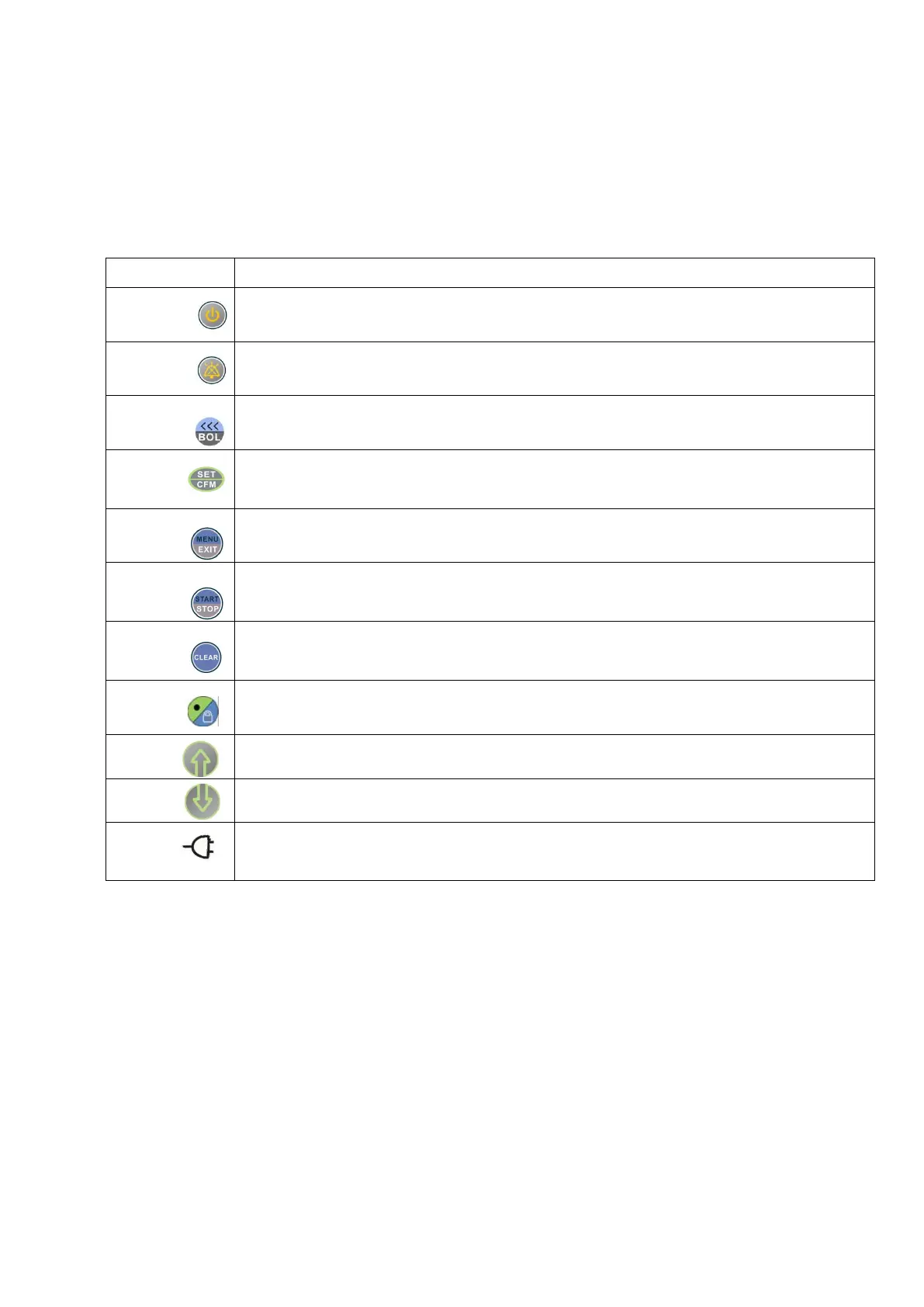
Function keys concentrate upon the front housing, operated easily, the functions are as follows:
Used for boot and shutdown, long press for 1 second to boot, and long press 1 second to shut
down on the condition of no infusion.
Used when alarm happens, press it, the top left indicator of Mute lights up, and then the mute
status will last 2 minutes. Meanwhile it has mute key function, lasts 2 minutes.
On the condition of pause, long press to purge air inside tube; in process of infusion, press it
to enter BOLUS setting interface, then can start BOLUS infusion after setting parameters.
Used to confirm and save the items chose. In the menu, press it to enter next level menu.
Press it in process of infusion, can reset infusion rate.
On the condition of pause, press it to enter the menu for parameter setting; and press it to
return to the previous menu; on the condition of standby, press it to exit the standby.
Press it to start infusion on the condition of pause; and press it to stop infusion in process of
infusion.
On the condition of alarm, press it to cancel the sound-light alarm; on the condition of
inputting parameters, press it to set parameters to 0.
In process of infusion, long press for 1 second to lock or unlock. On the condition of pause,
long press to enter standby status.
Used to move the cursor upwards.
Used to move the cursor downwards.
Used to indicate AC power connection.
Figure 11


 To Next Page