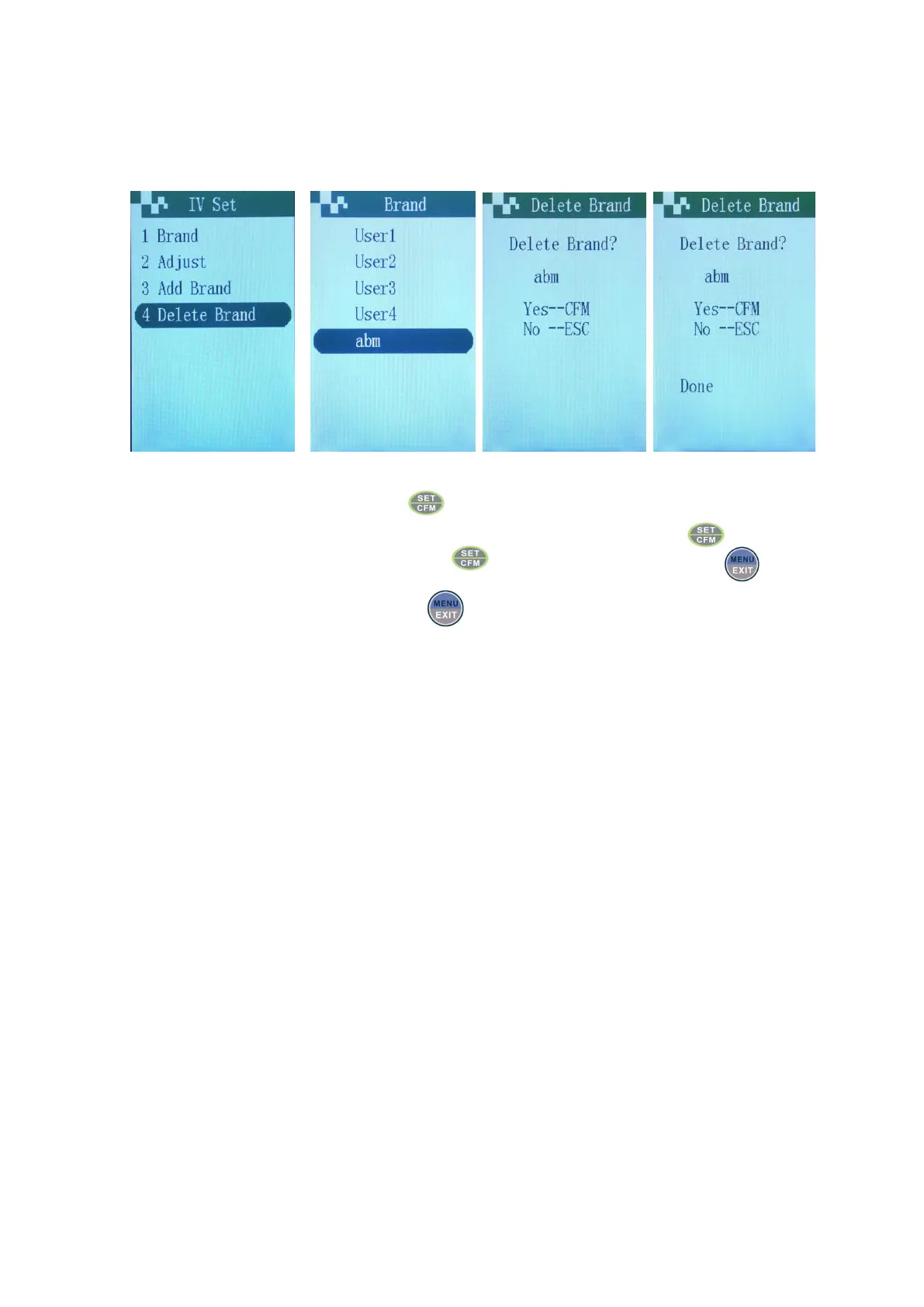
Remove IV Set
If need to remove needless tube type brands in the tube type list, user can remove infusion set brand through tube
type remove operation. The operation as follows:
Choose menu Choose brand need be deleted Prompt “delete or not” Prompt “deletion completed”
Choose “Delete brand” menu, press .
Choose the IV Set brand need to be removed by using up and down keys, press .
Choose according to the prompt and press to remove brand, otherwise press to exit without
removing.
If no need to continue to remove, press to exit the brand remove interface of tube type.
Notes:Cannot remove the IV Set in use.


 To Next Page