Chapter 7 History record check
The machine can store as many as 3000 history records. History record allows to be checked in machine or
export to computer.
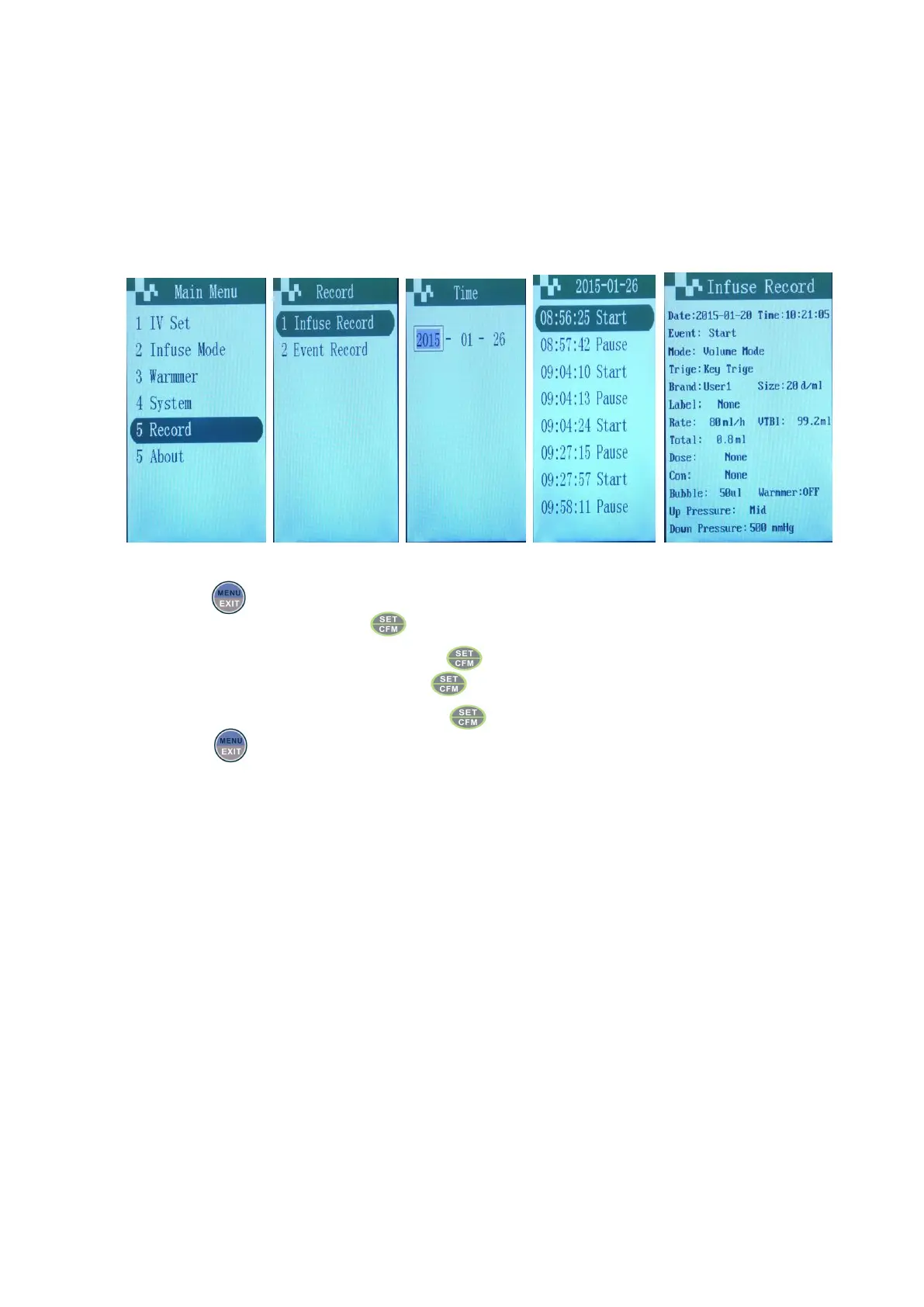
Check history records in machine
Choose menu Choose item Input date Check results Check results
Choose “ record” menu, press .
Choose the item need to be checked, press
Input the date need to be checked, press .
Choose the item need to be checked, press .
Export history record
Connect the pump with PC by cable and use WIT software to manage the history record Export & Import
.


 To Next Page