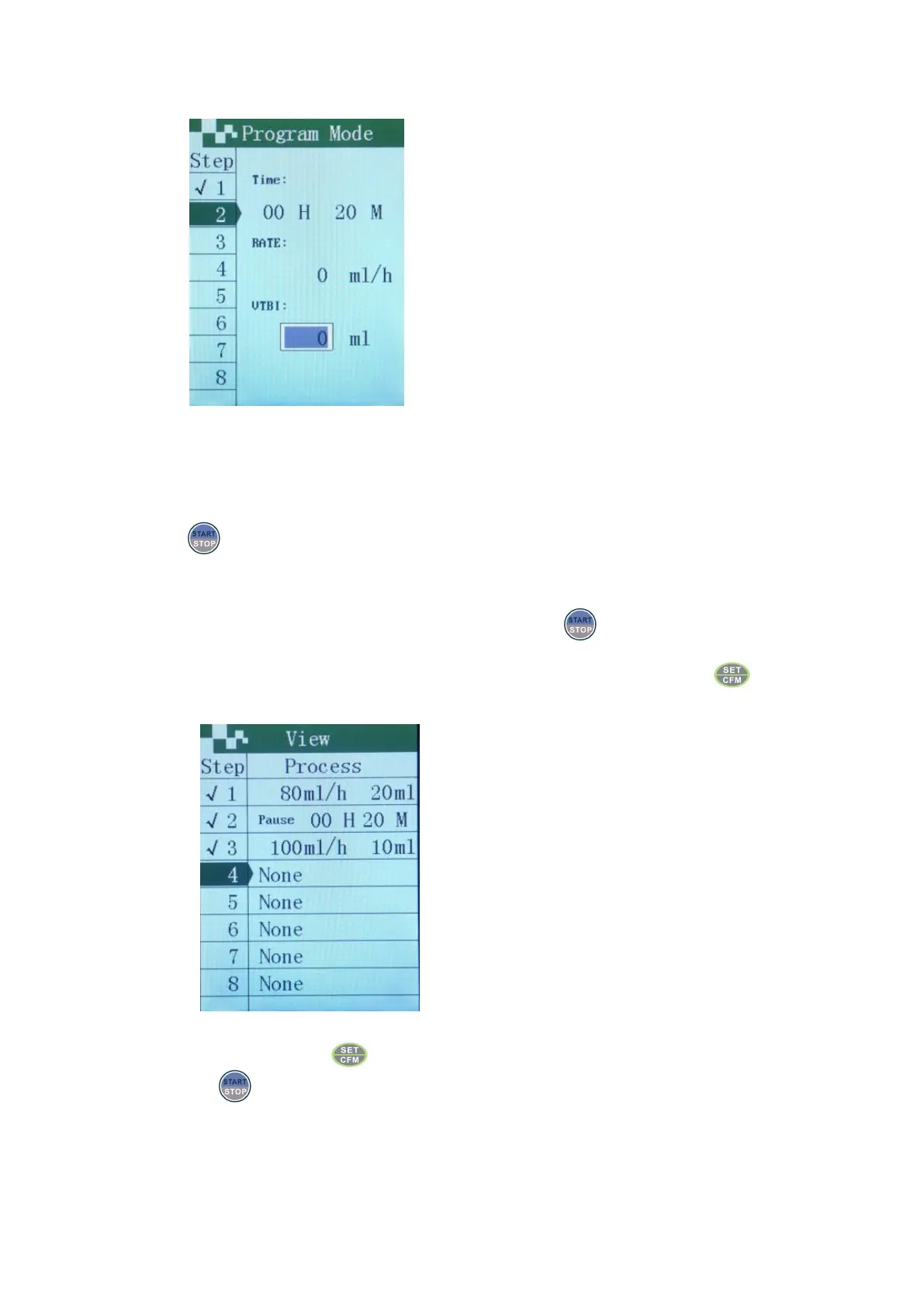
Move the cursor to corresponding input boxes of time, VTBI and rate with the up or down keys.
Set time needed to pause.
Preview and modification of each programming stage
When no need more program infusion parameters, press to enter the overview interface, check
whether the parameters of each programming stage are correct; if some parameters of certain stage are
found, then move the cursor with the up and down key to the wrong stage, press to correct.
Choose incorrect stage
After correcting, press to enter the overview interface again.
Press to start programming infusion.


 To Next Page