WT53R-485 Manual v23-0720 | www.wit-motion.com | support@wit-motion.com
11
5.2
Data View
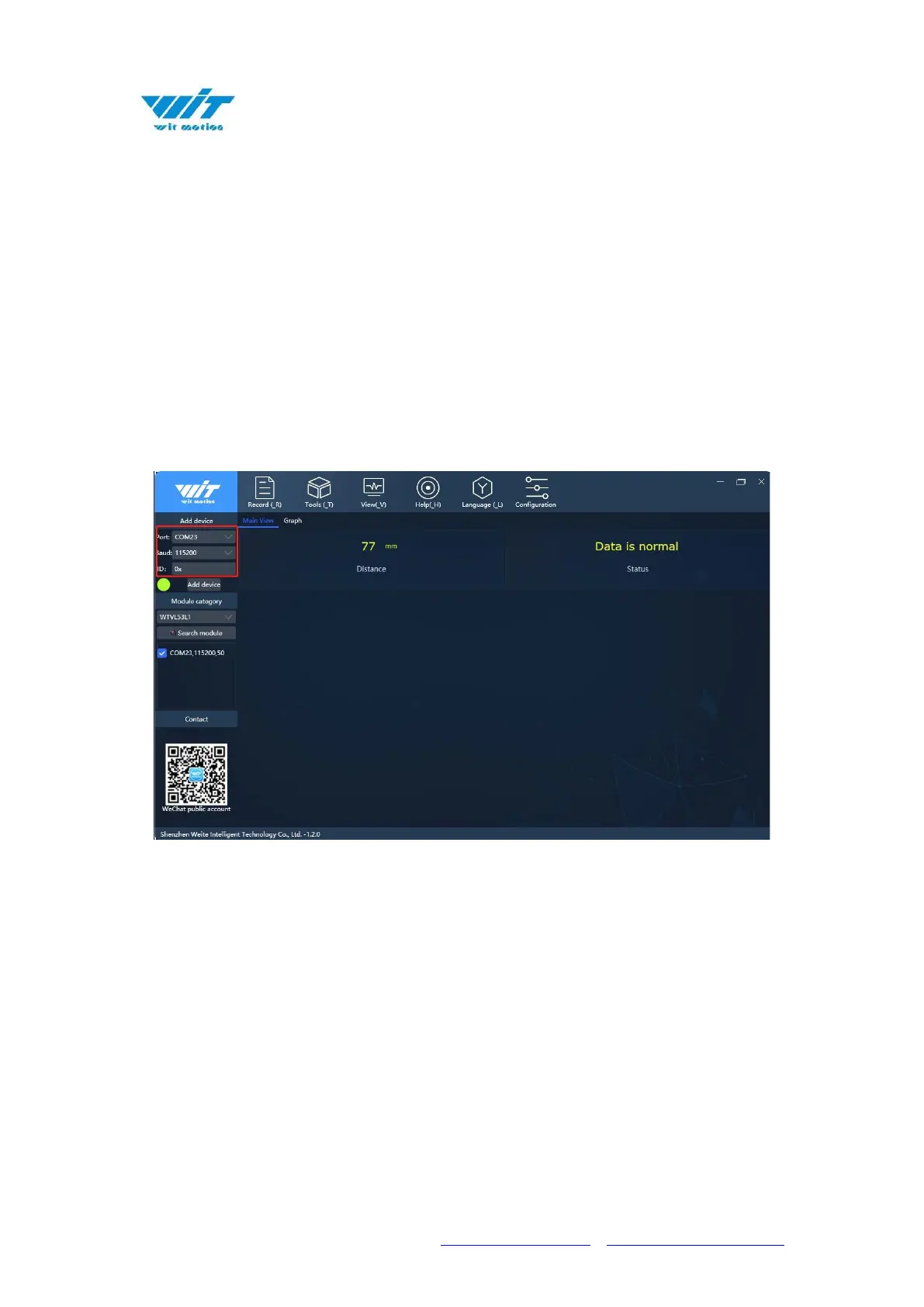
After the hardware is connected, open the host computer, select the
corresponding serial port, and click the serial port. The host computer
automatically searches for the sensor device, and the search window can be
manually closed after the device is found. Check the corresponding device on
the left side of the host computer to see the sensor data. The operation process
is as follows:
Open the host computer and select the corresponding serial port number
(default baud rate: 115200):



 To Next Page