WT53R-485 Manual v23-0720 | www.wit-motion.com | support@wit-motion.com
19
5.7
Calibration Module
The sensor can be calibrated manually, fix the sensor, place a white object at a
distance of 14cm (5.512") in front of the sensor and click to calibrate.
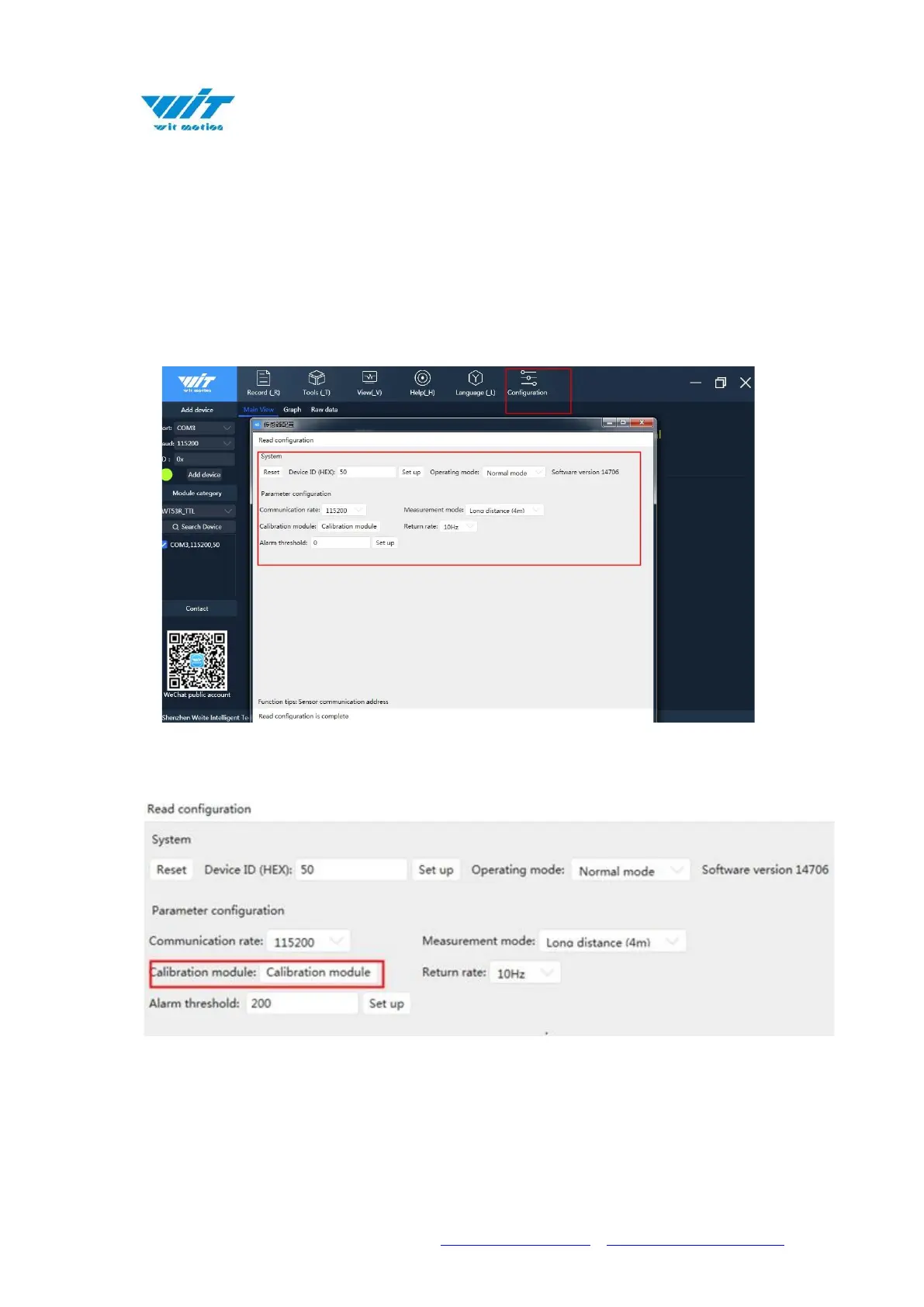
After connecting the sensor normally, click "Configuration" to select the
corresponding device and enter the configuration interface.
Fix the sensor and calibration object, click "Calibration module".



 To Next Page